
HubSpot for Contractors: The Honest Answer in One Paragraph
For most contractors, HubSpot is the wrong software. It has no job scheduling, no dispatch board, no crew management, no insurance supplement tracking, no material ordering, and zero native integrations with the CRMs contractors actually use. HubSpot is a marketing-led business platform for inbound sales teams — it was built for B2B SaaS companies, agencies, and e-commerce brands, and that is who uses it. Over 288,000 companies run HubSpot across 135+ countries, and you will find almost no roofers, HVAC shops, plumbers, electricians, or general contractors among them. The contractor-CRM conversation is JobNimbus vs ServiceTitan vs Jobber vs Housecall Pro — and HubSpot is never in it.
There is one exception. Large commercial contractors running real inbound marketing programs — content, paid ads, nurture sequences, landing pages, lead scoring — can get genuine value from Marketing Hub Professional, but only if they have a dedicated marketing person (internal or agency) to run it, and only if they are already running a purpose-built contractor CRM alongside it. That contractor profile is rare. Most reading this review are not it.
This review walks through exactly what HubSpot is, what it costs at contractor scale in 2026, where the integration gap hurts, and the specific scenarios where it does or does not make sense.
Full disclosure: This is a research-based review. We have not used HubSpot in our own contracting operation. Our analysis draws from HubSpot’s product and pricing documentation, customer reviews across G2 (4.4/5 across 35,117 reviews), Capterra (4.5/5 across 4,400+ reviews), Trustpilot (1.7/5 across 1,073 reviews), BBB complaint records (65 complaints, 56 unanswered), and contractor community discussions across Reddit, HubSpot Community, and partner agency case studies.
What HubSpot Actually Is — and Why Contractors Keep Getting Confused
HubSpot is a customer platform organized as six “hubs” that share one contact database. The hubs are Marketing Hub, Sales Hub, Service Hub, Content Hub (formerly CMS Hub), Data Hub (formerly Operations Hub, rebranded in 2025), and Commerce Hub. You can buy any hub standalone, stack several together, or buy the bundled Customer Platform at a discount.
The core value proposition is unification. Every customer interaction — a website form fill, a sales email, a support ticket, an invoice, a marketing campaign enrollment — lives in one record. When it works, your sales rep opens a contact and sees every email, every page visited, every ad clicked, every support ticket filed. For a B2B SaaS company selling annual subscriptions, that is genuinely powerful.
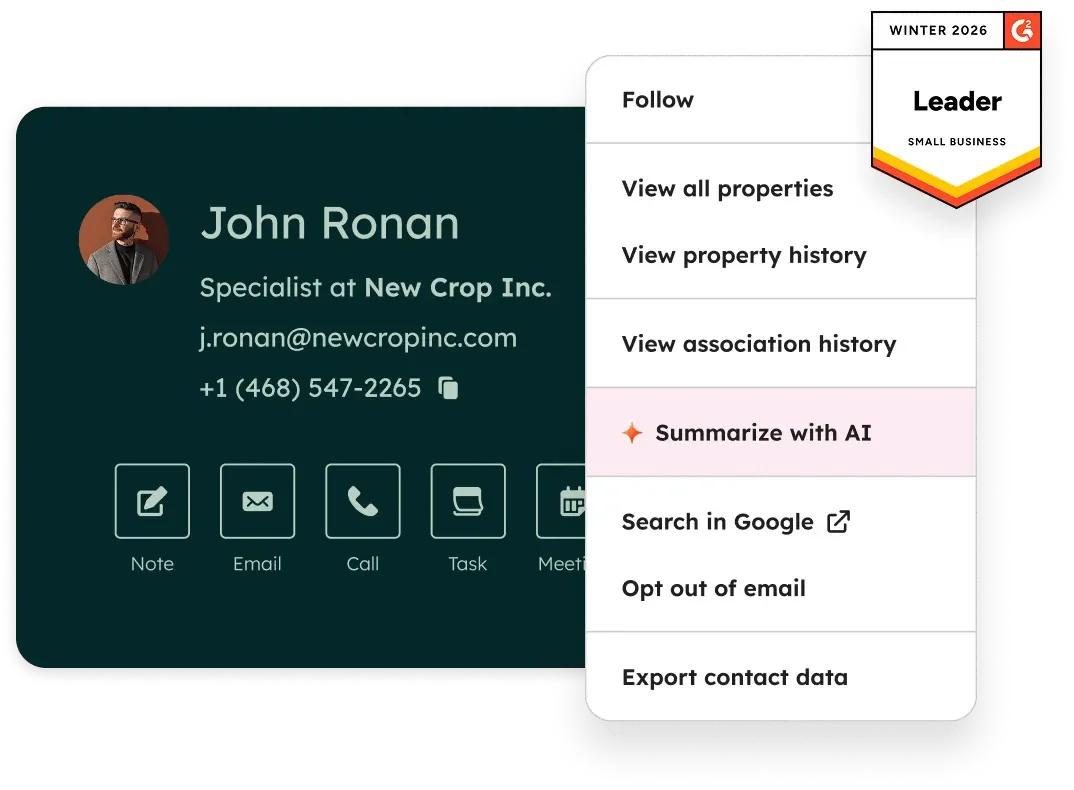
Six Hubs, One Database
- Marketing Hub — email marketing, landing pages, forms, marketing automation workflows, blog, SEO tools, social publishing, ads management, SMS (US only, add-on), lead scoring, A/B testing. This is the flagship and the reason most contractors would ever consider HubSpot.
- Sales Hub — deal pipelines, email tracking, meeting scheduler links, sequences, quotes, forecasting, call recording, playbooks. Strong for B2B sales teams; thin for contractor sales where the “deal” is a kitchen-table estimate.
- Service Hub — tickets, shared inbox, live chat, knowledge base, customer portal, SLAs. Overkill for most contractors; useful if you run a commercial service contract business with a help desk function.
- Content Hub — website and blog hosting with dynamic content and AI content remix. Competes with WordPress and Webflow, not with anything a contractor uses daily.
- Data Hub — data sync to external systems, data quality automation, programmable workflow actions (JavaScript/Python), webhooks. Advanced tier; 99% of contractors will never need it.
- Commerce Hub — quotes, branded invoices, recurring subscriptions, payments (Stripe or HubSpot Payments), QuickBooks Online sync. No monthly fee — consumption-based with a 0.75% platform fee on top of Stripe processing.
The Free CRM Everyone Starts With
HubSpot’s free tier is real, and that is part of why so many contractors end up trying it. You get contact and company records, one deal pipeline, tasks and activity tracking, a meeting scheduler, email tracking (200 notifications per month), a basic chatbot builder, email marketing with 2,000 sends per month, and the mobile app.
The catch: for any account created after September 2024, you are capped at 2 users and 1,000 contacts. Every outbound email, form, and chat window carries HubSpot branding. There is no workflow automation on the free tier — any “if X then Y” logic requires Starter at minimum. Custom reports and dashboards are paywalled behind Professional. Inbound calling is unavailable on the free tier; outbound calling is limited to 15 minutes per user per month.
For a solo contractor managing under 1,000 leads with basic email follow-up, the free CRM is a legitimate starting point. For anyone running a real operation with multiple users, active marketing, or job-stage automation, you will hit the ceilings inside of a month.
How Much Does HubSpot Actually Cost for a Contractor in 2026?
HubSpot starts free and ends expensive. The published pricing tiers look reasonable until you model what you actually need — then the real number emerges. Here is the full 2026 breakdown for the two hubs that matter to contractors (Marketing and Sales), plus the bundled Customer Platform.
| Tier | Marketing Hub (annual billing) | Sales Hub (per seat, annual) | Customer Platform Bundle |
|---|---|---|---|
| Free | $0 / 2 users / 1,000 contacts | $0 / 2 users | — |
| Starter | $15/mo per seat, 1,000 contacts, 5,000 sends | $15/mo per seat | $9/seat/mo (all Starter hubs) |
| Professional | $800/mo + $45/mo extra seats, 2,000 contacts, $3,000 onboarding | $90/seat/mo, $1,500 onboarding | ~$1,300-$1,600/mo |
| Enterprise | $3,600/mo + $75/mo extra seats, 10,000 contacts, $7,000 onboarding | $150/seat/mo, $3,500 onboarding | ~$4,000-$5,000/mo |
The $15 to $800 Cliff (Starter → Pro)
Marketing Hub Starter is $15 per seat per month. Marketing Hub Professional is $800 per month minimum, plus a mandatory $3,000 one-time onboarding fee. That is a 53x jump the moment you need workflow automation, A/B testing, custom reports, lead scoring, smart content, or the SEO recommendations tool — all Professional-gated features.
Most contractors hit this cliff within a quarter. You sign up for Starter to test the waters, set up some forms and a basic email sequence, and immediately find yourself needing something that is only on Pro. One Reddit user’s Sales Hub Professional quote was $17,500 per year after starting on a $250-per-year Starter plan. A community forum poster described being invoiced for a full contract period after accidentally sending one emergency newsletter that pushed them from 2,000 to 10,000 marketing contacts — the tier locked in and the extra contacts kept billing for the rest of the year.
The pricing pattern is not unique to HubSpot. Most enterprise SaaS platforms use the same cliff structure. But it is worth knowing before you sign.
Real Cost at Contractor Scale
Here is what HubSpot actually costs for contractor team sizes that might consider it:
- Solo operator on free CRM: $0 per month. Works until you hit 1,000 contacts or need automation.
- Small team (3 seats) on Sales Hub Starter: $45 per month ($15 × 3). No automation, no custom reports. Fine as a starting CRM if you do not need marketing tools.
- Marketing-focused contractor (5 seats) on Marketing Hub Pro + Sales Hub Starter: $800 + $90 (extra Marketing seats) + $45 + $3,000 onboarding = $935 per month plus $3,000 upfront = about $14,200 in year one.
- Mid-sized commercial contractor on Customer Platform Professional: ~$1,500 per month = $18,000 per year, plus onboarding.
- Enterprise commercial contractor on Customer Platform Enterprise: $4,000-$5,000 per month plus $7,000 onboarding = $55,000-$67,000 in year one.
Compare those numbers to the purpose-built alternatives. JobNimbus for a 5-person roofing team runs about $600-$700 per month with everything included. Jobber starts at $39 per month and scales to $439 per month for the top tier (15 users included). ServiceTitan for HVAC/plumbing starts at $245 per month. All three have contractor-specific features HubSpot does not offer at any tier.
The Marketing Contacts Auto-Upgrade Trap
This is the pricing mechanic that shows up in nearly every negative HubSpot review, and it is worth understanding before you sign a Marketing Hub contract.
HubSpot’s Marketing Hub tiers include a fixed number of “Marketing Contacts” — the subset of your CRM contacts that receive marketing emails. Professional includes 2,000. Enterprise includes 10,000. If you exceed your tier, HubSpot automatically upgrades you to the next contact bundle (generally in 5,000-contact increments at roughly $250 per month for Pro, or $100 per 10,000 for Enterprise).
The trap is that you cannot downgrade back mid-contract. Even if you delete the extra contacts the next day, the higher price stays until your next renewal. One HubSpot Community user described needing to email 10,000 contacts once for a one-time emergency campaign, deleting them immediately after, and still paying $440 per month extra until their contract expired eight months later.
The fix, if you choose HubSpot, is to actively manage which CRM contacts are flagged as Marketing Contacts and set hard limits on automation that enrolls new contacts.
HubSpot Marketing Hub — Where It Actually Earns Its Keep for Contractors
Everything above is warning. Here is where HubSpot is legitimately strong.
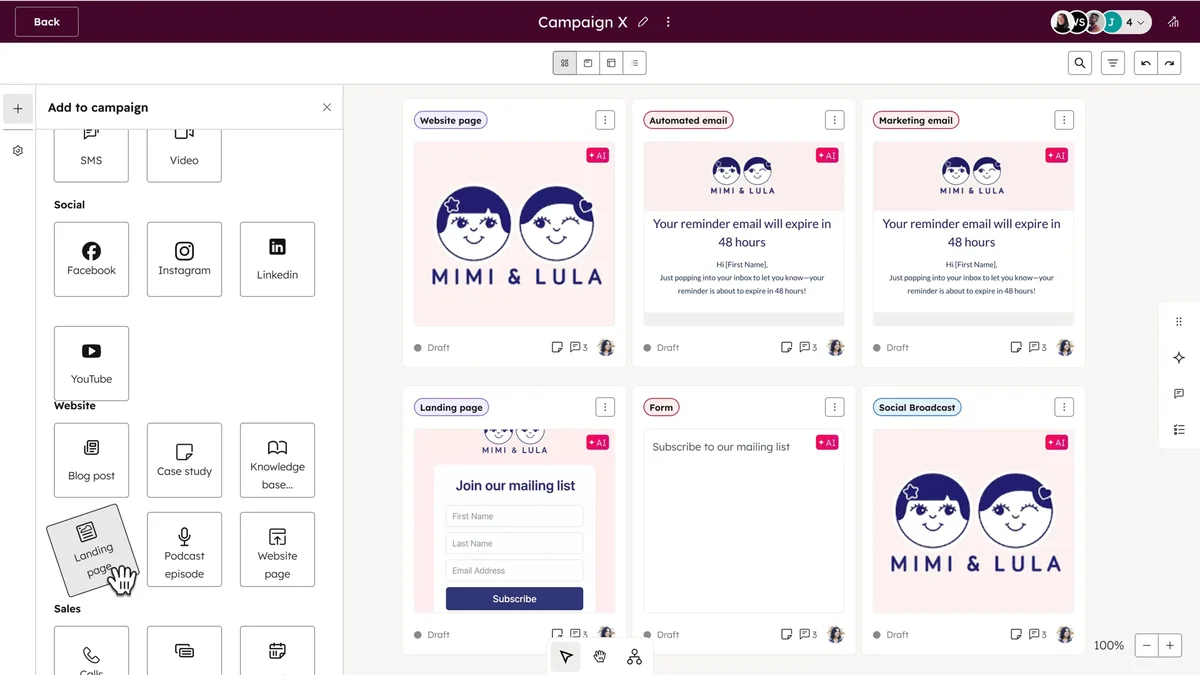
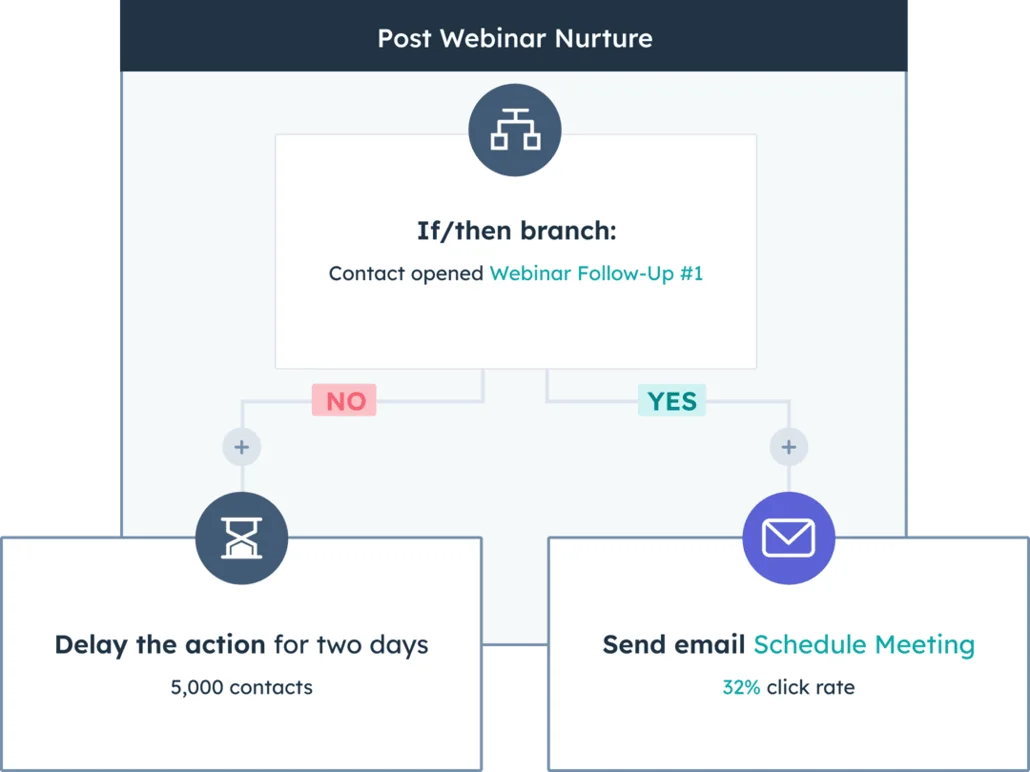
Marketing Hub Professional is one of the best marketing automation platforms on the market, period. The workflow builder is visual and powerful — you can set up multi-branch nurture sequences that react to form submissions, page visits, email opens, ad clicks, list membership, or any custom contact property. Lead scoring is ML-assisted at Enterprise. A/B testing is baked into both email and landing pages. The ads management module ties Google, Facebook, LinkedIn, and Instagram ad spend to revenue attribution at Pro+, and to multi-touch revenue attribution at Enterprise.
For a commercial contractor running an inbound marketing program — content marketing around commercial roofing, paid ad campaigns targeting property managers, landing pages for specific service lines, email nurture sequences for long sales cycles — Marketing Hub genuinely delivers. The kind of contractor who already has a website worth optimizing, a blog with regular posts, and marketing spend measured in four or five figures a month is the kind of contractor who gets value from Marketing Hub.
What you should not do is buy Marketing Hub as a replacement for a contractor CRM. It does not know what a job is. It does not know what a crew is. It does not understand insurance supplements, aerial measurements, or material ordering. It treats every customer relationship as a “contact” in a “deal pipeline” — which works for SaaS sales cycles and fails completely for a roofing job with four milestones, three crews, two suppliers, and an insurance carrier.
Pair Marketing Hub with a real contractor CRM. Use HubSpot to generate and nurture leads, then hand them off to JobNimbus, ServiceTitan, or AccuLynx for operations. The integration is Zapier-based (see the integrations section below) and it works, but it takes setup.
HubSpot AI — What Breeze Does (and the 2026 Pricing Shift)
HubSpot’s AI stack is called Breeze. It is genuinely ambitious.
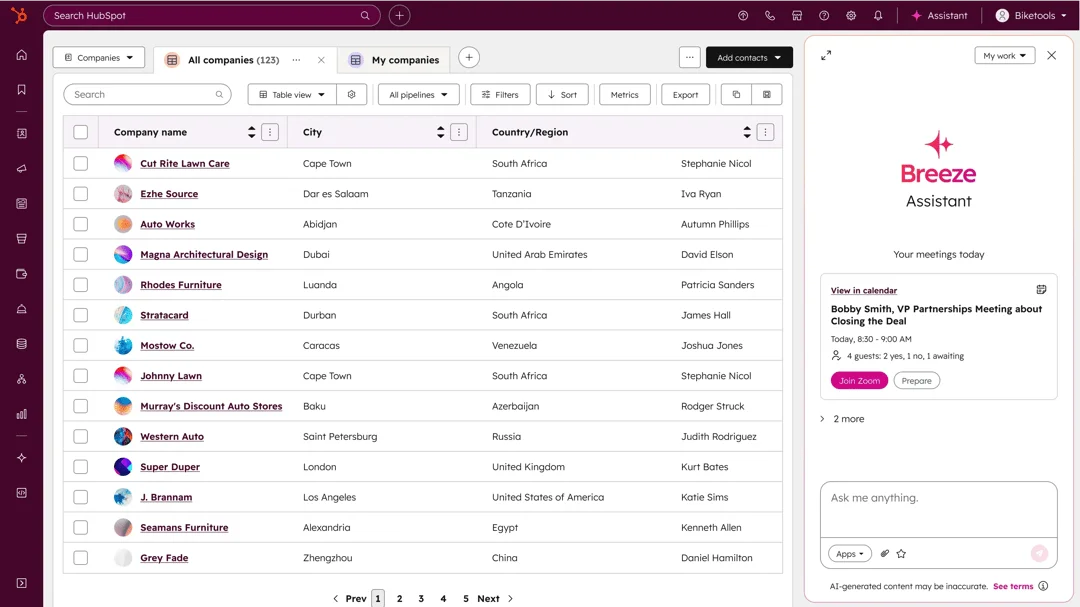
Breeze Copilot is a platform-wide AI assistant embedded throughout the interface. It generates content, summarizes contact records, drafts emails, helps with meeting prep, and answers questions about your CRM data. It is available on all tiers including free in limited form, with expanded capabilities on Professional and Enterprise.
Breeze Agents are four autonomous AI agents that run on their own rather than just assisting. The Customer Agent handles support tickets from a knowledge base and CRM data — available on Professional and Enterprise Service Hub. The Content Agent generates landing pages, blog posts, podcasts, and case studies on Content Hub and Marketing Hub. The Prospecting Agent researches leads and drafts personalized outreach — available on Sales Hub Professional and Enterprise. The Social Media Agent analyzes social presence and drafts posts, gated to Marketing Hub Enterprise.
Breeze Intelligence is a data enrichment layer that fills in contact and company records from HubSpot’s database of 200M+ buyer and company profiles. It is credit-based, with a minimum of $60 per month ($45 for 100 credits plus the $15 Starter hub requirement). Form shortening is a meaningful feature — it shrinks your forms by auto-filling fields from the visitor’s email address, which typically raises conversion rates.
The important 2026 change is pricing. Effective April 14, 2026, HubSpot moved Customer Agent and Prospecting Agent to outcome-based pricing — $0.50 per resolved support conversation and $1 per recommended lead. Previously these were credit-based or per-enrolled-contact. The new structure rewards HubSpot for delivering outcomes rather than just access. For contractors evaluating whether to turn these agents on, the math is simpler: if the AI recommends a lead you actually close, it was worth $1; if it resolves a customer question without human involvement, it was worth 50 cents.
Breeze is not a reason to buy HubSpot. If you already have HubSpot, Breeze is a reason to stay. If you do not, the AI capabilities of JobNimbus (AssistAI), ServiceTitan (call analytics and pricing intelligence), or Jobber (Copilot AI) are more directly useful to a contractor operation.
HubSpot Integrations — The Gap That Tells You Everything
HubSpot’s App Marketplace lists 1,946 integrations as of April 2026. One of the largest ecosystems in SaaS. And yet:
What HubSpot Connects To Natively
- QuickBooks Online — bidirectional sync of contacts, products, and invoices. Built by HubSpot.
- Xero — native sync for invoices and payments through Commerce Hub.
- Zapier — one of Zapier’s most-connected apps. Most HubSpot-to-anything connections route through here.
- Stripe — native payments integration.
- Google Calendar, Outlook, Gmail — calendar and email sync.
- Slack, Microsoft Teams — notification routing.
- DocuSign, Calendly, LinkedIn Sales Navigator, WordPress, Shopify, Mailchimp — and roughly 1,900 more.
What HubSpot Does Not Connect To
- JobNimbus — no native integration. Zapier only.
- ServiceTitan — no native integration. Zapier only.
- AccuLynx — no native integration.
- Jobber — no native integration. Zapier only.
- Housecall Pro — no native integration. Zapier only.
- CompanyCam — no native integration.
- EagleView, HOVER, GAF QuickMeasure — zero aerial measurement integrations.
- ABC Supply, SRS Distribution, QXO, Beacon PRO+ — zero supplier integrations for material ordering.
Every contractor CRM on the market has these integrations. HubSpot has none of them. That is not an oversight — it is a product decision reflecting who HubSpot sells to. HubSpot does not chase the contractor market, does not publish contractor case studies in its official library, and does not build toward contractor workflows.
If you adopt HubSpot, plan to build every contractor-specific data flow through Zapier. That works, but it costs time and adds failure points. Every Zapier-based integration is a handoff that can break, timeout, or duplicate data, and you will spend time debugging sync issues at 6 PM on a Friday.
What HubSpot Users Actually Say — The 4.4 vs 1.7 Story
HubSpot’s review data is bimodal in a way that matters.
On G2 and Capterra — where HubSpot’s partner program and review-incentive campaigns have meaningful reach — HubSpot rates 4.4/5 across 35,117 reviews on G2 and 4.5/5 across 4,400+ reviews on Capterra. Reviewers consistently praise ease of use, the unified CRM-marketing-sales database, the free tier, HubSpot Academy content, and integration breadth.
On Trustpilot — where review incentives don’t apply and HubSpot has less ability to manage sentiment — HubSpot rates 1.7/5 across 1,073 reviews, with 48% of reviewers giving 1 star. Sitejabber rates HubSpot 1.8/5 across 68 reviews. The themes across these unfiltered channels are consistent and specific:
- “Hubspot automatically upgraded our contact tier and then locked it in for remainder of 2 year fixed term.” — Trustpilot review
- “Costs ramp up very quickly for anything meaningful… extremely onerous.” — Trustpilot review
- “Don’t sign a yearly contract; that’s how they get you.” — Trustpilot review
- “Tried cancelling subscription and couldn’t… accrue charges daily.” — Trustpilot review
The single most damning signal is the Better Business Bureau record. HubSpot has 65 complaints in three years and 30 in the past 12 months, and the company failed to respond to 56 of those 65 complaints. The dominant complaint themes are billing disputes, unauthorized charges after cancellation, contract auto-renewal surprises, and sales reps who promised month-to-month flexibility that customers did not actually get in the signed agreement.
The reconcile is this: HubSpot is genuinely a strong product for the customer profile it serves, and when you hit a billing, cancellation, or contract dispute, the company’s public record suggests you should not expect responsive support. For a contractor evaluating HubSpot, that asymmetry matters.
Who Should Use HubSpot
- Commercial contractors with $10M+ annual revenue running dedicated inbound marketing programs with internal marketing staff or a retained agency
- Contractor-adjacent businesses like construction tech startups, material distributors, or software companies selling to contractors — these are B2B sales operations and HubSpot fits naturally
- Multi-location contractor franchises with corporate marketing functions handling brand campaigns, lead distribution, and cross-location attribution
- Contractors already using HubSpot and happy with it — if Marketing Hub is running your inbound program and you have a separate FSM platform for operations, the switch cost is rarely worth it
Who Should NOT Use HubSpot
- Solo contractors and small crews (under 10 employees) — you will hit the free-tier ceilings fast and Starter doesn’t include automation. Use Jobber at $39/month instead — it covers CRM, scheduling, quoting, and invoicing for any trade.
- Roofing contractors — HubSpot has no aerial measurement integrations, no material ordering, no insurance supplement tracking, no CompanyCam connection. Use JobNimbus for most roofers or AccuLynx if estimating and material ordering are your bottleneck.
- HVAC, plumbing, and electrical companies — no dispatch board, no service agreements, no emergency call routing. Use ServiceTitan for 5+ technician operations or Housecall Pro for smaller shops.
- General contractors running projects — no job phases, no crew scheduling, no material tracking. JobNimbus or Jobber handles project flow far better.
- Contractors who value pricing transparency and month-to-month flexibility — HubSpot’s annual contracts, auto-renewal, and mid-contract lock-in are the opposite of how most contractor software is sold. Read the terms before you sign.
For a fuller picture of the CRM options that actually fit the trades, start with our best contractor CRM roundup — HubSpot does not appear there because it does not belong there.
The Bottom Line
HubSpot is a serious, well-built business platform that has earned its place among the top 10 most-deployed SaaS products in the world. Over 288,000 companies run it and most of them are genuinely happy. None of that changes the fact that it was not designed for a contractor operation and does not serve one well.
For 95% of contractors reading this review, the answer is simple: use a contractor-specific CRM. JobNimbus, ServiceTitan, Jobber, AccuLynx, and Housecall Pro are all cheaper, faster to set up, and built around the workflows that run a contracting business — job pipelines, crew dispatch, material ordering, insurance supplements, trade-specific mobile apps. HubSpot doesn’t compete with any of them because it doesn’t try to.
The other 5% — commercial contractors running real marketing programs with dedicated marketing staff — can get meaningful value from Marketing Hub Professional. Those contractors should still run a contractor-specific operations platform in parallel and use Zapier to sync leads between the two. Treat HubSpot as a marketing layer, not a CRM, and the tool does what it was built to do.
If you are not sure which bucket you fall into, a simple test: do you employ or retain anyone whose full-time job is marketing? If yes, Marketing Hub might be worth exploring. If no, skip HubSpot entirely and pick a contractor CRM instead. The 30+ hours you would spend getting HubSpot configured for a contractor workflow would be better spent running your actual business.