

What Is Jobber and Who It’s Actually Built For
Jobber is what happens when someone builds field service software for the businesses that actually need it — the two-truck plumbing outfits, the growing HVAC companies with six techs, the landscaping crews that went from solo to a real team and suddenly need to stop running everything off text messages and a whiteboard.
Over 250,000 home service professionals use Jobber. It consistently lands top ratings across every major review platform: 4.5/5 on G2, 4.5/5 on Capterra, 4.5/5 on Software Advice (Source: Capterra, G2, App Store, Google Play, 2026). Those numbers hold up because Jobber earns them by being the one platform that does not require months of implementation or a dedicated IT person to get running.
The pitch is simple: quoting, scheduling, invoicing, CRM, and client communication in one place, starting at $39/month. No annual contracts. 14-day free trial with no credit card. That is a fundamentally different proposition than ServiceTitan asking you for $245/tech/month, a 12-month contract, and an implementation fee before you dispatch a single job.
Jobber is not perfect. The reporting is basic. The pricebook tools lack depth. And if you are running a 50-tech operation, you will outgrow it. But for the vast majority of field service businesses — the ones doing $100K to $2M in revenue — Jobber hits the sweet spot between capability and simplicity.
Full disclosure: I haven’t run my own jobs through Jobber yet — that’s on the short list for a hands-on demo. This review is built from extensive research: their documentation, feature pages, and verified customer reviews across G2, Capterra, Reddit, and contractor forums. I’ll update this with first-hand results when I do.
Jobber Features: What You Get Across All Plans
Quoting and Estimates
Jobber’s quoting workflow is one of the most consistently praised features of the platform (Source: Capterra reviews, 2025–2026). You build professional quotes using customizable templates, add line items, include optional add-ons, and attach photos or notes.
The real time-saver: clients get the quote by email or text and approve it right from their phone through Jobber’s Client Hub. One tap, and the approved quote automatically converts into a scheduled job — no re-entering data, no phone tag. Automated follow-ups then chase unapproved quotes at intervals you set, so that $4,000 HVAC estimate doesn’t just die in somebody’s inbox.
One issue worth flagging: some contractors report that over 60% of their quotes go unread because emails come from a generic Jobber domain that customers filter as spam (Source: contractor feedback, GetoneCrew, 2026). Switching to a custom email domain or sending quotes via text instead tends to fix it.
Scheduling and Dispatching
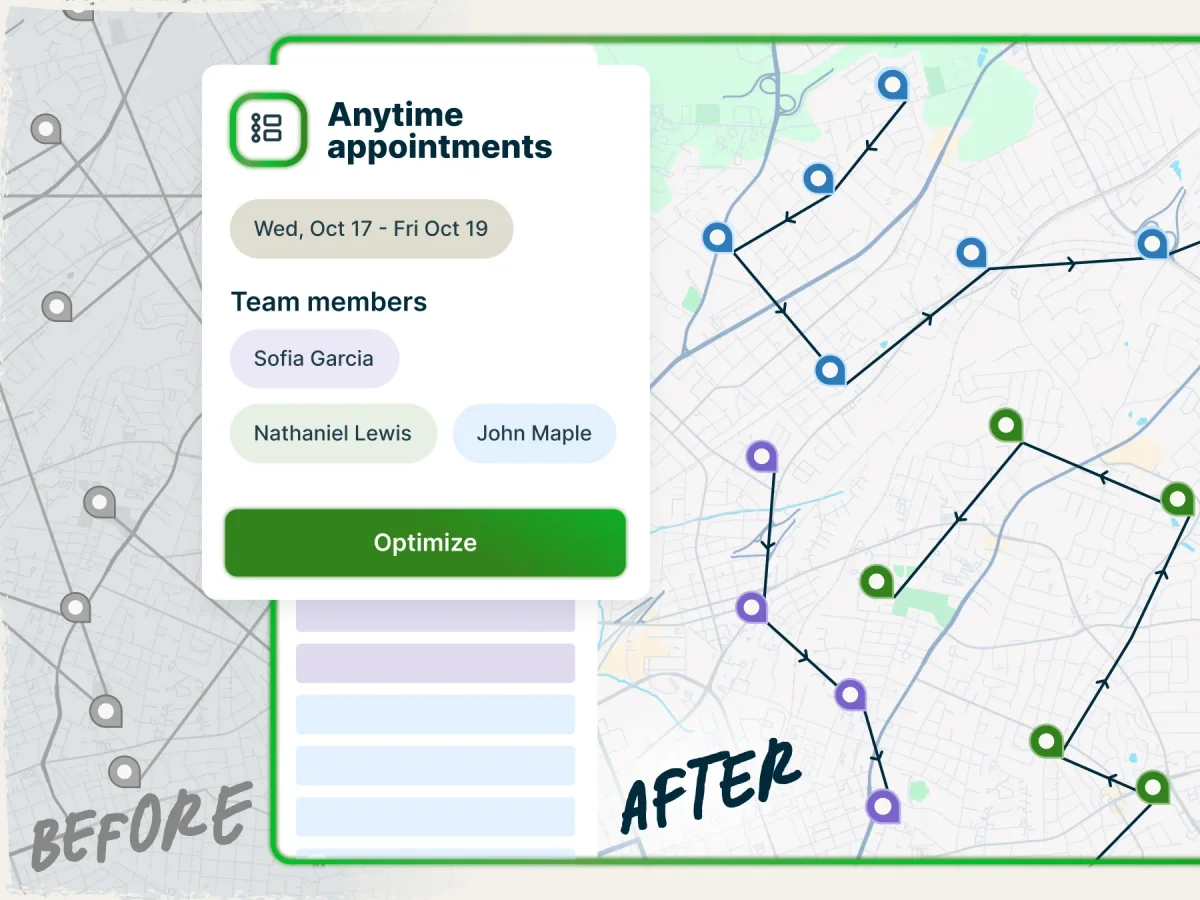
Jobber handles scheduling the way most small to mid-size businesses actually need it — a clean calendar view with drag-and-drop job assignment. You see your whole team’s day or week at a glance, assign jobs to techs, and move things around when the 2 PM emergency call comes in.
Jobs get color-coded by status. Techs see their schedule on the mobile app and get push notifications when something changes. Clients get automated “your tech is on the way” messages.
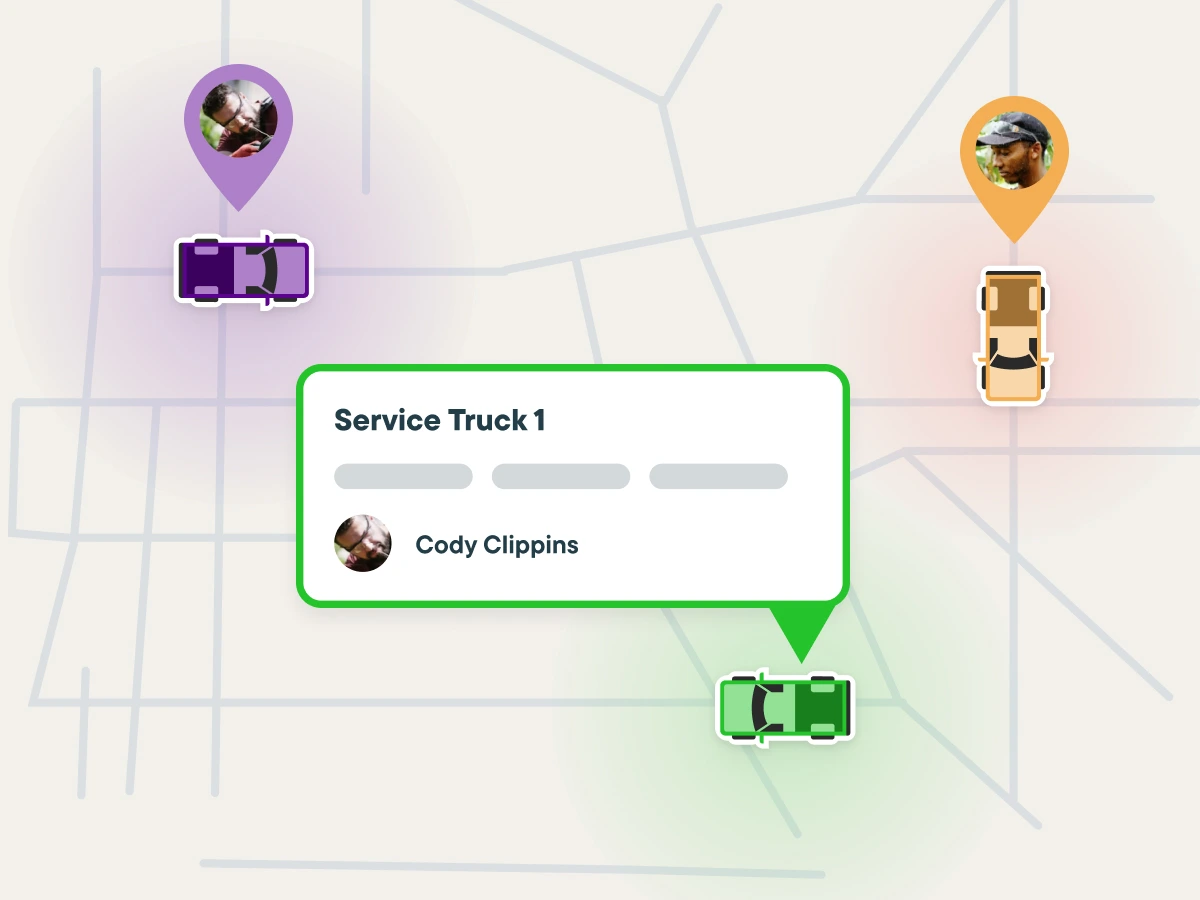
Where Jobber falls short compared to ServiceTitan is intelligent dispatching. There is no AI-powered assignment that automatically matches the right tech to the right job based on skills, location, and workload. For 5–8 technicians, manual drag-and-drop works fine. For 15+ techs spread across a large service area, you’ll feel the limitation (Source: FieldCamp review, 2026).
Jobber also does not optimize drive routes automatically. You can see jobs on a map, but there is no “here’s the most efficient route for Tech A today” like ServiceTitan’s Smart Routing. For most small crews, this is not a dealbreaker. For larger operations, those 20–30 extra minutes of windshield time per tech per day add up.
CRM and Client Management
Jobber functions as a solid CRM for service businesses. Every client gets a profile with contact info, property details, job history, notes, and communication logs. When a repeat customer calls, you pull up their entire record in seconds — what you quoted, what you did, what you charged, and any notes from the last visit.
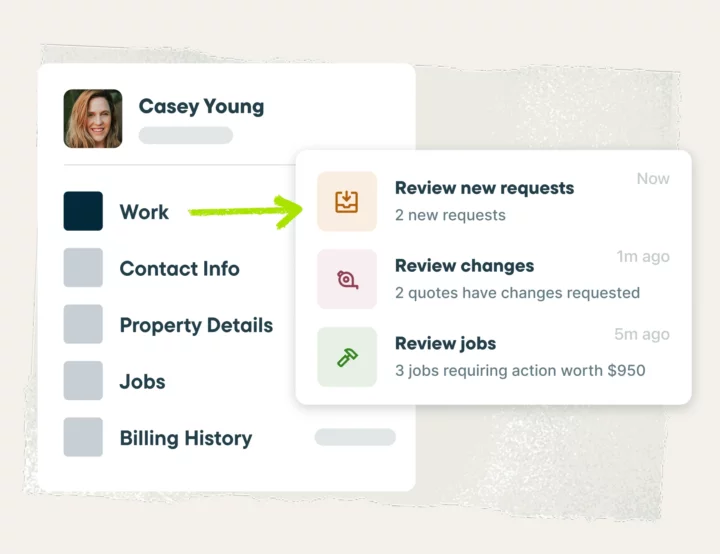
Two-way texting lets you communicate with clients directly from Jobber — no switching to your personal phone, no lost text threads. Everything stays in the system tied to the client record.
Client tags and custom fields help you segment your customer base. Tag clients as “maintenance agreement,” “commercial,” or “referral source” and filter your list accordingly. It is not Salesforce-level CRM, but for a plumbing or HVAC business, it covers exactly what you need.
Invoicing and Payments
Invoicing flows naturally from completed jobs. Finish the work, generate the invoice from the job details, send it to the client. They pay online through the Client Hub — credit card, ACH bank transfer, or you collect payment on-site through the mobile app.
Jobber Payments handles processing at competitive rates: 2.9% + $0.30 per transaction for credit cards and 1% for ACH (Source: Jobber pricing page, 2026).
Batch invoicing is available for recurring work — landscape maintenance, pool cleaning, HVAC maintenance agreements. Set it up once and invoices go out automatically on schedule. Automated payment reminders chase overdue invoices so you’re not making awkward collection calls.
The QuickBooks Online integration syncs clients, products/services, timesheets, invoices, payments, refunds, tips, and payouts (Source: Jobber Help Center, 2026). Available on Connect and Grow plans. Worth noting: users report approximately 2% of line items dropping during sync, and auto-sync occasionally breaks and needs manual reconciliation (Source: contractor reviews, multiple platforms, 2025–2026). It works most of the time, but don’t assume it’s flawless.
Client Hub
The Client Hub is Jobber’s client-facing portal, and it’s one of the features that sets Jobber apart from cheaper alternatives. Your customers get a self-service portal where they can:
- View and approve quotes
- See upcoming appointment details
- Pay invoices (including past-due balances)
- Print receipts
- Request new work
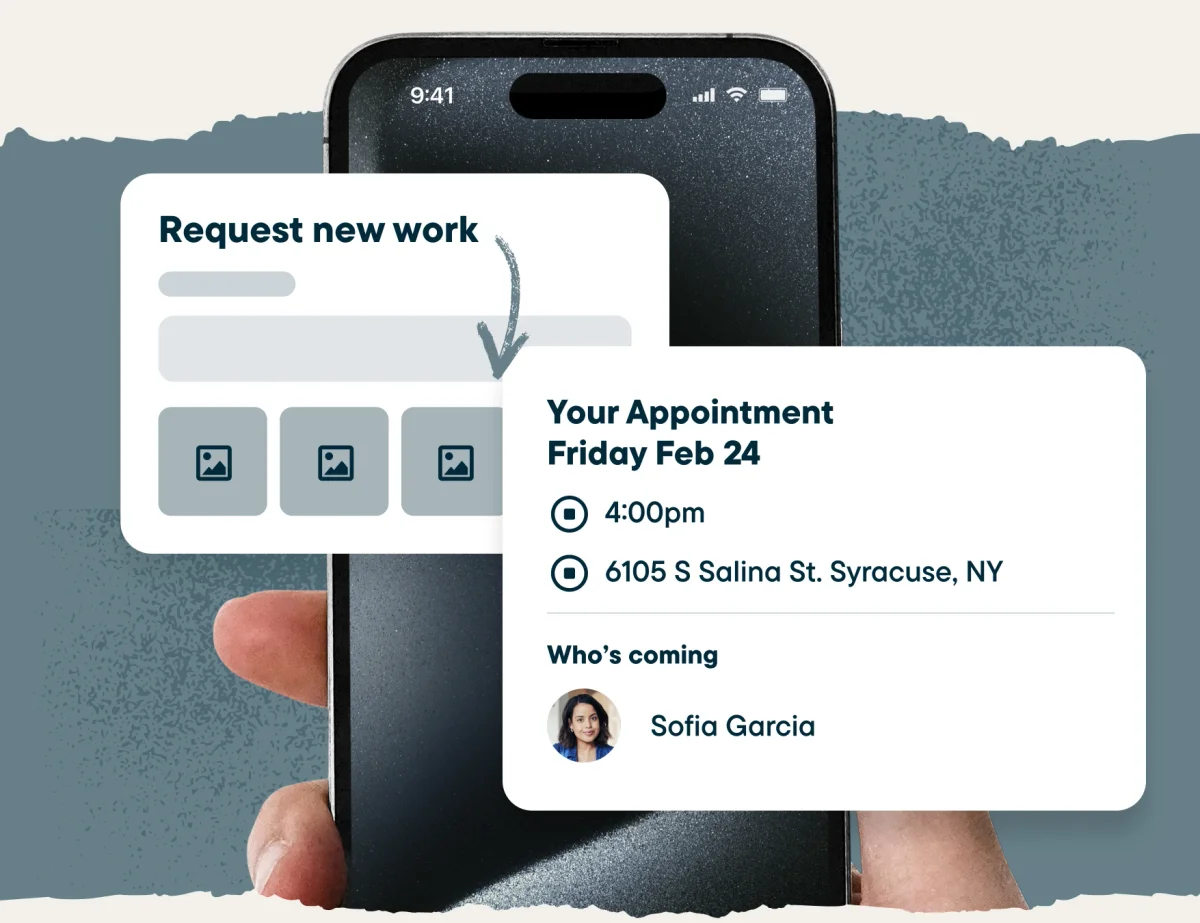
For the customer, it feels professional and modern. For you, it means fewer phone calls, fewer “when’s my appointment?” texts, and faster payment collection. The Client Hub URL can be customized with your branding so it looks like your business, not Jobber’s.
Jobber Copilot: What the AI Features Actually Do
Jobber launched Copilot in late 2024 as their AI assistant, trained on over a decade of Jobber’s business data specifically for home service professionals (Source: Jobber press release, 2024). Copilot is currently free in beta for US and Canadian customers.
Here is what it actually does:
Business Coaching: Ask Copilot a question about your business — “How can I improve my close rate on quotes?” or “What should I charge for a furnace replacement?” — and it gives you personalized advice based on your actual Jobber data, not generic AI responses. It looks at your numbers, your job history, your market.
Data Analysis: Copilot can analyze your operational efficiency, cash flow trends, and workforce performance. Ask “How did Q1 compare to last year?” and it pulls the data, does the math, and gives you a straight answer. For owners who hate digging through reports, this is genuinely useful.
Marketing Content: Need a blog post about winterizing pipes or a social media post about a spring AC special? Copilot writes it using context from your actual services, service area, and customer trends. It’s not going to replace a marketing agency, but it beats staring at a blank screen.
Product Expertise: Copilot knows Jobber inside and out. If you’re trying to set up recurring invoices or automate appointment reminders, ask Copilot instead of hunting through help docs. It walks you through features step by step.
Think of it as a smart assistant that saves you 30–60 minutes a day on tasks you used to do manually or not at all. It’s a solid addition, though it is not going to transform your business overnight.
AI Receptionist
Jobber also launched an AI Receptionist in 2026 — a paid add-on at $29/month that answers phone calls and text messages when you can’t.
The Receptionist handles new client inquiries, answers questions about your business (hours, services, service area), creates work requests, and books appointments directly into your Jobber schedule — using your online booking settings to determine which team members to schedule and which services can be booked online.
When it takes a message instead of booking, it creates a task in your Jobber schedule so nothing slips through. You get real-time notifications as it handles each interaction.
For a one- or two-person operation where every missed call is a missed job, $29/month for an AI answering service is a reasonable investment. Just know it’s always an add-on — not included in any plan.
Jobber Mobile App: Built for Contractors in the Field
Jobber’s mobile app is one of the best in the field service management space. With a 4.8/5 on iOS and 4.7/5 on Android, field techs consistently rate it as easy to use and reliable (Source: App Store, Google Play, 2026).
From the app, your crew can:
- View their daily schedule and job details
- Navigate to job sites via Google Maps or Apple Maps
- Log time on jobs with location-based timers
- Create and send quotes
- Generate and collect invoices
- Capture photos and notes
- Get customer signatures
- Communicate with the office and clients
The interface is clean and uncluttered — Capterra reviewers frequently call out the modern design and straightforward navigation (Source: Capterra reviews, 2026). Most teams report their crew is comfortable with the app within a day or two.
Offline Mode launched in January 2026, addressing one of the biggest historical complaints. You can now fill out job forms, review visit details, and track time without an internet connection — data syncs when you get back in range. The caveat: offline mode does not support editing existing records or capturing customer signatures. It’s a partial solution, not a full offline experience (Source: Jobber, 2026).
For field crews who spend their entire workday on a phone or tablet, Jobber’s mobile experience is hard to beat. It’s noticeably smoother than ServiceTitan’s mobile app, which gets more mixed reviews.
Jobber Pricing: Plans, Costs, and What You Actually Pay
Jobber keeps pricing transparent — it’s right on their website. No sales demo required. No “contact us for a quote.” That alone tells you something about who this product is built for.
Plans and Pricing
Jobber dropped the old Individual vs. Team split. Every plan now includes a set number of users, and the price depends on how you commit:
| Plan | Month-to-month | 1-year commitment (billed monthly) | Billed annually | Users Included | Key Features |
|---|---|---|---|---|---|
| Core | $49/mo | $39/mo | $29/mo | 1 | Quoting, invoicing, scheduling, CRM, client hub, mobile app |
| Connect | $139/mo | $119/mo | $99/mo | 5 | Core + automated follow-ups, QuickBooks sync, job forms, GPS tracking |
| Grow | $199/mo | $169/mo | $149/mo | 10 | Connect + quote add-ons, job costing, automated quote follow-ups, two-way text |
| Plus | $499/mo | $439/mo | $399/mo | 15 | Everything in Grow, for teams up to 15 |
Additional users beyond the included count cost $29/user/month on any plan (Source: Jobber pricing page, September 2026).
Annual billing saves up to 25%, which is a meaningful discount if you’re committed. But you can start month-to-month with no contract and switch later — a major advantage over ServiceTitan’s mandatory annual commitment.
Limited-time offer (through September 30, 2026): Jobber is running a first-3-months discount on top of the 1-year-commitment rate — Core drops to $24/mo, Connect to $72/mo, Grow to $102/mo, and Plus to as low as $264/mo before reverting to the regular commitment rate in the table above (Source: Jobber pricing page, checked September 27, 2026). If you’re already leaning toward Jobber, this is the window to lock in the lower entry price — it’s not guaranteed to run again.
Add-On Costs
| Add-On | Cost |
|---|---|
| AI Receptionist | $29/month |
| Pipeline | $49/month |
| Marketing Suite | $99/month |
| Payment Processing | 2.9% + $0.30 (credit card), 1% (ACH) |
Real-World Cost Example
A 6-person HVAC company on the Grow plan, billed annually:
- Base: $149/month (10 users included — room to grow)
- AI Receptionist: $29/month
- Total: ~$178/month or ~$2,136/year (about $228/month if you stay month-to-month)
Compare that to the same team on ServiceTitan Essentials: roughly $24,000+/year in subscription alone, plus implementation fees. Jobber is less than a tenth of the cost for a team that size.
The Pricing Gotcha
One legitimate complaint: the spread between month-to-month and annual pricing is wide. Core is $49/month with no commitment but $29/month billed annually; Connect is $139 versus $99. Jobber advertises the “save up to 25%” annual rate, so budget for the higher number if you want to stay uncommitted. The other sting is the seat math on Core: it includes a single user, and every extra seat is $29/month, so a solo operator who adds two helpers is paying $87/month on Core annual — within $12 of Connect’s $99 for five users. Several contractors flag the per-seat pricing as a frustration (Source: contractor feedback, GetoneCrew, 2026). Expect to get nudged up a tier once you hire.
14-Day Free Trial
Jobber offers a 14-day free trial with no credit card required. You can set up your account, add clients, create quotes, and run the full workflow before spending anything. This is how software should work. ServiceTitan and several competitors still don’t offer this.
Jobber by Trade: Which Businesses Get the Most Out of It
Jobber works across a wide range of home service trades, but some industries get more out of it than others:
HVAC: Jobber is one of the best fits for HVAC companies. Maintenance agreement billing, seasonal scheduling, equipment tracking via custom fields, and the AI Receptionist for after-hours emergency calls. The pricing works for 2–12 tech operations.
Plumbing: Plumbers consistently rate Jobber highly. Fast quoting, Client Hub for approvals, GPS tracking, and the QuickBooks integration for job costing all align with how plumbing businesses operate.
Electrical: Solid fit. Permit-stage job tracking, client communication, and time tracking all work well. The lack of deep pricebook management is more noticeable in electrical (where materials pricing fluctuates), but for labor-heavy work it’s fine.
Landscaping: One of Jobber’s strongest use cases. Recurring billing for maintenance contracts, route scheduling across multiple properties, batch invoicing, and a mobile app that holds up in outdoor conditions with spotty signal.
Painting: Works well for painting contractors who need organized quoting, photo documentation on jobs, and straightforward invoicing. Job costing on the Grow plan helps track material vs. labor costs per job.
Roofing: Possible but not ideal. Jobber doesn’t have built-in measurement integrations or insurance claim tracking workflows — both things roofers need regularly. JobNimbus is the better call for any serious roofing operation.
Jobber’s Native Estimating Workflow
Jobber’s quoting tool isn’t a measurement-aware estimating platform like AccuLynx or Roofr — but for service-trade contractors who write a few quotes a day from a phone in the truck, it’s one of the cleanest lightweight estimating workflows in the category.
The quote-builder workflow. Inside a client record, you tap “Create Quote,” pull line items from your saved Products & Services library, apply taxes and discounts, attach optional add-ons the homeowner can select themselves, and send the branded PDF for e-signature. Jobber Payments collects deposit at signature without a second tool. The quote-to-job conversion is one tap once accepted — line items, schedule, and invoice template all carry forward without re-entry. For an HVAC tech writing a water-heater swap quote in a basement or a painter writing a deck-stain quote in the driveway, the speed-from-walkthrough-to-signed-contract is genuinely competitive with anything in the FSM category.
Where the quote-builder ends. Jobber doesn’t do takeoffs, doesn’t pull aerial measurements, and doesn’t ship a trade-specific assembly library. The Products & Services library is one you build from scratch — there’s no roofing shingle waste-factor template, no HVAC tonnage calculator, no plumbing fixture catalog out of the box. For service-replacement work where line items are pre-priced equipment swaps, this is fine. For construction-style work where takeoffs and material lists drive the bid, you’ll outgrow Jobber’s quoting tool fast.
Pricing tier and limits. Quoting is included from the Core tier ($49/mo month-to-month, $29/mo annual) for one user. Connect tier ($139/mo, $99 annual, 5 users) adds the Wisetack financing integration that lets you offer 0% APR options on the quote itself, which materially lifts close rates on $5K+ tickets — the integrated-quote pattern that puts Wisetack at the top of our customer financing tools rankings. Grow tier ($199/mo, $149 annual, 10 users) adds quote follow-up automations and quote-conversion analytics worth the upgrade for shops doing 30+ quotes/month.
The 2025-2026 AI layer. Jobber Copilot (launched 2024) added AI-generated quote drafts from a brief job description and AI-suggested upsells based on historical close patterns. The drafts are a useful starting point for techs who hate writing quotes, but the trade-specific accuracy is still light — you’ll review and edit every AI-drafted quote before sending. This is template automation with an AI layer rather than AI-native estimating.
Trade fit for estimating specifically. Service trades (HVAC, plumbing, electrical) are the strongest fit — Jobber’s quoting workflow matches how those quotes actually get written. Painting and landscaping are solid. Roofing is the weakest fit because Jobber has no aerial measurement, no shingle assemblies, and no Xactimate path — roofers using Jobber for the FSM layer typically pair it with Roofr ($13 reports + Xactimate ESX) or iRoofing (visualization + flat-rate measurement) for the actual estimating.
When you outgrow Jobber’s quoting. Three signals: you’re spending more than 10 minutes per quote because line-item lookup is too slow, you need takeoffs from photos or aerial imagery to bid accurately, or your trade requires Xactimate for insurance work. At any of those, look at Roofr for measurement-driven trades, iRoofing for visualization-led residential roofing, or AccuLynx for production roofing operations where the entire CRM-to-material-order workflow needs to live in one platform.
Jobber Integrations: QuickBooks, Zapier, and More
Jobber connects with the most common business tools contractors already use:
- Accounting: QuickBooks Online (Connect and Grow plans), Xero
- Payments: Jobber Payments (Stripe-powered), Square
- Marketing: Mailchimp, NiceJob (reputation management)
- Payroll: Gusto
- Communication: Two-way SMS, email
- Automation: Zapier (opens up hundreds of additional connections)
- Calendar: Google Calendar sync
- Fleet: GPS vehicle tracking (Connect plan and above)
The Zapier integration is worth calling out — it lets you connect Jobber to just about anything else in your tech stack. Want completed jobs to automatically update a Google Sheet? Want new clients added to your Mailchimp list? Zapier handles it without any code.
The integration list is shorter than ServiceTitan’s, but it covers the essentials. Most small to mid-size contractors don’t need 50 integrations — they need QuickBooks, a payment processor, and maybe a marketing tool. Jobber covers that.
Does Jobber Integrate With GoHighLevel? The Native Pairing Explained
Yes — on September 18, 2025, Jobber and GoHighLevel shipped a native two-way integration. It’s free, takes about five minutes to enable from either platform (Integrations → enter API key), and doesn’t need Zapier, Make, or any custom code.
For contractors running both, this is the integration that turns Jobber plus GoHighLevel into the strongest marketing-plus-field-service stack on the market under $500 a month.
Setting up the Jobber + GoHighLevel stack?
Our no-agency GoHighLevel setup playbook walks through the integration setup in Step 8, plus the full GoHighLevel configuration from blank account to running stack.
What the Native Integration Does (and Doesn’t Do Yet)
The sync handles three things well, one thing not yet:
- Two-way client sync — add a client in Jobber, it shows up in GoHighLevel. Add a contact in GoHighLevel, it shows up in Jobber. Matching runs on Jobber client ID, which prevents the duplicate-record problem that breaks every Zapier-based contractor connection.
- Historic + live sync — your existing Jobber client list imports into GoHighLevel on setup, then ongoing changes flow in both directions in real time.
- AI Voice books directly into Jobber — inbound call → GoHighLevel’s AI Voice agent qualifies the caller → books the appointment straight onto the Jobber calendar your crew already runs from. No double entry, no appointments lost because the office manager stepped away.
- Not yet — two-way job/visit sync, invoice sync, and payment status sync still require Zapier or webhooks. The native integration as of April 2026 covers contacts and AI booking, not the full job lifecycle. Both companies have signaled deeper sync is on the roadmap.
Why the Pairing Works
Jobber is a field service CRM. It schedules crews, dispatches trucks, runs the mobile app your techs actually use, and keeps operations moving. It is not a marketing platform — the built-in email is basic, SMS is basic, and there is no AI call answering, no funnel builder, no landing pages, and no deep automation builder.
GoHighLevel is a marketing platform. Lead generation, nurture sequences, AI Voice and Conversation AI, reputation management, funnels, and an all-channel inbox. It is not a field service CRM — no dispatch, no routing, no crew management, no field-tech mobile app.
Each one covers what the other doesn’t. Marketing generates the lead, Jobber runs the job, GoHighLevel runs the post-job review request and rebook nurture. Nothing in between gets lost.
What the Stack Actually Costs
A one-shop contractor running both platforms typically lands here:
| Component | Monthly Billing | Annual Billing |
|---|---|---|
| Jobber Connect (5 users included) | $139/mo | $99/mo |
| GoHighLevel Starter | $97/mo | $97/mo |
| GoHighLevel AI Employee (unlimited) | $97/mo | $97/mo |
| Total | $333/mo | $293/mo |
That’s roughly $3,516 a year for the pair on annual billing. Compare that to HubSpot Marketing Hub Professional + Jobber Connect separately at $890+/mo + $99/mo = $11,868+ a year, or ServiceTitan at $245 per technician per month before any marketing add-ons.
For the complete GoHighLevel breakdown — AI Employee suite, snapshot library, and what it actually costs after SMS and Voice AI usage — see our GoHighLevel review.
The Full Head-to-Head: GoHighLevel vs Jobber
Want the complete breakdown — side-by-side per-category score comparison, all-in cost math by business size, three real lead-to-revenue workflow walkthroughs, and the honest verdict for contractors who have to pick just one? Read our GoHighLevel vs Jobber comparison.
Who Should Use Jobber
Jobber is the right fit if:
- You’re doing $100K to $2M in annual revenue — Jobber scales well in this range without breaking the bank
- You have 1 to 15 techs — the scheduling and dispatching tools handle this crew size well
- You want to be up and running in days, not months — most teams are fully operational within a week
- You’re in HVAC, plumbing, electrical, landscaping, or painting — Jobber is purpose-built for these trades
- You want to try before you buy — the 14-day free trial lets you test everything with real jobs, no card required
- You’re price-conscious — at $39/month to start, Jobber is accessible at any stage of growth
- Your crew is not super tech-savvy — the app is genuinely easy enough that anyone picks it up fast
Some contractors with 30+ employees and over $1.2M in revenue report they still haven’t outgrown Jobber (Source: contractor reviews, 2026). It scales further than people expect.
Who Should NOT Use Jobber
Jobber is not the right tool for everyone:
- Large operations (20+ techs, $3M+ revenue) — you’ll likely need the depth of ServiceTitan for advanced dispatching, inventory management, and enterprise-level reporting
- Roofers — Jobber handles basic roofing operations, but JobNimbus is purpose-built with measurement integrations, insurance claim tracking, and material ordering. Jobber treats a $50,000 roof the same as a $500 drain cleaning (Source: contractor feedback, 2026)
- Crews past 25 users feeling per-seat pricing compound — Jobber Plus covers 15 users at $399/mo annual, then every seat is $29/mo on top. QuoteIQ Max at $699/mo flat-rate with unlimited users wins on price math somewhere past 25 active users, especially if AI-bundled CRM matters in your evaluation. For pressure washing, lawn care, house cleaning, and exterior trades specifically, QuoteIQ is the AI-forward direct competitor worth pressure-testing against Jobber Connect
- Data-driven owners who need deep reporting — no first-time fix rate, no customer lifetime value tracking, no SLA compliance metrics. If your decisions run on detailed KPIs, this is a real limitation (Source: multiple review platforms, 2025–2026)
- Businesses that need intelligent dispatching — if you’re managing 15+ techs across a large service area and need AI to optimize tech assignments and route planning, manual drag-and-drop won’t cut it
- Companies needing full offline capability — the January 2026 offline mode is a start, but you still can’t edit records or get signatures offline. If your crews regularly work in dead zones, this matters
Jobber vs. the Competition
| Feature | Jobber | Housecall Pro | ServiceTitan |
|---|---|---|---|
| Starting Price | $39/mo | $59/mo | ~$245/tech/mo |
| Free Trial | 14 days | 14 days | No |
| Ease of Setup | Days | 1–2 weeks | 2–12 months |
| Mobile App Rating | 4.8 iOS / 4.7 Android | 4.7 iOS / 4.5 Android | Mixed |
| AI Features | Copilot + AI Receptionist | Basic | Titan Intelligence |
| Reporting | Basic | Moderate | Deep + custom |
| Best For | $100K–$2M businesses | $100K–$2M businesses | $1M+ businesses |
For a head-to-head breakdown, check our Jobber vs. Housecall Pro comparison.
Jobber and Housecall Pro are genuinely close competitors. Jobber is cheaper at entry level and generally easier to set up. Housecall Pro has slightly better built-in payment features and a more polished marketing toolkit at its mid-tier. Honestly, you can’t go wrong with either for a small to mid-size operation — try both free trials and see which one clicks with your workflow.
Bottom Line
Jobber is the best value in field service management software for small to mid-size contractors. Not the most powerful. Not the most feature-rich. But the best balance of what you need, what it costs, and how fast you can get it running.
At $39/month with a 14-day free trial and no credit card, the barrier to entry is as low as it gets in this category. Most teams are up and running within a week. The mobile app is excellent — field techs will actually use it without complaining. The quoting-to-invoicing workflow is tight. The Client Hub makes your business look professional. Jobber Copilot adds AI assistance that saves real time without adding complexity.
The weak spots are real: basic reporting, no intelligent dispatching, limited pricebook depth, and a QuickBooks sync that needs occasional babysitting. If you need enterprise-level analytics and AI-optimized routing, ServiceTitan is the move — but you’ll pay 5x more for it.
For the 78% of Jobber users who have between 2 and 50 employees (Source: review platform data), this platform does what it needs to do: get quotes out fast, keep the schedule organized, send professional invoices, and get paid. No six-month implementation. No $15,000 setup fee. No 12-month contract trapping you if it doesn’t work out.
Rated 4.5/5 across G2, Capterra, and Software Advice — numbers built on thousands of verified reviews from actual contractors. Try the free trial, run a few real jobs through it, and you’ll know within a week whether it fits your business.
The best software is the one your team actually uses. Jobber makes that easy.