


It’s 4:40 on a Thursday. Your lead HVAC tech just texted that the condenser swap on Elm Street ran long. The plumber you hired in March wants to know why Tuesday’s invoice never showed up in QuickBooks. The office phone is ringing with a number you don’t recognize, and nobody is at the desk to grab it. You’re standing in a customer’s garage with a flashlight in your teeth.
Both Jobber and FieldPulse were built for that exact afternoon. Either one will put the schedule on your tech’s phone and pick up that call with an AI voice that books the job. Where they split is how each company sells you the product, and what that sales model does to your budget and your first 30 days.
Jobber puts its price on the website and hands you a 14-day trial with no card. FieldPulse asks you to book a demo and get a custom quote. That one difference explains most of what follows.
Two Different Ways to Sell Field Service Software
Jobber sells packaged tiers. FieldPulse sells seats and modules. Understand that, and the rest of the comparison falls into place.
Jobber’s model: four plans with a fixed number of users baked in. Core ($29/mo billed annually, $49 month-to-month) covers one user. Connect ($99 / $139) covers five. Grow ($149 / $199) covers ten. Plus ($399 / $499) covers fifteen. Any seat past that is $29/user/month on any plan. Add-ons are published too: AI Receptionist $29/mo, Pipeline $49/mo, Marketing Suite $99/mo. Verified against Jobber’s pricing page September 10, 2026. You sign up, start the trial, and you’re running real jobs before anyone from Jobber ever calls you. Our Jobber pricing breakdown walks every tier.
FieldPulse’s model: the pricing page as of September 2026 says FieldPulse is “seat-based and pricing is built around what your team needs,” and every button reads “Get a Custom Quote” or “Book My Demo.” There are no dollar figures anywhere on the page. Third-party aggregators (Softabase, Research.com, FieldCamp.ai) have consistently estimated three tiers at roughly $65, $90, and $115 per user per month, and those numbers have appeared long enough to be a reasonable planning figure, but FieldPulse has never confirmed them. Operator AI, Chat AI, Engage VoIP, Fleet Tracking, Sales Suite, and 24/7 Dispatcher are all separately priced modules. There is no free trial; our review confirmed that with Capterra data in April 2026, and nothing on the pricing page has changed it.
With Jobber you know your number before you type in an email address. With FieldPulse you know your number after a 45-minute demo, and several Capterra reviewers report that number going up after year one without advance notice. Our FieldPulse review tells you to get multi-year pricing in writing for exactly that reason.
None of this says FieldPulse’s software is worse. The buying experience is worse, and for a shop owner comparing two tools on a phone in a garage, the buying experience is the whole product for the first month.
What Each One Costs at 1, 3, 5, and 10 Users
Jobber’s numbers below are published. FieldPulse’s numbers are the third-party estimates, and they are estimates. Bracketed figures carry a tilde for a reason.
| Team size | Jobber, annual billing | Jobber, month-to-month | FieldPulse est. (Essentials ~$65/user) | FieldPulse est. (Professional ~$90/user) |
|---|---|---|---|---|
| 1 user (owner-operator) | Core $29/mo · $348/yr | $49/mo · $588/yr | ~$65/mo · ~$780/yr | ~$90/mo · ~$1,080/yr |
| 3 users (owner + 2 techs) | Core + 2 seats $87/mo · $1,044/yr | $107/mo · $1,284/yr | ~$195/mo · ~$2,340/yr | ~$270/mo · ~$3,240/yr |
| 5 users | Connect $99/mo · $1,188/yr | $139/mo · $1,668/yr | ~$325/mo · ~$3,900/yr | ~$450/mo · ~$5,400/yr |
| 10 users | Grow $149/mo · $1,788/yr | $199/mo · $2,388/yr | ~$650/mo · ~$7,800/yr | ~$900/mo · ~$10,800/yr |
Three notes that change the math in practice.
Jobber gates QuickBooks Online sync to Connect and above. A three-person shop that needs the books to sync is really on Connect at $99, not Core plus two seats at $87. The $12 difference makes that an easy call, but it means Jobber’s realistic floor for a QuickBooks shop is $99/mo annual or $139 month-to-month.
FieldPulse’s QuickBooks sync lands on the Professional tier by the aggregator breakdowns. So the apples-to-apples row for a QuickBooks shop is Jobber Connect against the ~$90/user column, not the ~$65 one. At five users that is $1,188 a year against roughly $5,400. Even if FieldPulse’s real quote comes in 30% under the estimate, Jobber is still the cheaper platform by a multiple.
Add-ons widen the gap, not close it. Jobber’s AI Receptionist is $29/mo on top of any plan, so a 10-user shop with AI call answering is $178/mo annual, about $2,136 a year. FieldPulse’s Operator AI has no published price. One Capterra reviewer reported over $1,000 in add-on spend after assuming calling, texting, and email were part of the base plan. Budget for the module stack before you sign, not after.
One caveat in FieldPulse’s favor: its pricing page says cost “depends on what access each seat requires,” which may mean field-only seats price lower than full-access seats. That could pull the real number below the flat per-user estimate for a crew-heavy shop. Unverified. Ask sales directly.
This round goes to Jobber, and it isn’t close.
Scheduling and Dispatch
FieldPulse has the stronger dispatch board. Jobber has the calendar your techs will figure out by lunch.
Jobber’s scheduling is a drag-and-drop calendar with color-coded job status, a map view of tech locations, and automated “on my way” texts to the customer. GPS tracking arrives on Connect and above. It is manual dispatch: nothing assigns the right tech to the right job for you, and nothing optimizes the route. For two to eight techs that is fine. Our review pegs the ceiling around 15 techs across a wide service area, where the missing route optimization costs each tech 20 to 30 minutes of windshield time a day.
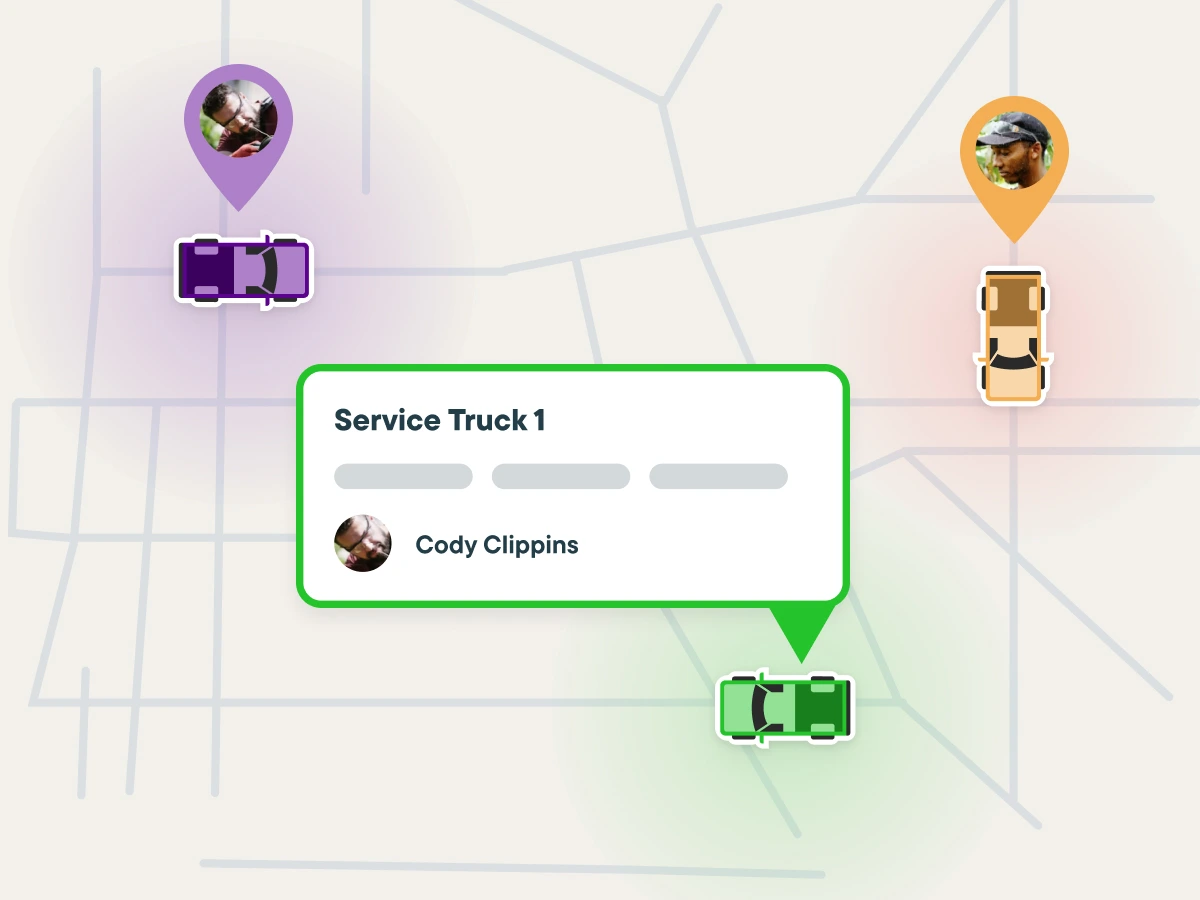
FieldPulse’s board adds technician swim lanes, multi-day views, capacity-aware double-book prevention, and route optimization (on the Professional tier by the aggregator breakdowns). GPS runs through an Azuga integration. It is the more capable dispatcher on paper, and our scorecard reflects it: FieldPulse scores 4.6 on dispatch and scheduling against Jobber’s 4.0 in the field service management category.
The catch is stability. “Unreliable syncing and connectivity” shows up in roughly 88% of FieldPulse’s negative-sentiment Capterra reviews, mostly around mobile-to-desktop data integrity after a tech comes back from an offline stretch. Jobber’s mobile app carries 4.8 on iOS and 4.7 on Android and rarely draws that complaint, though its January 2026 offline mode is still partial: forms and time tracking work offline, editing records and capturing signatures don’t.
FieldPulse has the edge for shops past eight techs or anyone who needs the board to stop them from double-booking. Jobber has the edge for everyone whose crew would rather not learn a new system.
Estimating and the Pricebook
This is where the “single trade versus multi-trade” split first shows up in the workflow itself.
Jobber’s quote builder is fast. From the client record, you pull line items from your Products & Services library, add optional upsells the homeowner can tick themselves, and send for e-signature. Approval converts the quote to a scheduled job in one tap. Automated quote follow-ups land on the Grow tier, and Wisetack financing on the quote itself arrives at Connect. What Jobber does not do is ship a pricebook. You build the library from scratch, there’s no trade-specific assembly, and there is no materials pricing feed. A plumber writing water-heater swaps all day won’t care. An electrician whose material costs move every quarter will.
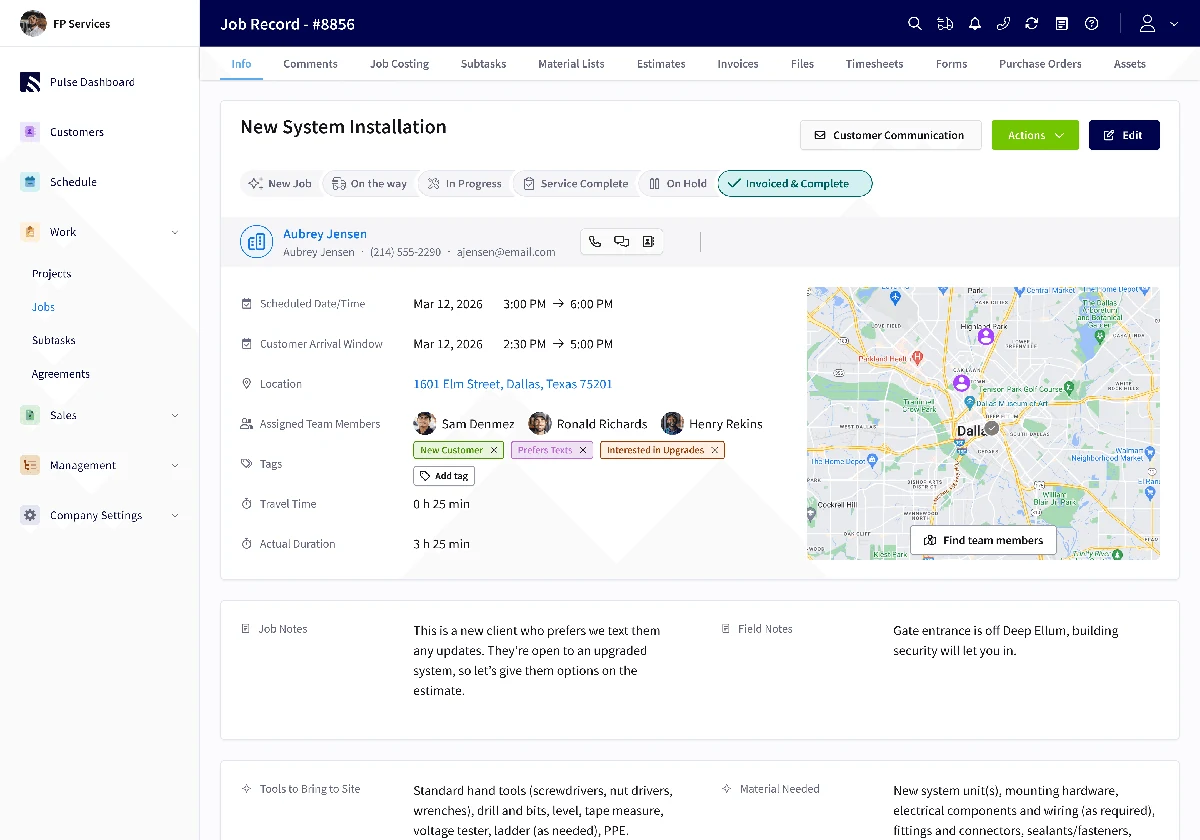
FieldPulse’s estimating runs through ClearPath, its guided-workflow module, and it’s the feature reviewers single out. A field tech walks a basement call step by step: confirm the equipment, photograph the condition, run the diagnostic, build the estimate from the pricebook, present good/better/best, collect a signature. Each trade gets its own path. The pricebook lives on the top tier by the aggregator breakdowns, and the Sales Suite (pricebook plus proposals) is an add-on, so price it in. Where FieldPulse pulls clearly ahead is supplier integration: Reece, Winsupply Costbook, City Electric Supply, and The Granite Group feed material pricing in. Jobber has nothing like that.
The strongest FieldPulse testimonial we’ve found lives here:
“Before FieldPulse, it took me four to eight hours for one quote. With FieldPulse now, I’d say about four to eight minutes.” — Sal Gutierrez, Owner, Fair Comfort Solutions (HVAC), in the Fair Comfort Solutions case study
Gutierrez was replacing a manual process, and Jobber would have cut that time too. What Jobber can’t match is the pricebook, the good/better/best presentation on the tech’s phone, and the supplier price feeds behind them.
This round goes to FieldPulse for any shop with material-heavy quotes or more than one trade. Tie for a service shop writing pre-priced equipment swaps.
Accounting Integrations
FieldPulse wins on breadth. Neither wins on reliability.
Jobber syncs QuickBooks Online (Connect and above) and Xero. The sync covers clients, products, timesheets, invoices, payments, refunds, tips, and payouts. Contractors across multiple review platforms report roughly 2% of line items dropping during sync, and the auto-sync occasionally needs a manual reconcile. It works most of the time; don’t assume it works all of the time.
FieldPulse syncs QuickBooks Online, QuickBooks Desktop, Xero, MYOB, and QuickBooks Time. That is the widest accounting coverage of any small-shop FSM we track. The QuickBooks Desktop connection is the soft spot: multiple Capterra reviewers call it buggy, and Online users report a smoother experience than Desktop users.
This decides it for any shop still on QuickBooks Desktop and for anyone on MYOB, because Jobber cannot connect to either one. For a QuickBooks Online shop, the two are close enough that accounting shouldn’t be the deciding factor.
Payments are worth a paragraph because they touch the books. Jobber Payments runs 2.9% + $0.30 on cards and 1% on ACH, with Square as an alternative. FieldPulse routes every card through Square only, with no Stripe option and no negotiated-rate path for shops processing $30K or more a month. Jobber has the edge on payments; FieldPulse has the edge on accounting.
AI: Copilot and a $29 Receptionist vs Operator AI
Different tools solving different problems. Jobber’s AI works on your business. FieldPulse’s AI works your phone.
Jobber ships two things. Copilot, free in beta for US and Canadian accounts, is a business assistant trained on Jobber data: ask it how your close rate compares to last quarter, what to charge for a furnace swap, or to draft a spring AC promo, and it answers from your numbers. The AI Receptionist is a $29/mo add-on that answers calls and texts, answers hours-and-service-area questions, creates work requests, and books into your calendar using your online booking rules.
FieldPulse ships Operator AI, the voice receptionist that won the 2025 NECA Innovator Award. It answers 24/7 in 30+ languages, recognizes returning customers from CRM history, pushes urgent keywords (“no heat,” “burst pipe,” “gas leak”) ahead of routine calls, supports custom phone trees, and books into live tech availability. Chat AI does the same job on your website. Both are add-on modules with no published price. FieldPulse has no Copilot-style analytics assistant; its Field Intelligence module covers revenue-by-tech and call summaries, without the business coaching.
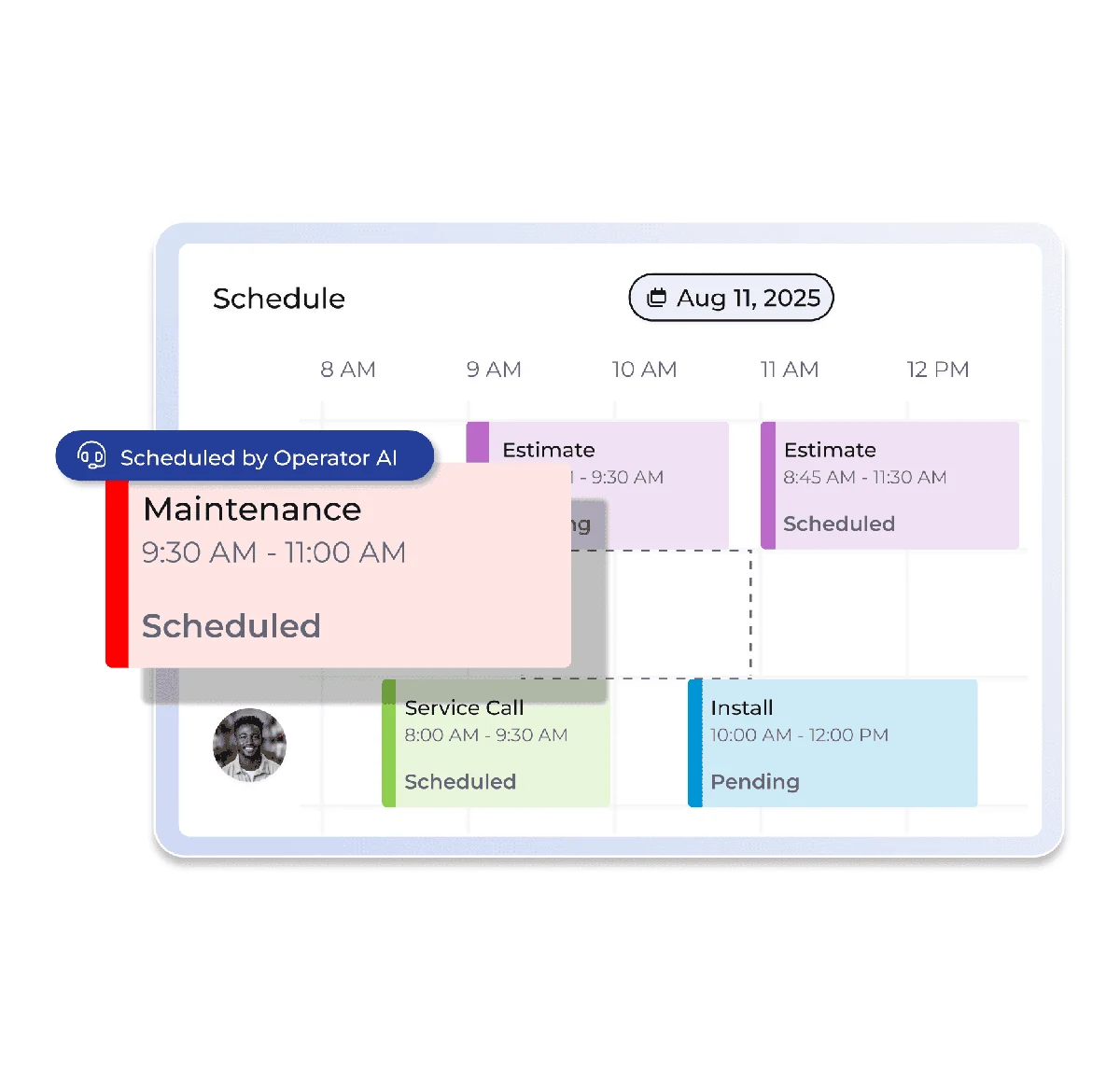
For a shop in Houston or Miami with Spanish- and Vietnamese-speaking customers, Operator AI’s language coverage will book calls Jobber’s receptionist would lose. For a two-truck shop that wants missed calls caught at a known price, Jobber’s $29 add-on is the sane answer. Worth knowing: complaints about Operator AI accuracy are absent from FieldPulse’s critical reviews; even 3-star reviewers praise it.
Both platforms now integrate natively with GoHighLevel, Jobber since September 2025, so the “which one plays nicer with my marketing stack” question is a wash.
It depends. Operator AI is the better receptionist. Copilot is a tool FieldPulse can’t match. Price visibility goes to Jobber.
Support: The Score Most Comparisons Skip
FieldPulse’s support is the best in its weight class, and that is a bigger deal than it sounds.
On Capterra, FieldPulse’s customer service sub-score is 4.7 across 427 reviews, its highest sub-score and the most-praised dimension in its review base. Responsive in-app chat support draws 93% positive sentiment. On G2, 2,537 reviews average 4.8, the largest validated review base in the category. Our scorecard puts FieldPulse at 4.7 on support.
Jobber sits at 4.3 on support in our scorecard. Its overall ratings are strong, 4.5 on G2 across roughly 890 reviews and 4.5 on Capterra across 1,440, but the five-star pattern in Jobber’s reviews is about ease of setup and the mobile app. Contractor feedback compiled by GetoneCrew in 2026 flags per-seat pricing and quote emails landing in spam far more often than support quality. Support at Jobber is neither a complaint nor a selling point.
Support matters more for FieldPulse than for Jobber because FieldPulse’s own review base flags “recurring bugs and glitches” in about 47% of critical reviews. A product with more rough edges needs stronger support, and FieldPulse has it. Jobber’s product needs less support, and its support is adequate.
FieldPulse wins this round. If you’ve left a platform because nobody answered the chat, weight it heavily.
Which One for Your Trade
HVAC. Jobber for a single-trade residential HVAC shop under 10 techs: maintenance-agreement billing, seasonal scheduling, and the $29 AI Receptionist for after-hours no-heat calls, all at a published price. FieldPulse if you also run plumbing or electrical, or if the office runs QuickBooks Desktop. Our Jobber alternatives roundup puts Workiz ahead of FieldPulse for HVAC-only shops that have outgrown Jobber, so if you’re HVAC-only and leaving Jobber, look there first.
Plumbing. Jobber. Fast quoting from the truck, Client Hub approvals, GPS on Connect, and QuickBooks Online sync cover how most plumbing shops run. FieldPulse only overtakes it when you add drain, septic, or gas as separate service lines and want each one on its own ClearPath workflow. Reece supplier integration is a genuine perk for plumbing supply houses that stock it.
Electrical. Closer than the other two. Jobber’s missing pricebook hurts more in electrical, where material costs swing and a labor-only quote template doesn’t cut it. FieldPulse’s City Electric Supply integration plus the pricebook tips it toward FieldPulse for a materials-heavy electrical contractor, and the NECA award tells you the electrical trade has already vetted Operator AI. Jobber for a service electrician doing panel upgrades and fixture swaps at a known price.
Multi-trade shops (HVAC + plumbing + electrical). FieldPulse. This is the customer FieldPulse was built for. Jobber will run all three trades, but it gives them one workflow, one quote style, and one library. FieldPulse gives each trade its own path plus supplier feeds for all three. Sit through the demo and get the quote in writing.
Commercial and light-commercial service. FieldPulse, with a caveat. Custom forms, multi-location management on the top tier, QuickBooks Desktop sync, and ClearPath’s standardized job phases fit commercial maintenance contracts better than Jobber’s residential-leaning workflow. The caveat is scale: past 25 techs in commercial HVAC or plumbing, ServiceTitan starts to pay back its price and both of these fall behind.
Roofing or insurance restoration. Neither. Jobber’s own review sends roofers to JobNimbus, and FieldPulse has no Xactimate path or claims pipeline. Skip both.
Pick Jobber If, Pick FieldPulse If, Pick Neither If
Pick Jobber if:
- You want to know the price before you talk to anyone. Core $29, Connect $99, Grow $149, Plus $399 on annual billing, all published, all verified September 2026.
- You need to test with real jobs before paying. 14 days, no card.
- You run one trade with 1 to 10 techs and your books are on QuickBooks Online or Xero.
- Your crew is not tech-forward and you need them running inside a week.
- You want AI call answering at a fixed $29/mo and a free business-analytics assistant on top.
Pick FieldPulse if:
- You run two or more trades under one roof and need each one on its own workflow.
- Your accounting is QuickBooks Desktop, MYOB, or a bookkeeper who won’t move off either.
- Your customer base needs a receptionist that answers in more than English and Spanish.
- Support quality is a top-three criterion, because 4.7 on Capterra customer service is the best you’ll find at this size.
- You will sit through the demo, get multi-year pricing in writing, and pressure-test QuickBooks sync before signing. If you won’t do that work, you shouldn’t buy a sales-gated product.
Pick neither if:
- Roofing or insurance restoration is your revenue. Go to JobNimbus.
- You’re solo, under $150K, and every dollar counts. Jobber Core still works, but ServiceM8’s free plan covers 30 jobs a month (Workiz dropped its free Lite tier in 2026).
- You’re past 25 techs in HVAC, plumbing, or electrical with dedicated office staff. That’s ServiceTitan’s lane.
FieldPulse is the more capable platform for the shop that fits it. Jobber is the safer purchase for the shop that doesn’t know yet, and most shops don’t know yet. Start the Jobber trial, run a week of real jobs, and if you hit the multi-trade or accounting wall inside those 14 days, you’ll know exactly what to ask FieldPulse for in the demo.