


Four-point-six. That is the rating both Jobber and Workiz hold in our field service management reviews, and it is the reason this comparison is harder than the Jobber vs Housecall Pro one. Same score, and on paper the same customer. The numbers that split them are further down the scorecard: Jobber scores 5.0 on cost and value and 4.9 on the mobile app; Workiz scores 4.6 on dispatch and scheduling against Jobber’s 4.0. That 0.6-point dispatch gap is the whole comparison.
The Short Version
Jobber is the better buy for most contractors. It is cheaper at 1, 3, 5, and 10 users, its app rates higher with the people who use it all day, its card processing and AI Receptionist prices are printed on its website, and it serves lawn care, cleaning, painting, and general contracting crews that Workiz does not build for.
Workiz is the better tool for one kind of shop: HVAC, plumbing, electrical, garage door, or locksmith operations at 5 to 25 techs where somebody sits at a dispatch board all day and the phone rings more than the office can pick up. That is exactly the shop our Jobber alternatives guide ranks Workiz first for, and nothing here contradicts that. The difference is audience: that page is for people who have already outgrown Jobber. This one is for people still deciding.
One thing changed between our Workiz review in April and this comparison in September. Workiz’s public pricing page now shows three tiers with a “Request pricing” button and no dollar figures, the free Lite plan is gone from it, and Genius Answering, the AI receptionist, is listed as sold separately. That shift matters, and I will flag it wherever it changes the math.
The Deciding Factor: Who Runs Your Dispatch Board
Everything else in this comparison is close enough to argue about. Dispatch is not.
Jobber’s scheduling is a clean calendar. You drag a job onto a tech, color-code by status, and the tech gets a push notification. On the Connect plan and above you get GPS vehicle tracking, so you can see where the trucks are on a map. It is fast to learn, and for a crew of three to six it is all you need.
What it does not do is think. There is no skill-based assignment, no “nearest available tech” suggestion, and no route optimization. Our Jobber review estimates that at 15 techs across a wide service area, that costs 20 to 30 minutes of extra windshield time per tech per day. Multiply by 15 trucks and you have lost a full tech-day every day to driving.
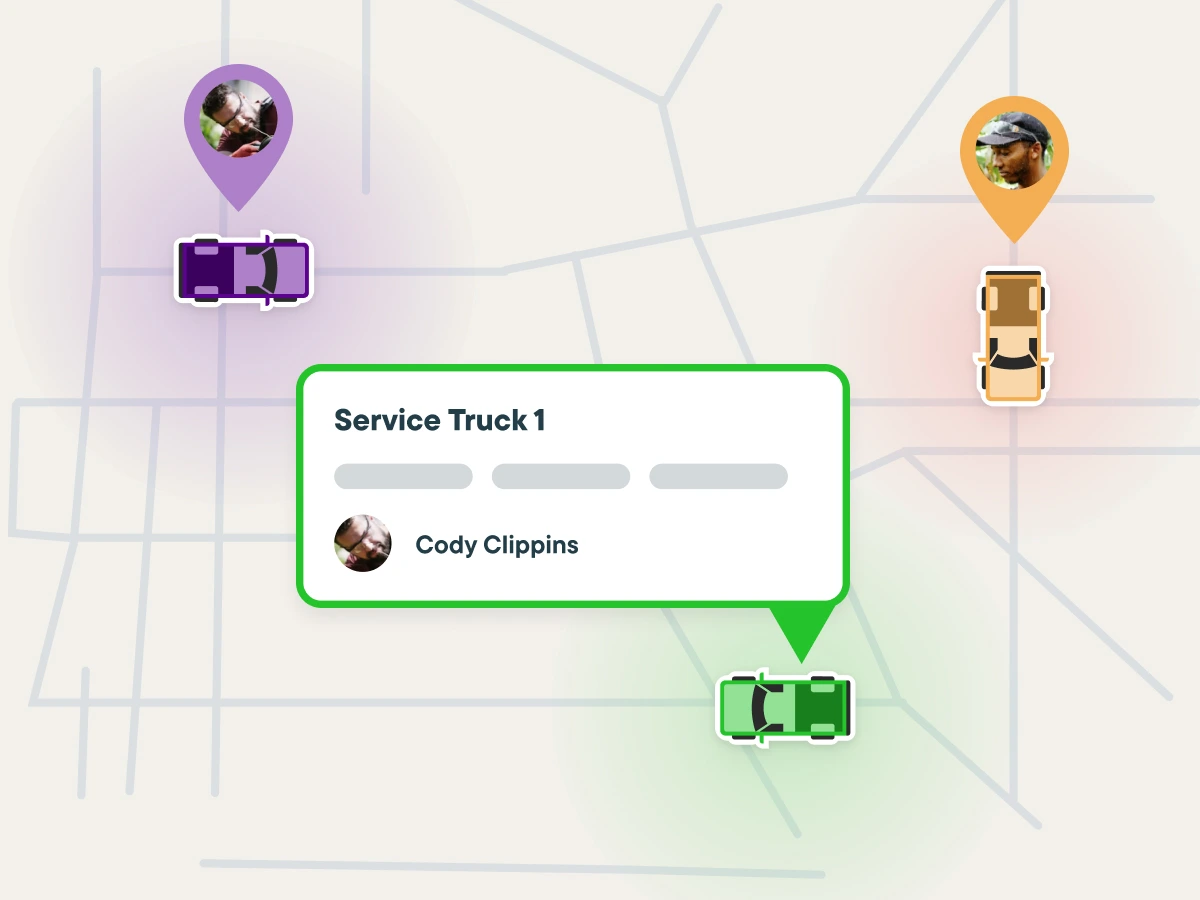
Workiz’s dispatch board is built for the dispatcher, not the owner. It filters by trade, so a dispatcher can save a “morning HVAC” view and an “afternoon plumbing” view and bounce between them. It pulls live GPS through the Linxup integration and surfaces the closest qualified tech when an emergency call comes in.
It also enforces capacity. You cannot double-book a tech who is already on a job, and it warns you before you schedule a 9 AM downtown appointment for a tech who is on an 8 AM call 45 minutes out. On-the-way texts fire automatically when the tech’s GPS shows arrival is close. Genius Scheduling, one of the AI features, suggests job slots based on availability and drive time, and it is the same engine the AI receptionist uses when it books a call.
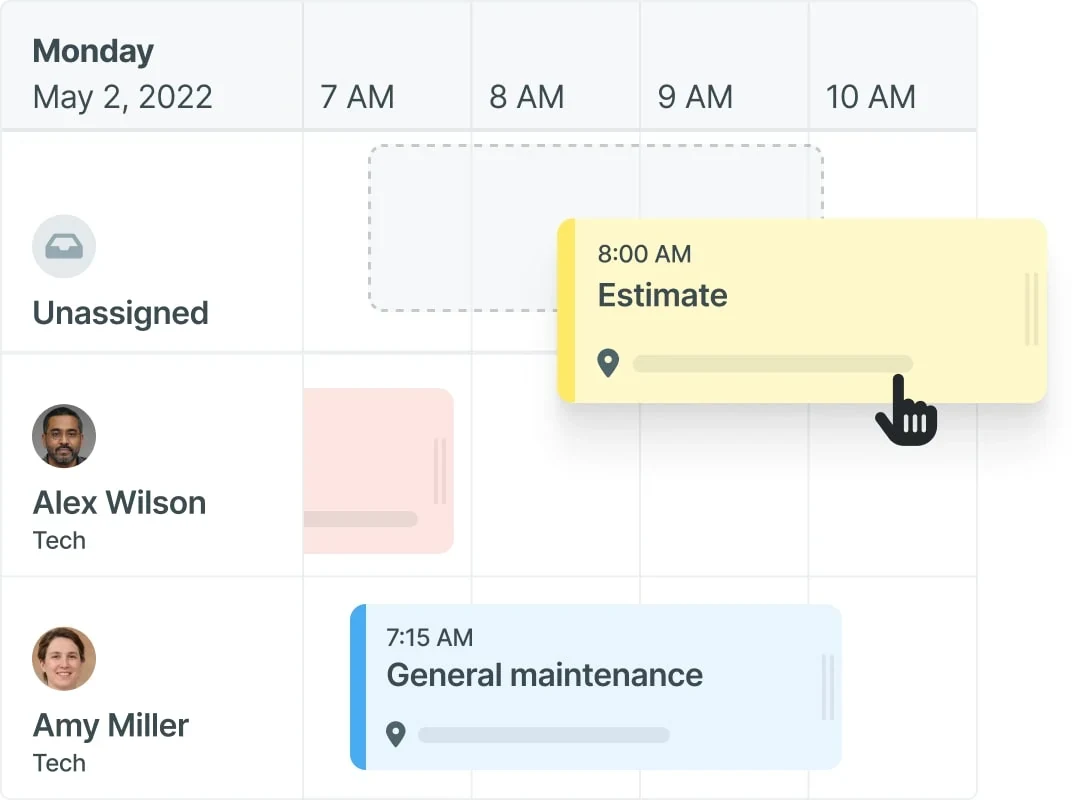
The difference in daily life: on Jobber the dispatcher knows the crew and places jobs by memory. On Workiz the board does the remembering. At four techs, memory is fine. At twelve, memory is the bottleneck.
This round goes to Workiz, and it is the one round that should decide your purchase if you are in a dispatch-heavy trade.
What Each Platform Costs at 1, 3, 5, and 10 Users
Jobber’s pricing is public and we verified it on September 10, 2026. Four plans, users included, and a $29/user/month charge for extra seats on any plan. Annual billing gets you the low number, month-to-month the high one, and there is a middle “one-year commitment billed monthly” rate in between. Full breakdown on our Jobber pricing page.
Workiz’s pricing needs a caveat. Our April 2026 review recorded five published tiers: Lite free for 2 users, Kickstart $225/month for 3 users, Standard $275 for 5, Pro $325 for 5, and Ultimate by quote, with extra users at $46 (Standard) or $54 (Pro) on annual billing. As of September 11, 2026, workiz.com/pricing-plans/ lists only Standard, Pro, and Ultimate, all behind a “Request pricing” button. The table below uses the last-published Workiz numbers. Treat them as a floor, not a quote.
| Crew size | Jobber (annual / month-to-month) | Workiz (last-published annual) | Monthly gap |
|---|---|---|---|
| 1 user | Core: $29 / $49 | Lite: $0 (if still offered) or Kickstart: $225 | $29 in Workiz’s favor on Lite; $196 in Jobber’s favor otherwise |
| 3 users | Core + 2 seats: $87 / $107, or Connect: $99 / $139 | Kickstart: $225 | $126 to $138 in Jobber’s favor |
| 5 users | Connect: $99 / $139 | Standard: $275 or Pro: $325 | $176 to $226 in Jobber’s favor |
| 10 users | Grow: $149 / $199 | Standard: $275 + (5 x $46) = $505; Pro: $325 + (5 x $54) = $595 | $356 to $446 in Jobber’s favor |
A few things the table hides.
At 3 users, Jobber’s Core plan is a trap. Core includes one seat, so two helpers cost $58 on top of $29. At $87 you are $12 away from Connect at $99, which gets you five seats, QuickBooks Online sync, automated follow-ups, and GPS tracking. Nobody should run three people on Core; the real comparison at that size is Connect $99 against Kickstart $225.
At 10 users, the Workiz structure flips against it. The flat base covers five users, then it becomes per-seat again at a higher rate than Jobber’s $29. A 10-tech shop on Workiz Pro pays $595/month, or $7,140 a year. The same shop on Jobber Grow pays $149/month, or $1,788 a year, with the AI Receptionist adding $348 for a total of $2,136. That is a $5,000 annual gap, and it is what our Workiz review means when it says the pricing “degrades into a per-user model” past five techs.
The AI add-on does not close it. Add Jobber’s AI Receptionist at $29 to every row and Jobber still wins by $97 to $417 a month. Whether Workiz’s Genius Answering is inside the Pro price or a separate line item, which its own site now suggests, only widens the gap.
Processing fees are part of the price. Jobber Payments is 2.9% + $0.30 per card transaction and 1% for ACH, printed on its pricing page. Workiz Pay rates are not published anywhere public; you get them from a sales rep. At $30,000 a month in card volume, a 0.4-point difference is $120 a month, which is more than Jobber Connect costs. Get the Workiz rate sheet in writing before you sign.
Winner on price: Jobber, at every size, by a margin that grows with the crew.
Both have real trials with no card on file: 14 days for Jobber, 7 days for Workiz. Run them in the same week.
Scheduling on the Customer’s Side
On customer-facing scheduling the two are close to even: Jobber wins on recurring work through its Client Hub, Workiz wins on inbound booking through Reserve with Google.
Jobber’s Client Hub lets customers request work, approve quotes, see upcoming visits, and pay invoices without calling you. For recurring-service trades, that self-service portal is the feature that quietly cuts office phone volume. Recurring jobs and batch invoicing are strong; you set up a monthly maintenance visit once and forget it. Our scheduling scores give Jobber 4.7 on calendar usability and 4.7 on recurring service plans.
Workiz answers with Reserve with Google, which puts a “Book” button directly in your Google Business Profile so a homeowner can put themselves on your calendar from the search result. It also pulls Angi and Thumbtack leads into the same pipeline through Genius Leads. Workiz scores 4.7 on self-booking against Jobber’s 4.5, and 4.5 on recurring service plans against Jobber’s 4.7.
Call it a tie, with a lean: Jobber if your revenue is recurring contracts, Workiz if your revenue is inbound calls from Google.
Genius Answering vs Jobber’s $29 AI Receptionist
This was supposed to be Workiz’s cleanest win. The argument in our alternatives guide is that Jobber sells AI call answering as a $29/month add-on while Workiz bundles it into the plan. That was true in April. Here is where it stands in September.
Jobber AI Receptionist launched in 2026 at $29/month on any plan. It answers calls and texts when you cannot, answers questions about hours and service area, creates work requests, and books appointments into your Jobber schedule using your online-booking rules. It is newer and does less, and the price is on the website.
Workiz Genius Answering has been picking up calls in production since December 2024. It runs in English, Spanish, and French with four voice options. It identifies returning customers from CRM history and greets them by name, asks the qualifying questions you scripted per trade, pulls live availability from the dispatch board, books the job, and sends you a transcript with the recording.
It handles three simultaneous calls, and Workiz’s own data puts the average booking time at two minutes per call.
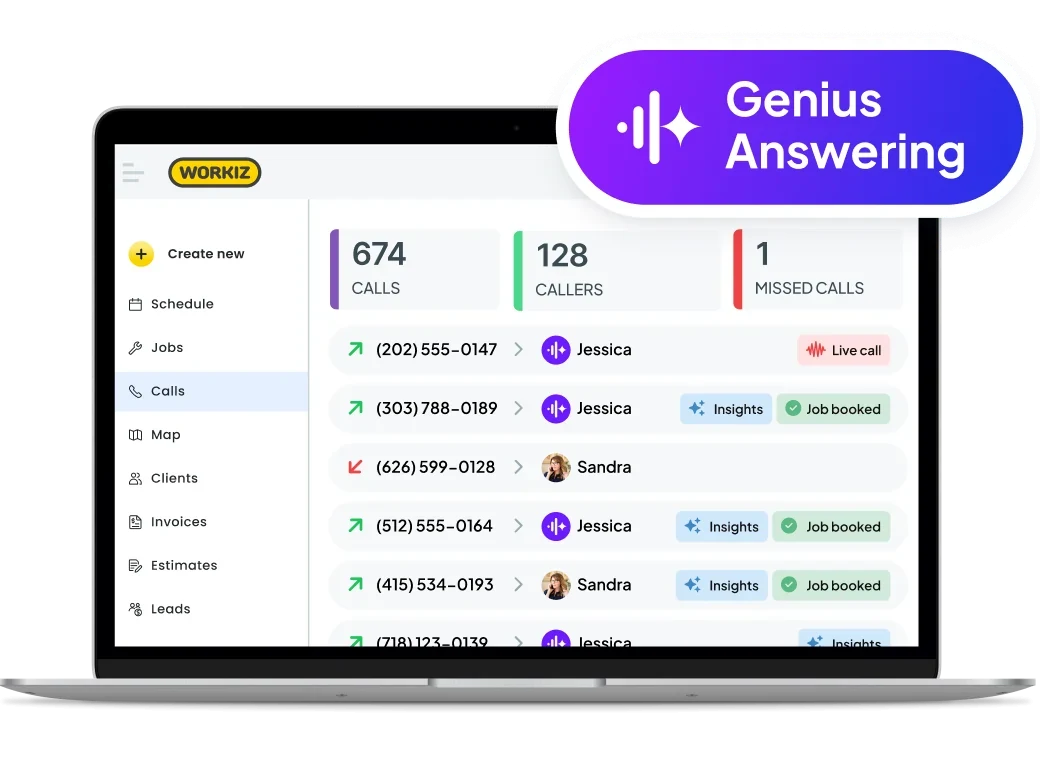
On product maturity, Workiz is a year and a half ahead and it is not close. On price, the ground moved. Workiz’s public pricing page now lists “Genius Answering (sold separately),” with no figure attached. Our review’s statement that it ships inside Pro with no per-call charge reflected the April 2026 pricing page; if you are reading this after a sales call, trust the quote in your inbox over either version.
Edge: Workiz on the product, Jobber on the price tag. If missed calls are your biggest leak, Workiz’s receptionist is the one that has been proven at volume. If you want the cheapest way to stop losing after-hours calls, Jobber’s $29 does the basic job.
Mobile and Field Use
Jobber’s app is the better-loved one. It holds 4.8 on iOS and 4.7 on Android, and our field service scorecard gives it 4.9 for the mobile field app against Workiz’s 4.3. Techs see the day’s route, navigate with Google or Apple Maps, run a location-based timer, build a quote, collect a signature, and take payment. The recurring praise in Capterra reviews is that the crew is comfortable with it inside a day or two.
Workiz’s app does the same job with one advantage and one caveat. The advantage is offline mode: techs can open assigned jobs and update status, photos, and notes with no signal, and it syncs when the truck climbs out of the dead zone. Capterra reviewers consistently rate the offline behavior well even in otherwise critical reviews.
Jobber’s offline mode, added January 2026, lets techs fill job forms and track time but not edit records or capture signatures. The caveat is stability: some Workiz reviewers report crashes during heavy sync after coming back online and slow photo uploads on weak connections.
If your work is basements, metal-roofed warehouses, and rural routes, Workiz’s offline mode is the more complete one. If your techs are the kind who quit using software they find annoying, Jobber’s app has the track record.
Winner: Jobber, unless dead zones are your daily reality.
Integrations, Payments, and What Each Refuses to Connect To
Both sync two-way with QuickBooks Online. Jobber gates it to Connect and above and users report roughly 2% of line items dropping during sync. Workiz’s QBO sync is one of the cleaner ones in the category and covers invoices, payments, customers, and items. Small edge to Workiz here.
Payments is where the two philosophies diverge. Jobber Payments is Stripe-powered with published rates, and Wisetack financing is available on Connect and above so you can put “as low as $X/month” on a quote. Workiz Pay takes cards, ACH, Apple and Google Pay, tap-to-pay on the phone, and both Wisetack and Sunbit financing, with digital tipping prompts. More payment methods, but no published rates. We score both 4.4 on invoicing and payments; Workiz gets 4.7 on payment acceptance and 3.5 on fee transparency in our invoicing category, which is the whole story in two numbers.
The integration lists reveal what each company thinks it is. Jobber connects to QuickBooks Online, Xero, Mailchimp, NiceJob, Gusto, Google Calendar, Zapier, and since September 2025 has a native two-way sync with GoHighLevel that lets GoHighLevel’s AI Voice book straight onto the Jobber calendar. Jobber is content to be the operations layer under someone else’s marketing stack.
Workiz publishes 17 named integrations, including QuickBooks Online, CompanyCam, Reserve with Google, Wisetack, Sunbit, Linxup, Angi, Thumbtack, NiceJob, Mailchimp, and Zapier. It does not connect natively to JobNimbus, ServiceTitan, GoHighLevel, HubSpot, Salesforce, or Jobber. Workiz wants to be your system of record. If your leads already live in GoHighLevel or JobNimbus, you are looking at a full migration.
Edge: Jobber for stack flexibility and fee transparency; Workiz for the native CompanyCam and Reserve with Google connections that service trades actually use.
What Real Users Say
Workiz holds 4.4/5 across 218 Capterra reviews; Jobber holds 4.5/5 across roughly 1,440. Neither gets a free pass from its own reviewers.
Workiz also holds 4.6/5 on G2. The five-star pattern is the dispatch board, invoicing speed, and onboarding support. Louis A. F., a construction company president who switched from Housecall Pro, wrote in a 5-star Capterra review:
“Invoicing customers is very easy and can be sent via email and SMS texting which is a great feature.”
The one-star pattern is the built-in phone system. Multiple critical reviews describe calls connecting to hold music with nobody on the line and support tickets that dragged on. If you are buying Workiz for Genius Answering, you are also buying its phone system, so make that the thing you stress-test hardest during the 7-day trial.
Jobber holds 4.5/5 on G2 and on Software Advice as well. The five-star consensus is ease of setup and the mobile app; most teams report being fully running within a week. The critical consensus is per-seat pricing once you hire and a QuickBooks sync that needs babysitting. On contractor forums the complaint that comes up most is quote emails landing in spam because they send from a generic Jobber domain, which a custom sending domain or text delivery fixes. Some contractors with 30 or more employees report they still have not outgrown Jobber, which cuts against the idea that it is a starter tool.
Jobber or Workiz by Trade
Trade fit is where the “which is better” question actually resolves, because Workiz was built for a narrower list.
HVAC. Workiz at 5+ techs. This is Workiz’s home trade: skill-filtered dispatch, Genius Answering handling tune-up season call spikes, and JB Warranties for selling extended service contracts at install. Under 5 techs, Jobber Connect at $99 with the $29 AI Receptionist covers maintenance-agreement billing and after-hours calls for $128, and the app is better.
Plumbing. Same split, with one wrinkle. Plumbers rate Jobber’s quoting and Client Hub approvals highly, and for a two- or three-truck shop that is most of the job. Once you have a dispatcher deciding which of eight trucks takes the slab leak, Workiz’s nearest-qualified-tech logic earns its price.
Electrical. Lean Jobber unless dispatch volume is high. Electrical work skews toward scheduled projects over emergency dispatch, which plays to Jobber’s calendar and quoting. Neither has deep pricebook management, so material-price swings are a manual problem on both.
Cleaning and lawn care. Jobber, and it is not close. Recurring visits, batch invoicing, route scheduling across many small properties, and a Client Hub for self-service rescheduling are exactly Jobber’s strengths. Workiz’s own review sends these trades elsewhere, and past 10 seats a flat-rate tool like QuoteIQ beats both on seat math.
Locksmith and garage door. Workiz. These are high-volume, routine-call trades where 80% of inbound calls follow a script, which is exactly what Genius Answering handles best, and garage door and locksmith companies are among Workiz’s named case studies. A solo locksmith with under five calls a day is the exception; that operator is fine on Jobber Core.
Roofing. Neither. Both reviews send roofers to JobNimbus for measurement integrations and insurance workflows.
Three Questions That Settle It
Ask these in order. Most contractors are done after the first one.
1. Do you have, or will you have within a year, a person whose job is dispatching five or more trucks?
If no, Jobber. You are paying Workiz $176 to $446 a month more for a dispatch board nobody sits at, and the app your techs use all day is the lower-rated one. Start the 14-day Jobber trial, put real jobs through it, and add the AI Receptionist if you are losing after-hours calls.
If yes, keep going.
2. Is your trade HVAC, plumbing, electrical, garage door, locksmith, or appliance repair?
If no, Jobber, or a flat-rate tool built for your trade. Workiz does not target lawn, cleaning, painting, or general contracting, and its per-seat pricing past five users punishes the big crews those trades run. Our Jobber alternatives guide has the flat-rate options.
If yes, keep going.
3. Is the phone, not the schedule, your biggest revenue leak?
If missed calls are costing you jobs every week, Workiz’s Genius Answering is the more proven fix and the dispatch board is the better tool for the crew you already have. Start the 7-day Workiz trial with two demands before you sign anything: a written price for the plan and for Genius Answering, since neither is on the public site anymore, and a written Workiz Pay rate sheet. Then spend the trial week calling your own number and listening for the hold-music problem reviewers describe.
If the schedule is fine and the phone is fine and you just want a better deal, that is Jobber, and it has been the whole way through.
That is the honest read as of September 2026. Both products earned their 4.6. Jobber earned it by being the best value in the category and the app techs do not complain about. Workiz earned it by building the dispatch board and AI receptionist that Jobber has not, for the trades that need them most. Figure out which of those two sentences describes your shop and the decision makes itself.