
Disclosure: This is a research-based review. It’s built from FreshBooks’ product documentation, FreshBooks’ 2025 leadership transition press releases, G2’s 959-review dataset, Capterra’s verified review data, contractor-forum discussion around solo-operator accounting, and product marketing claims that we’ve cross-referenced against independent sources. Where a conclusion comes from research rather than personal use, I’ll say so directly.
Why Solo Contractors Keep Coming Back to FreshBooks
FreshBooks is the accounting platform solo contractors actually enjoy using. That’s an unusual thing to say about accounting software — most contractors approach their books the way they approach a root canal. FreshBooks manages to feel closer to sending a polite email than doing bookkeeping, and that’s not an accident. The platform was designed from the invoicing direction outward, rather than the general-ledger direction inward the way QuickBooks and Xero were.
That design philosophy has produced real scale. FreshBooks serves over 30 million lifetime users across 160+ countries, and customers have processed $60 billion through the invoicing platform. In the first five months of 2025 alone, users invoiced $1 billion — faster growth than reaching the same milestone took in 2024. In March 2025, FreshBooks secured $125 million in debt financing from Morgan Stanley to accelerate North American growth, and in Q4 2024 the company appointed Shaheen Javadizadeh as CEO to lead the next chapter.
For contractors specifically, the sweet spot is tight: solo operators and very small crews who bill by the project or the hour, hate chart-of-accounts configuration, and want to be sending live invoices inside of fifteen minutes. Handymen. Solo electricians. Solo plumbers. Residential painters. Landscape contractors. House cleaners. Anyone whose books are simple enough that QuickBooks Plus at $140/month feels like using a bulldozer to plant a tomato.
FreshBooks also holds a 4.5/5 average across 959 verified G2 reviews and a matching 4.5/5 on Capterra, with the consistent five-star theme being exactly what you’d expect: easy to use, fast to set up, invoicing that looks professional, and AI that quietly works in the background without demanding attention. The one-star theme is also consistent: the Lite plan’s 5-client cap feels arbitrary, mobile app can be glitchy under load, and the price creeps up once you add clients.
How Much Does FreshBooks Really Cost for a Contractor in 2026?
FreshBooks has four plans in 2026, and the right starting tier for most contractors is Plus at $43/month — not Lite at $23/month. Here’s the full breakdown.
| Plan | Monthly Price | Client Cap | Key Features | Best For |
|---|---|---|---|---|
| Lite | $23/mo | 5 clients | Unlimited invoices to 5 clients, expense tracking, time tracking, Stripe/ACH payments | Side hustles, very small operations |
| Plus ⭐ | $43/mo | 50 clients | Everything in Lite + bank reconciliation, accountant access, double-entry accounting, proposals, project profitability | The realistic solo contractor minimum |
| Premium | $70/mo | Unlimited clients | Everything in Plus + retainers, advanced reporting, project budgeting | Growing solo operators, small crews |
| Select | Custom | Unlimited | Reduced card processing rates, capped ACH fees, dedicated account manager | High-volume service businesses |
Annual billing saves 10% across every tier. FreshBooks also runs a 60%-off-for-the-first-3-months promo that drops Lite to $9.20/month and Plus to $17.20/month — worth timing your signup around, because they run it almost continuously.
The Lite Plan Trap
Most contractors should skip Lite entirely. The 5-client cap is the catch — a “client” in FreshBooks is any billable contact, so a solo handyman who invoices 7 different homeowners in their first month is already forced to upgrade. The $23/mo price is a marketing hook; realistic contractor pricing starts at Plus.
Plus Plan Value Math
At $43/month, Plus is where FreshBooks genuinely competes with QuickBooks Online Essentials at $85/mo or Simple Start at $38/mo. Plus gets you 50 clients, bank reconciliation, accountant access, double-entry accounting reports, proposals, and the basic Project Profitability widget. For a solo contractor running 10-40 active clients in a month, it’s the right fit — roughly $40/month cheaper than the contractor-realistic QuickBooks Plus tier, at the cost of job costing depth and native CRM integrations.
Payment Processing Fees
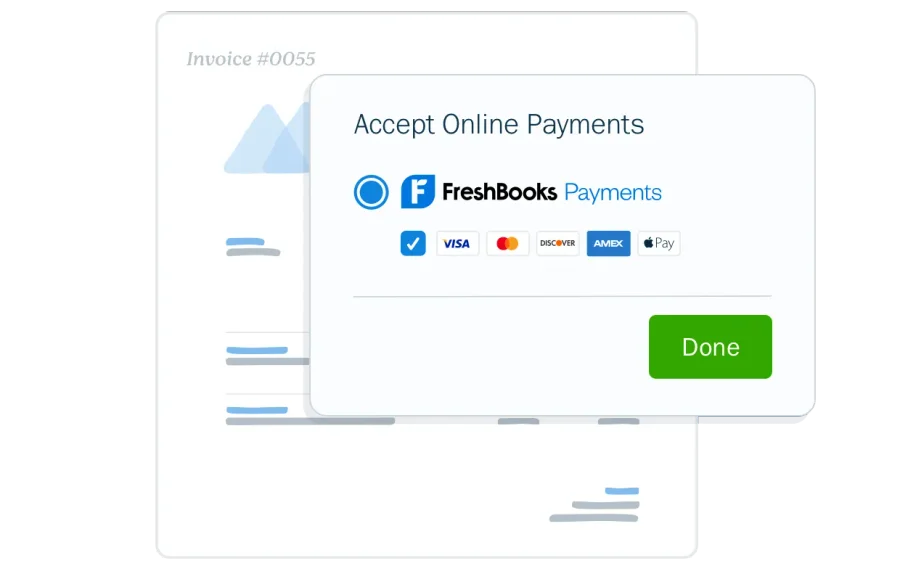
FreshBooks Payments charges transparent rates with no monthly fees, no setup fees, and no minimums:
- Credit/debit cards: 2.9% + $0.30 per transaction
- ACH bank transfer: 1% (US only)
- American Express: 3.5% + $0.30 per transaction
- Select plan: reduced card rates and capped ACH fees for high-volume users
For a contractor doing $40,000/month in card volume, that’s roughly $1,160 in processing fees plus transaction costs — basically identical to QuickBooks Payments at 2.9% invoiced. The rate parity is worth noting: FreshBooks isn’t cheaper on payment processing, it’s cheaper on the subscription.
Payroll Add-On (via Gusto)
FreshBooks doesn’t offer native payroll — it integrates with Gusto instead. Gusto Core starts at $49/month plus $6/employee, which is roughly the same as QuickBooks Payroll Core at $50/month plus $6.50/employee. The practical difference: Gusto runs as a separate subscription with a separate login, rather than sitting inside the accounting platform.
FreshBooks vs QuickBooks for Contractors: Who Should Pick Which?
This is the single most-searched contractor accounting question in 2026, and the honest answer depends entirely on how you run your business. Both platforms are good. They just fit different contractor profiles.
Pick FreshBooks if you’re a solo contractor who:
- Bills 5-50 clients per month doing straightforward service work
- Values fast setup over feature depth
- Doesn’t need Class Tracking (profit-by-service-line breakdowns)
- Doesn’t run on a field service CRM like Jobber or Housecall Pro
- Prefers a cleaner, friendlier UI over QuickBooks’ denser workspace
- Uses Gusto or no payroll at all
Pick QuickBooks if you’re a contractor who:
- Runs crews of 2+ employees on a field service platform
- Needs Projects + Class Tracking for job-level and service-line profitability
- Wants native sync with Jobber, JobNimbus, Housecall Pro, ServiceTitan, or AccuLynx
- Has an accountant or bookkeeper who specifically works in QuickBooks (most do)
- Handles insurance work or commercial jobs with complex AR
- Plans to grow past $5M in revenue and eventually migrate to Intuit Enterprise Suite Construction Edition
Real Pricing Comparison (Contractor-Realistic)
| FreshBooks Plus | QuickBooks Online Plus | |
|---|---|---|
| Subscription | $43/mo | $140/mo |
| Users | 1 + unlimited accountants | 5 |
| Client cap | 50 | Unlimited |
| Job Costing | Basic Project Profitability widget | Projects + Class Tracking |
| AI | Invisible AI (reminders, categorization, OCR) | Intuit Assist (conversational AI, invoice drafting) |
| Native CRM sync | None | Jobber, JobNimbus, HCP, ServiceTitan, AccuLynx |
| Payroll | Via Gusto ($49+/mo) | QB Payroll Core ($50+/mo) |
| Payment rates | 2.9% + $0.30 card / 1% ACH | 2.9% invoiced card / 1% ACH |
For a solo contractor, the $72/month subscription difference compounds into ~$860/year saved on FreshBooks — enough to matter at the bottom of the P&L. For a 5-person operation, QuickBooks’ 5-user allowance inside the same subscription flips the math hard the other direction. See our full QuickBooks review for the other side of this comparison.
Does FreshBooks Have AI Features Worth Turning On?
FreshBooks’ AI isn’t as visible as Intuit Assist inside QuickBooks — there’s no chat interface, no “ask your data” prompt, no Business Feed. The design philosophy is intentionally different. FreshBooks calls it “invisible AI” — features that work quietly in the background so the contractor doesn’t have to think about them.
For a solo contractor, three AI features matter:
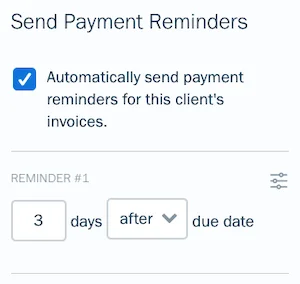
- AI-predicted reminder timing. FreshBooks’ AI predicts the best time to send a payment reminder based on the specific client’s historical payment behavior. A customer who always pays on day 32? The reminder sends on day 29. A client who pays the minute the invoice arrives? No reminder needed. It’s a small thing that saves solo contractors the email drafting time and — more importantly — prevents the over-reminding that annoys good customers.
- ML expense categorization. Bank-feed transactions flow in and FreshBooks’ machine learning guesses the category based on merchant patterns across millions of similar transactions. You confirm or override once; the model learns your business. Over 60-90 days of use, the guesses get noticeably better.
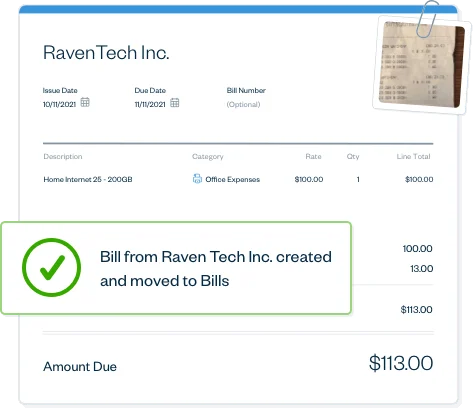
- AI receipt OCR. Snap a photo of a receipt with the mobile app and FreshBooks extracts the vendor, amount, date, and suggested category automatically. Combined with the ML categorization above, it turns receipt-capture from a weekend chore into a 10-second interaction at the supply house checkout line.
- Auto time tracking suggestions. The built-in timer can analyze your calendar and browser activity to suggest hours you might have forgotten to log. For solo contractors who also do some billable administrative work — estimates, customer calls, research — this recovers billable time that tends to get lost.
FreshBooks’ Philosophical Framing on AI
The company’s stated position on AI in accounting is notably measured. FreshBooks published in 2025 that “AI handles the ‘what.’ A great accountant tells you ‘so what’ and ‘now what.’” — which is a cleaner framing than most of the AI-forever marketing in the space. The implication: FreshBooks automates the busywork so the contractor (or their accountant) can focus on decisions, not data entry.
That’s reinforced by Faye Pang, FreshBooks’ Chief Growth Officer, in the company’s 2026 Kick bookkeeping partnership announcement: “Small business owners don’t start companies to manage spreadsheets. This partnership gives our customers a simple path to automated bookkeeping through Kick, so they can spend less time on their books and more time running and growing their business.”
How FreshBooks AI Compares to QuickBooks
Intuit Assist inside QuickBooks Online is more visible, more conversational, and does more — it’ll draft invoices from job notes, answer natural-language questions about the books, and surface cash flow warnings in real time. FreshBooks’ AI is narrower and quieter. For a solo contractor who doesn’t want to interact with a chatbot, FreshBooks’ invisible-AI approach feels less intrusive. For a contractor who wants AI to do more of the work, Intuit Assist is ahead. Neither approach is wrong — they’re just designed for different mental models.
Getting Paid Faster: Where FreshBooks Actually Shines
Invoicing and payments are FreshBooks’ single strongest category — the reason the platform exists and the area where it still beats QuickBooks on a head-to-head feature comparison. Capterra reviewers rate FreshBooks’ billing portal 4.7/5 and its reporting capability 4.8/5, the two highest feature subscores in the product.
What FreshBooks does especially well for contractors:
- Automated late-fee triggers. Set a rule — “5% late fee after 15 days past due” — and FreshBooks applies it automatically. No chasing, no manual invoice edits, no awkward phone calls to customers asking about the fee you added.
- Recurring invoicing and retainers. For contractors on service contracts (annual HVAC maintenance plans, monthly landscape maintenance, recurring cleaning), FreshBooks auto-generates invoices on the schedule, collects payment via saved ACH/card, and tracks retainer balances independently.
- Deposit collection on estimates. Convert an estimate to an invoice with a 50% deposit required before work begins. Customer signs the estimate, pays the deposit, and the balance-due invoice is queued automatically for job completion.
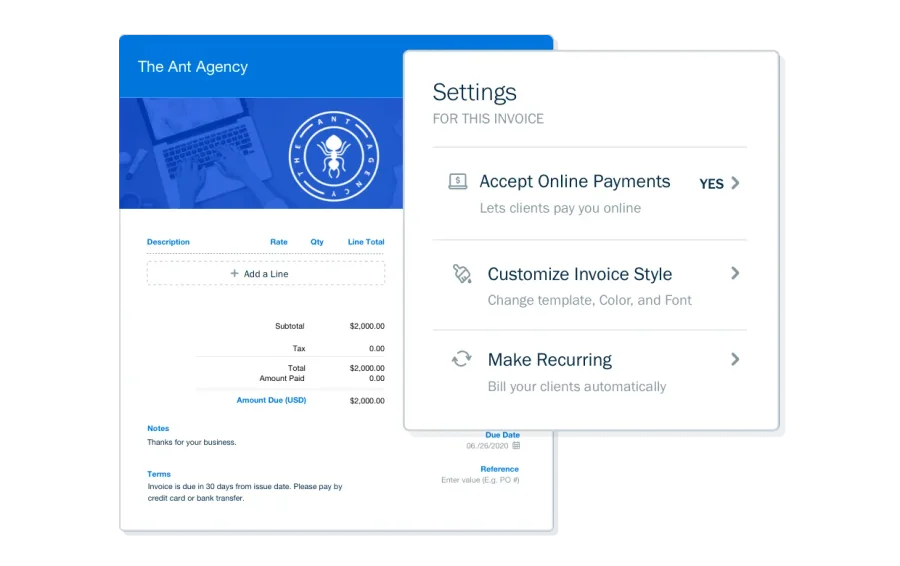
- Branded client portal. Every invoice lives in a portal the client can return to, ask questions in, approve estimates from, and pay from. The polish of this portal is the single feature most contractors mention in five-star reviews.
- Proposal-to-invoice conversion. Plus and Premium plans let you build proposals, get e-signatures, and convert the accepted proposal to an invoice in one click.
For a solo contractor whose cash flow hinges on getting paid quickly, this feature stack is legitimately impressive. It’s the one area where FreshBooks is the clear winner over QuickBooks.
Which Contractor Trades Actually Benefit from FreshBooks?
FreshBooks isn’t designed for any specific trade, but it fits some trade profiles dramatically better than others. The pattern is consistent: solo service trades with simple billing profiles win; multi-trade, crew-based, or job-costing-heavy operations lose.
Where FreshBooks fits well:
- Solo house cleaners and cleaning crews — simple recurring billing, small client books, clean UX matters more than accounting depth
- Solo painters (residential interior/exterior) — project-based billing with deposits, estimate-to-invoice flow, client portal polish
- Solo landscapers — recurring maintenance plans, seasonal billing, service contracts
- Solo electricians doing residential service work — hourly plus materials, simple P&L, fast invoicing
- Solo plumbers doing service calls — similar profile, billing per job, limited job costing needed
- Handymen — classic FreshBooks user: many small clients, straightforward invoicing, no crew
Where FreshBooks hits walls:
- Roofing contractors — insurance work, supplement tracking, and CRMs like AccuLynx and JobNimbus that don’t sync natively to FreshBooks. QuickBooks fits the roofing ecosystem dramatically better.
- Restoration contractors — heavy AR, complex insurance billing, and the need for detailed job costing with class tracking make FreshBooks a bad fit. Use QB.
- Multi-trade general contractors — Class Tracking is essential and FreshBooks doesn’t have it. Use QB.
- HVAC, plumbing, and electrical contractors running crews — field service CRMs like Housecall Pro and Jobber sync to QuickBooks natively, not FreshBooks. The CRM integration gap kills FreshBooks for these operators.
The Trade Fit chart at the top of this page breaks the fit level down per trade. Short version: if you’re solo and billing by the project, FreshBooks likely works for you. If you run crews or use a contractor-specific CRM, move on.
FreshBooks Integrations: Where Contractors Will Hit Walls
This is FreshBooks’ weakest category for contractors and it’s worth being explicit about. FreshBooks has solid integrations for the general small business ecosystem — Stripe, PayPal, Shopify, Slack, Gmail, Google Workspace, MailChimp, and 100+ others via direct connectors plus 8,000+ through Zapier. What it doesn’t have is the contractor-specific CRM ecosystem.
Contractor tools that sync natively to QuickBooks Online but not FreshBooks:
- Jobber (field service, CRM, invoicing)
- JobNimbus (roofing-first CRM)
- Housecall Pro (HVAC/plumbing/electrical FSM)
- ServiceTitan (enterprise FSM)
- AccuLynx (roofing CRM)
- Buildertrend, JobTread, CoConstruct (project management for commercial GCs)
This gap matters for one specific reason: if a contractor is already using any of these tools, FreshBooks forces them to choose between cleaner invoicing (FreshBooks) and native CRM sync (QuickBooks). Most choose QuickBooks because the daily workflow of having invoices auto-sync from the CRM outweighs FreshBooks’ prettier invoice builder.
For solo contractors who don’t use a CRM, the integration gap is theoretical — they’re invoicing directly from FreshBooks or Jobber’s built-in invoicing, and the connection to accounting is whatever import tool they pick. For crews on a CRM, the integration gap is a deal-breaker.
Zapier bridge option. You can connect FreshBooks to Jobber, Housecall Pro, or ServiceTitan via Zapier, but expect to pay $20-50/month extra for the Zapier subscription and accept 1-5 minute sync delays and occasional fix-the-zap maintenance. For contractors who need the pairing, this works — but it’s not clean.
Who FreshBooks Is Built For
FreshBooks in 2026 is the right accounting platform for solo contractors and service-based operators with straightforward billing profiles who value speed and polish over feature depth.
Solo service contractors billing 5-50 clients per month. The Plus plan at $43/month hits the sweet spot — enough clients for a busy solo operator, all the invoicing automation that matters, basic project profitability, and bank reconciliation for clean books. This is where FreshBooks beats everything else in the category.
Freelancers and contractors transitioning from spreadsheets. If you’ve been running books in Excel or Google Sheets, FreshBooks is the gentlest possible ramp into real accounting software. Most solo operators are sending real invoices within 15 minutes of signup, which is impossible in QuickBooks.
Trade operators who don’t use a field service CRM. If your workflow is customer text → site visit → invoice sent → payment collected, and you’re not running Jobber, Housecall Pro, or ServiceTitan, FreshBooks handles it cleanly with less setup friction than QB.
Handymen, solo painters, solo landscapers, solo cleaners, solo electricians, and solo plumbers. The trade-specific sweet spot. Your billing is simple, your client count is moderate, and you’d rather spend twenty minutes sending invoices than three hours configuring a chart of accounts.
Contractors who value AI that works in the background. The invisible-AI approach is intentional, and for a contractor who doesn’t want a chatbot interrupting their workflow, FreshBooks’ quieter automation feels less intrusive than Intuit Assist in QuickBooks.
Who Should Skip FreshBooks (and What to Use Instead)
FreshBooks is not the right fit for every contractor, and being clear about the mismatches matters more than pushing a fit that doesn’t exist.
Contractors running crews of 2+ employees. The subscription covers one admin user (plus unlimited accountants); every additional team member adds $11/month. At five users, QuickBooks Online Plus at $140/mo includes five seats baseline and costs less all-in. Use QuickBooks.
Contractors already running on Jobber, Housecall Pro, JobNimbus, ServiceTitan, or AccuLynx. The native QBO sync on all of these tools is a practical requirement. FreshBooks forces you into Zapier at minimum, which adds cost, lag, and fragility. Use QuickBooks Online Plus and pair it with your existing CRM.
Roofing contractors, restoration contractors, and multi-trade general contractors. These operations need Class Tracking for service-line profitability, and often a contractor-specific chart of accounts that FreshBooks doesn’t offer. Use QuickBooks Plus — or JobNimbus plus QuickBooks for roofing specifically.
Commercial contractors above $5M revenue with complex WIP reporting. FreshBooks won’t scale there. Use Sage 100 Contractor, Foundation Software, or Intuit Enterprise Suite Construction Edition when your revenue crosses $5-7M — our Sage Construction review is in the queue as part of this accounting sprint.
Contractors who want a conversational AI assistant. FreshBooks’ invisible AI works quietly; Intuit Assist inside QuickBooks works visibly with a chat interface, invoice drafting from notes, and natural-language queries. Different philosophies — if you want the visible AI, QB is ahead.
Contractors whose primary bottleneck is missed calls or stalled follow-ups, not accounting. FreshBooks doesn’t touch call answering or marketing. Start with Rosie or Smith.ai for the phones and GoHighLevel for marketing before you invest in accounting software at all. See the GoHighLevel + Jobber stack breakdown for how those tools pair for field service operators.
Contractors who need multi-currency or complex sales tax handling. FreshBooks’ tax support is thin compared to QB Plus or Advanced. If you operate across state lines with complex nexus, or invoice internationally, use QuickBooks or Xero (our Xero review is also on the way in our Accounting hub).
The Bottom Line for Contractors in 2026
FreshBooks earns its 3.9/5 rating because it’s excellent at invoicing and payments — arguably the best in the category — but weaker at contractor-specific accounting depth. The scoring breakdown reflects that reality: 4.3/5 in Invoicing & Payments (slightly ahead of QuickBooks) but 3.4/5 in Accounting (meaningfully behind QB’s 4.0). The top-line is the average of those two, and the average hides how asymmetric the strengths are.
For the right contractor — a solo operator with straightforward billing, a reasonable client count, and no field service CRM dependency — FreshBooks is genuinely the best accounting choice in 2026. Faster setup, cleaner UI, better automation on the invoicing side, and quieter AI than QuickBooks’ more visible Intuit Assist. At $43/month on the Plus plan, it saves roughly $860/year over the contractor-realistic QuickBooks tier.
For the wrong contractor — a crew-running operation, a roofing company on AccuLynx, a restoration contractor with heavy AR, anyone using Jobber or JobNimbus as their field service CRM — FreshBooks is a frustrating downgrade from QuickBooks. The accounting depth isn’t there, the CRM integrations aren’t there, and the Class Tracking equivalent simply doesn’t exist.
The honest advice:
- Solo contractors: start with FreshBooks Plus ($43/mo) on the 60%-off promo. You’ll be invoicing inside of 15 minutes. Skip Lite — the 5-client cap is too tight.
- Crew-running contractors: go straight to QuickBooks Plus. You need Projects, Class Tracking, and the native CRM sync. FreshBooks will frustrate you.
- Uncertain contractors: try the 30-day free trial on both. Send five real invoices through each, do a bank reconciliation on both, and pick the one that feels less like work.
Browse the full breakdown of contractor accounting options in our Accounting hub, or jump straight to the QuickBooks review for the head-to-head comparison.