


Do you need software that runs the job, or software that bills for it? That is the question underneath “Housecall Pro vs FreshBooks,” and it is worth answering before you compare a single feature, because most of the contractors who land on this page are really asking whether their business is big enough yet to need the first kind.
Here is the short version. Housecall Pro is field service management: booking, scheduling, dispatch, estimates at the door, invoices, payments, review requests, and an AI receptionist add-on, starting at $59 a month. FreshBooks is invoicing-first accounting: the prettiest invoice builder in the category, automated late fees and reminders, a client portal, expense and time tracking, and real double-entry books, starting at $23 but realistically $43 a month. We score both in the invoicing and payments category, and the scorecard above shows the split: Housecall Pro at 5.0 for field and mobile use and 4.8 for payment acceptance; FreshBooks at 5.0 for the invoice builder and 4.8 for automation.
Housecall Pro is our pick for anyone with a schedule. FreshBooks is our pick for the solo operator without one. The rest of this page is about how the two are built, which decides everything else.
Two Different Machines With an Invoice in the Middle
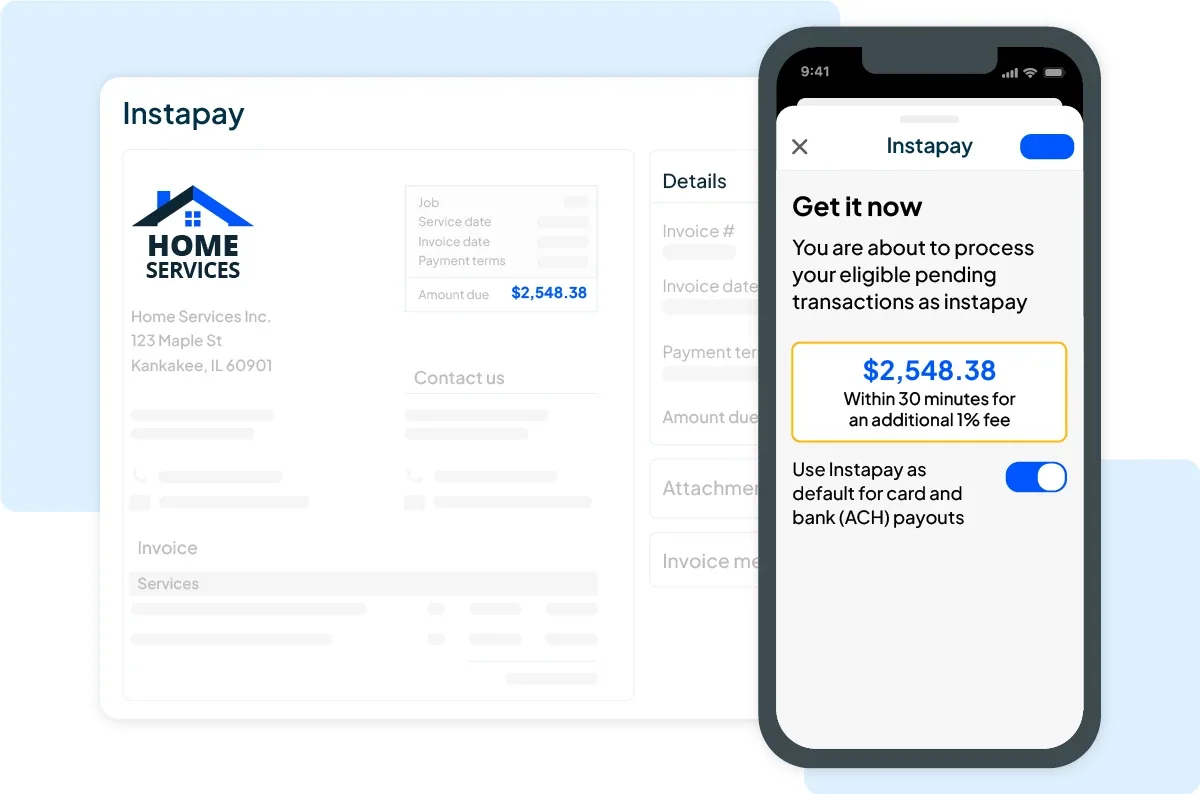
Housecall Pro is built around the service call. A customer books online or calls in, the job lands on a calendar, a tech gets dispatched with an on-the-way text sent automatically, the tech builds a good-better-best estimate on a phone, the customer approves it, the work happens, and the invoice is generated from the estimate and paid on the spot by card, ACH, or Tap to Pay on the tech’s iPhone. The invoice is the last step of a workflow that started with a phone ringing.
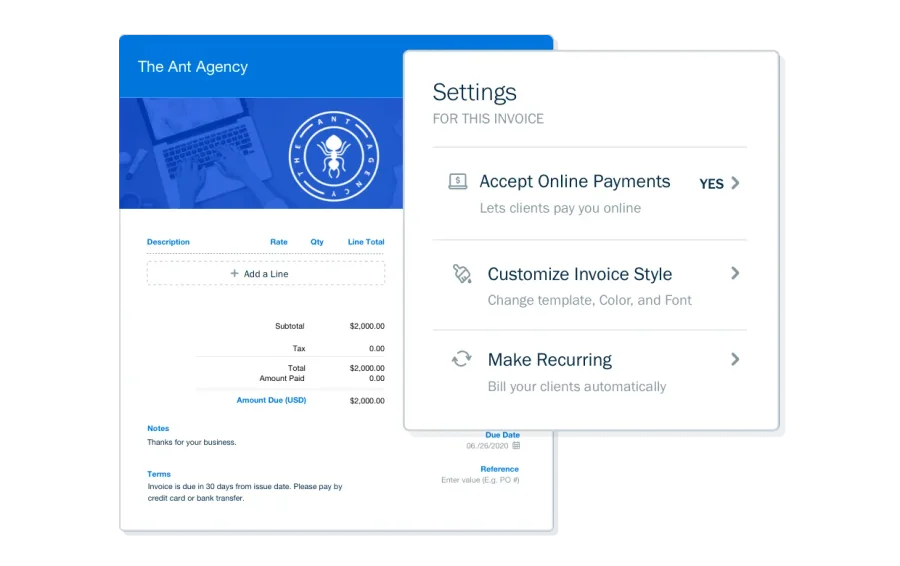
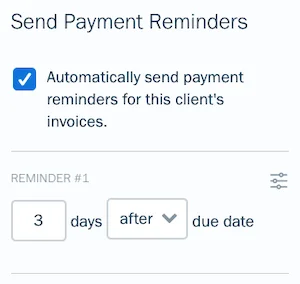
FreshBooks is built around the invoice itself. You create a client, build an invoice from line items or a converted estimate or proposal, send it through a branded client portal, and the software chases it for you: friendly reminder at seven days, firm at thirty, final at sixty, with a late fee you set applied automatically. The payment lands, it reconciles against your bank feed, and it shows up on a profit-and-loss statement your accountant can log into. There is no calendar. There is no dispatch. There is no truck.
The consequence: Housecall Pro is a system you run your day inside of. FreshBooks is a system you visit at the end of the day, or the end of the week, to get paid and keep the books straight. A shop with three techs cannot run its day inside FreshBooks. A solo painter does not need to run his day inside anything.
What Each Costs a Solo Operator and a Five-Person Crew
Both publish their prices. Housecall Pro’s were verified in September 2026 and the full breakdown is on our Housecall Pro pricing page. FreshBooks’ are from our September 2026 review check.
| Housecall Pro | FreshBooks | |
|---|---|---|
| Entry plan | Basic: $59/mo annual, $79 month-to-month, 1 user | Lite: $23/mo, 1 user, 5-client cap |
| Realistic solo plan | Basic, $59 | Plus: $43/mo, 50 clients, bank rec, accountant access, proposals |
| 5 people | Essentials: $149/mo annual ($189 monthly), up to 5 users, QuickBooks sync, GPS | Plus + 4 users at $10 each: $83/mo, no scheduling or dispatch |
| 8–12 people | MAX: $299/mo annual, up to 8 users, +$75/user after | Premium: $70/mo + $11/user, unlimited clients |
| Card processing | From 2.59% | 2.9% + $0.30 (Amex 3.5% + $0.30) |
| ACH | 1% | 1% |
| Fast payout | Instapay: +1%, funds in ~30 minutes | Standard settlement only |
| Consumer financing | Wisetack built into estimates, 3.9% flat to the contractor | None |
| Trial | 14 days | 30 days |
| Discounts | Annual billing | 10% off annual; 60% off first 3 months most of the year |
Three things in that table decide real money.
The Lite plan is a trap. FreshBooks’ $23 headline caps you at five clients, and a client is any billable contact. A handyman who invoices seven homeowners in month one is already forced to Plus. Compare $43 to $59, not $23 to $59.
Housecall Pro’s add-ons creep. Recurring service plans and the sales proposal tool are add-ons below MAX. CSR AI call answering, HCP Assist, campaigns, payroll, VoIP, and vehicle GPS are all separate line items. The consistent complaint from contractors who leave is signing up at $149 and finding themselves at $300 to $400 six months later. FreshBooks’ only real add-on is Gusto payroll at $49 plus $6 per employee, which it does not build itself.
Processing fees matter more than the subscription past $10,000 a month. At $30,000 a month in card volume, Housecall Pro’s 2.59% is about $777; FreshBooks’ 2.9% plus $0.30 is about $870 plus the per-transaction pennies. The $93 gap covers FreshBooks Plus twice over. Housecall Pro’s Wisetack integration is the other money feature: a $6,000 HVAC replacement presented as $187 a month at 0% closes differently than a $6,000 invoice, and FreshBooks has no financing option at all.
Winner on price: FreshBooks for a solo operator who needs nothing but billing. Winner on money collected: Housecall Pro for anyone selling jobs above a few hundred dollars.
The Invoice Itself
Here FreshBooks is genuinely the better product, and Housecall Pro users should know what they are giving up.
FreshBooks’ invoice builder produces a branded document, tracks when the client opened it, and lives in a portal where the client can ask a question, approve an estimate, and pay by card or ACH from the same link. Deposits work the way contractors need them to: convert an estimate to an invoice with 50% due before work starts, the customer signs and pays the deposit, and the balance-due invoice queues automatically for completion. Retainers and recurring invoices handle maintenance plans. Late fees are a rule, not a phone call. Plus and Premium plans add proposals with e-signature that convert to an invoice in one click. Our review scores its invoice builder 5.0 and its automation 4.8, and reviewers on G2 (4.5 across 959 reviews) and Capterra (4.5) say the same thing in their own words: it is the invoicing they do not dread.
Housecall Pro’s invoice is fine, and its strength is where it gets created: on a phone, in a driveway, from an estimate the customer just approved, with a card on file for the next visit. Progress invoicing handles multi-phase jobs by dollar amount or percentage. Capterra reviewers do flag that batch invoicing for multi-job clients is missing and that the email templates look dated. If your invoices go out in a batch on Friday from a desk, FreshBooks does it better. If they go out one at a time from a truck, Housecall Pro does.
Edge: FreshBooks on the invoice as a document and a process. Edge: Housecall Pro on the invoice as the last thirty seconds of a job.
Accounting: Only One of Them Does It
FreshBooks is accounting software. Plus and above give you double-entry books, bank reconciliation, a chart of accounts, expense capture with receipt OCR, time tracking, basic project profitability, and an accountant login that costs nothing extra. It is thin where contractors get complicated (no class tracking, weak sales tax, no job costing worth the name), which is why our review scores it 3.9 overall and sends roofers, restoration contractors, and crews to QuickBooks. But a solo operator with simple books can run the whole business and hand the accountant a login in January.
Housecall Pro is not accounting software and does not pretend to be. It syncs to QuickBooks Online and Desktop on Essentials and above, bidirectionally, and that sync is the reason nearly every Housecall Pro shop also pays for QuickBooks. It does not sync to FreshBooks. FreshBooks’ native connector list runs to Stripe, PayPal, Shopify, Gmail, and 100-plus general small-business tools, and none of the contractor CRMs: not Housecall Pro, not Jobber, not JobNimbus, not ServiceTitan.
That gap is the single most important fact on this page for anyone thinking about running both. You can bridge them with Zapier, at $20 to $50 a month, with delays and maintenance. Nobody who has done it recommends it. If you are on Housecall Pro, your books go in QuickBooks Online, and our QuickBooks vs Xero comparison covers the one real alternative.
Winner: FreshBooks, by default, because it is the only one of the two that is accounting software.
Scheduling, Dispatch, and the Customer’s Phone
The reverse is true here. FreshBooks has no calendar. Housecall Pro’s is the core of the product: drag-and-drop scheduling, a dispatch board, GPS tracking on Essentials and above, online booking, automated on-the-way and follow-up texts, review requests after every job, and recurring service plans (an add-on below MAX) that rebill maintenance customers automatically. CSR AI, a paid add-on, answers the phone at 2 a.m., checks the calendar, and books the job.
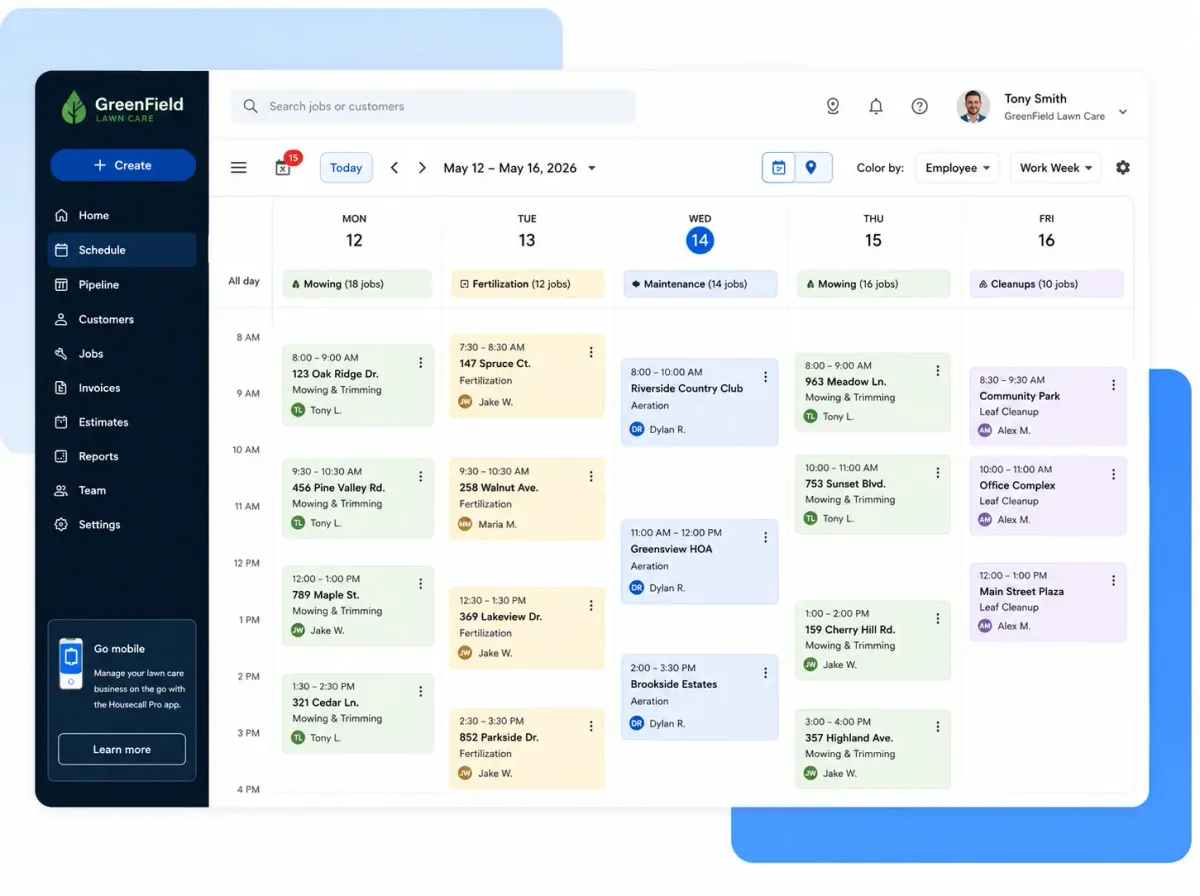
Housecall Pro’s scores in our field service category are 4.3 for dispatch and scheduling and 4.6 for customer communication. FreshBooks does not compete in the category. Winner: Housecall Pro, uncontested.
Mobile
Housecall Pro’s app is the tech’s whole day: schedule, navigation, estimates, photos, signatures, payment. Our review rates it strong on iOS and inconsistent on Android, and field use scores 5.0 in the invoicing category because taking a card in a driveway is exactly what it was built for.
FreshBooks’ app invoices, captures receipts, tracks time and mileage, and logs expenses. Reviewers on both G2 and Capterra call it glitchy under load. It scores 3.8 on field and mobile use, which is fair: it is a good app for a solo operator sending an invoice from the truck after the job and a poor one for anyone trying to run a job from it.
Edge: Housecall Pro.
What Real Users Say
Housecall Pro carries a 4.7 across 2,737 Capterra reviews, with scheduling, invoicing speed, and automated review requests as the recurring praise. Its Trustpilot score is 2.9 across 581 reviews, and the pattern there is billing disputes, cancellation friction, and add-on creep. Both numbers are true. The product is strong; the billing practices need a calendar reminder and a screenshot of your terms on day one.
FreshBooks holds 4.5 on both G2 (959 reviews) and Capterra. The five-star theme is ease and speed: real invoices sent within fifteen minutes of signup. The one-star theme is the five-client cap on Lite, a mobile app that stumbles, and price creep as client count grows. Nobody complains about the invoices.
Three Questions That Decide It
1. Do you need a calendar with other people’s names on it? If you schedule anyone besides yourself, or you take enough calls that booking them is a job, you need Housecall Pro. FreshBooks cannot do this, and no amount of invoice polish makes up for a missed dispatch.
2. Is your revenue mostly small tickets collected on site, or larger invoices collected later? On-site card collection at 2.59%, Instapay, Tap to Pay, and Wisetack financing on the estimate all favor Housecall Pro. If your invoices go out after the fact and get paid over days or weeks, FreshBooks’ reminder engine, late fees, deposits, and client portal are the better tool for that job.
3. Who is doing your books? If the answer is “FreshBooks, and my accountant logs in once a year,” you are a FreshBooks customer. If the answer is “QuickBooks, because my field software syncs to it,” you are a Housecall Pro customer, and FreshBooks was never in the running.
Solo, no crew, no dispatch: start with FreshBooks Plus on the 60%-off promo, and read our FreshBooks review for the trades where it fits and the ones where it hits a wall. Anyone with a schedule: start the Housecall Pro 14-day trial, and if the $149 Essentials tier is the question, our Jobber vs Housecall Pro page runs the cheaper alternative at the same headcount.
Pricing verified September 2026 against housecallpro.com/pricing and freshbooks.com/pricing. Both products are scored in our invoicing and payments category; Housecall Pro is also scored in field service management, CRM, estimating, and scheduling, FreshBooks in accounting.