


There’s a quiet pattern across residential GCs, remodelers, and specialty contractors in 2026: when Buildertrend’s $339-$829/month tier feels heavy and Contractor Foreman’s bundle has rough edges that don’t match how a particular shop runs, the operation lands on a generic productivity platform that wasn’t built for construction at all. ClickUp ships a Free Forever tier that runs a small operation without a credit card, $7/user/month for the Unlimited tier with Gantt charts and 1,000+ integrations, and the December 9, 2025 ClickUp 4.0 release added autonomous Super Agents and Brain MAX on top — and the 4.7/5 across 9,400+ G2 reviews and 4,000+ Capterra reviews is real validation, just earned in adjacent categories like marketing, software, and consulting more than in construction.
The fundamental question every contractor evaluating ClickUp lands on: is the configuration overhead worth the price advantage? Build your construction workflow yourself in ClickUp’s task-and-project primitives, or pay 3-5x more for a platform that ships it shaped for you. That’s the trade.
“ClickUp has allowed me to streamline my residential and commercial construction businesses in one place. Schedules, team communications, client updates, selection tracking, bid management… it does it all better and faster than overpriced custom construction management software products.”
— Glenn F., Forma Builders owner, on clickup.com/teams/construction
What this review covers: how ClickUp 4.0’s December 2025 changes actually land for contractors, what the published pricing means at real crew scale (and which tier most operations actually need), what the platform ships out of the box vs. what you’ll configure yourself, where the AI layer earns its $9-$28/user/month add-on price, the integration reality with Jobber, JobNimbus, and ServiceTitan (spoiler: not native), how to pair ClickUp with field-service tools that fill its gaps, what 13,000+ verified reviewers actually say in their own words, and which contractor profiles the platform fits versus the ones who should run.
ClickUp 4.0 — What Actually Changed in December 2025 (And Why It Matters for Contractors)
Most reviews of ClickUp on the open web are 3.0-era. ClickUp 3.0 was deprecated March 27, 2026, so every customer in April 2026 is running on the 4.0 stack — and the changes are substantial enough that older reviewer complaints about performance lag, navigation friction, and AI-as-suggestion don’t fully apply anymore.
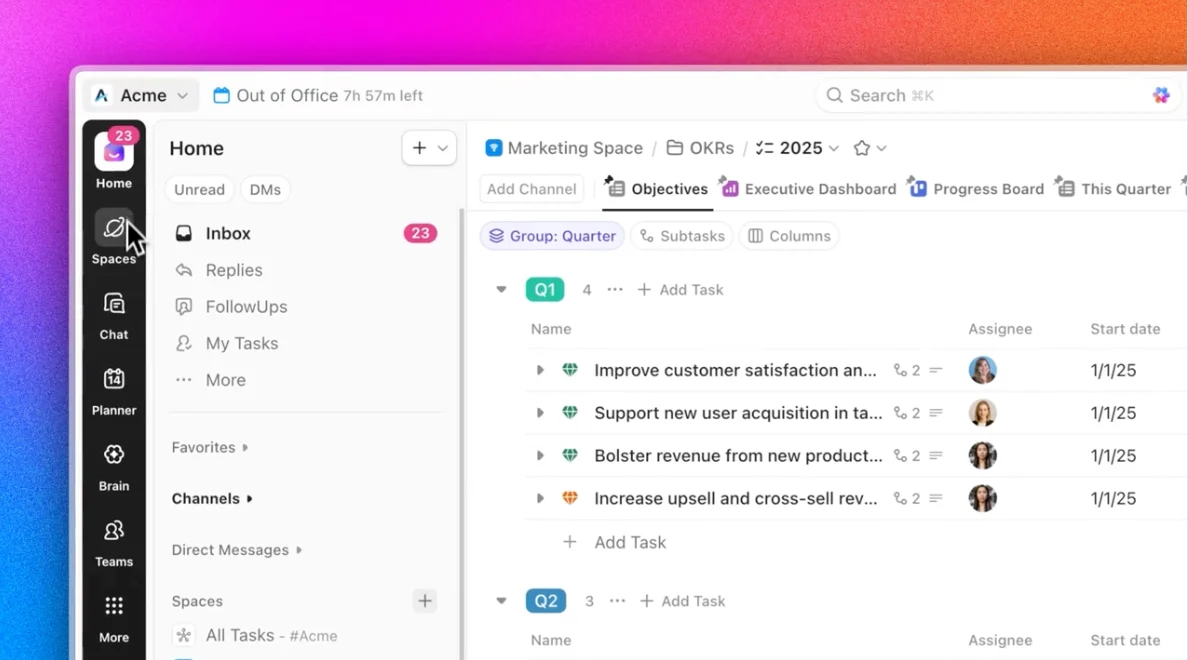
Super Agents are the headline shipping item. Where 3.0-era ClickUp Brain operated as suggestion-and-accept (the AI proposed an action, you clicked through to apply it), Super Agents in 4.0 operate as autonomous AI teammates that handle multi-step workflows end-to-end. Practical contractor example: tell the Super Agent “set up the Johnson kitchen remodel project — standard scope, three-phase schedule, foreman is Mike, homeowner notification by SMS, RFI form on the customer portal,” and the agent creates the project, populates the task list from your standard template, assigns ownership, configures the homeowner notification automation, and provisions the RFI form in one continuous workflow. The pre-built agents shipped in 4.0 include Project Manager, Campaign Manager, Content Reviewer, Brand Copywriter, Standup Writer, Quality Checker, and Deadline Guardian — none are construction-specific, but a Project Manager Super Agent handles 70-80% of the standard project setup workflow a residential GC would otherwise click through manually.
ClickUp Brain MAX is the premium model access tier — deep reasoning, complex multi-document synthesis, content generation at the level of frontier model output. It’s available via Chrome extension and Mac desktop app, with the Windows desktop app marked “soon” on the public roadmap. For contractors generating bid presentations, homeowner communications, and SOP documentation at scale, Brain MAX is where the $28/user/month Everything AI tier earns its keep over the $9/user/month Brain AI tier. For operations using AI mostly for in-platform task automation and meeting transcription, the standard Brain tier is sufficient.
Unified sidebar converges Tasks, Docs, Chat, Whiteboards, Dashboards, and Calendar into a single navigation surface — replacing 3.0’s split between Hierarchy (project structure) and Inbox (notifications). The mental load is meaningfully lower; reviewers on the ClickUp 4.0 changelog consistently flag this as the single biggest UX improvement since the 2.0 era.
Subfolders (beta) allow nested folder hierarchy for the first time. Sounds small until you’ve tried to model a four-phase residential remodel in 3.0’s flat folder structure — the workaround was deeply-nested Lists that broke under their own weight. Subfolders address that for project-heavy operations.
Intelligent Planner powered by ClickUp Brain auto-blocks focus time on the calendar, views teammate availability, schedules meetings with one click, and manages multiple time zones. For a project manager juggling six active jobs at different phases, this collapses an hour of weekly schedule-coordination work to a few minutes of confirmation taps.
40% faster load times on large workspaces, addressing the recurring lag complaint that dominated 3.0-era Capterra negative reviews. The performance improvement is most visible on workspaces with 1,000+ tasks — which is realistic for a 20-person GC running 12-15 active jobs.
The migration tooling matters: ClickUp ships one-click importers from Asana, Trello, Jira, and Monday.com, and the 3.0-to-4.0 transition was automatic for existing customers. For contractors evaluating ClickUp in April 2026, you’re entering a fresh major release with mature migration paths, fast performance, and a more capable AI layer than older reviews would suggest.
The Pricing Math: Why Contractors Land on ClickUp’s Free or $7 Tier
Pricing transparency is one of ClickUp’s strengths — the four core tiers are published on clickup.com/pricing without sales-gating, and the AI add-on costs are equally explicit on clickup.com/ai. The math works dramatically in ClickUp’s favor at small crew sizes and stops working as cleanly when contractor-specific feature requirements (job costing, homeowner portal, AIA billing) start mattering.
All prices verified against clickup.com/pricing in April 2026. Yearly billing offers up to 30% off versus monthly. 100% money-back guarantee marketed across all tiers.
- →Unlimited tasks + free plan members
- →60MB storage, 1 form
- →Kanban, Calendar, basic custom fields
- →Collaborative Docs, in-app video
- →Gantt charts, integrations unlocked
- →Native time tracking, goals, portfolios
- →Guest permissions, ClickUp Chat
- →Slack, HubSpot, Google Drive native
- →Unlimited dashboards + advanced cards
- →5,000 monthly automations ($100 value)
- →Webhooks, mind mapping, Google SSO
- →Sprint points, custom exporting
- →SAML SSO + SCIM provisioning
- →250K monthly automations ($750 value)
- →HIPAA, MSA, data residency, audit logs
- →Live onboarding, customer success mgr
AI is separate: ClickUp Brain $9/user/mo (1,500 Super Credits) or Everything AI $28/user/mo (5,000 credits). QuickBooks Online Sync is BETA on Business Plus and Enterprise only.
The pricing math at a typical 10-person residential GC: Unlimited tier base = $70/month. Add ClickUp Brain across the team = $90/month. All-in: $160/month for full PM with AI. Compare to Buildertrend Essential at $339/month flat (estimating module locked behind Advanced at $499/month), or Contractor Foreman Plus at $166/month (8 users) with onboarding sessions included. ClickUp wins on raw cost — but you’re not getting Buildertrend’s Selections module, AIA progress billing, or homeowner client portal in that math.
The pricing math at a 30-person operation: Business tier across the team = $360/month. Add Brain = $270/month more. All-in: $630/month. Buildertrend Complete at this team size is $829/month flat (unlimited users on every Buildertrend tier). Contractor Foreman Unlimited is $332/month for unlimited users. The math gets closer at scale — and the pricing advantage tilts back toward ClickUp only if you’re not relying on the construction-specific modules Buildertrend or CF ship.
Where the sticker price is misleading: Capterra reviewers consistently flag the gap between “headline pricing” and “feature paywalls hitting fairly quickly.” Gantt charts only unlock at Unlimited tier ($7/user/mo) — Free tier doesn’t have them. Custom dashboards with advanced cards only at Business ($12/user/mo). QuickBooks Online Sync only at Business Plus and Enterprise (and even there, in beta). For a contractor evaluating against the $0 Free Forever pricing, the real cost-of-ownership for a working PM platform is closer to $7-$12/user/month minimum, plus optional Brain AI at $9-$28/user/month on top.
Beyond the Calendar: What ClickUp Actually Ships
ClickUp’s feature inventory is genuinely vast — the platform has been iterating since 2017 and the surface area shows it. The 15+ project views are the visible part; the underlying architecture (custom fields, automations, dependencies, recurring tasks, task templates, custom statuses) is what makes the platform adaptable to construction workflows that weren’t on the original 2017 roadmap.
Project views (15+): List, Kanban Board, Gantt Chart, Calendar, Table, Whiteboards, Mind Maps, Canvas, Map View, Portfolios, Workload View, Timeline, Activity views, Embed views, and Doc views. The Map View is genuinely useful for field-team coordination — pin job sites geographically, see crew assignments by location, plan daily routes visually. Whiteboards link directly to workflows so a brainstorming session ends with tasks actually created from the sticky notes.
Task and project structure: Tasks with assignees, due dates, priorities, custom statuses (you define what “In Progress” means for your operation — “Materials Ordered,” “Permit Submitted,” “Inspection Scheduled”); subtasks nested up to 7 levels deep; multiple assignees per task; custom task types (“Bugs,” “Leads,” “RFIs,” “Change Orders”); task dependencies and relationships; sprint points for effort estimation; task templates; checklists; tagging; goals tied to task progress; milestones; epics for grouping related tasks; subfolders (beta in 4.0) for hierarchy.
Automation: Rule-based automations update task states based on triggers (when status changes to “Completed,” notify the office, archive the task, generate the invoice trigger in QuickBooks via Zapier). Business tier includes 5,000 monthly automations; Enterprise is 250,000. Recurring tasks for daily, weekly, monthly schedules — useful for routine maintenance contracts, weekly safety inspections, monthly equipment checks. Workflow automation via REST API and webhooks lets you wire ClickUp into external systems beyond what Zapier handles. ClickUp MCP exposes the platform as an AI-callable tool for custom agent workflows.
Time and resource management: Built-in project time tracking with timer, time estimates for workload prediction, timesheets with approval workflows, Teams Hub for team priorities, Planner (4.0) merging tasks and meetings into a unified daily view, Scheduling for automatic task updates based on time-of-day rules.
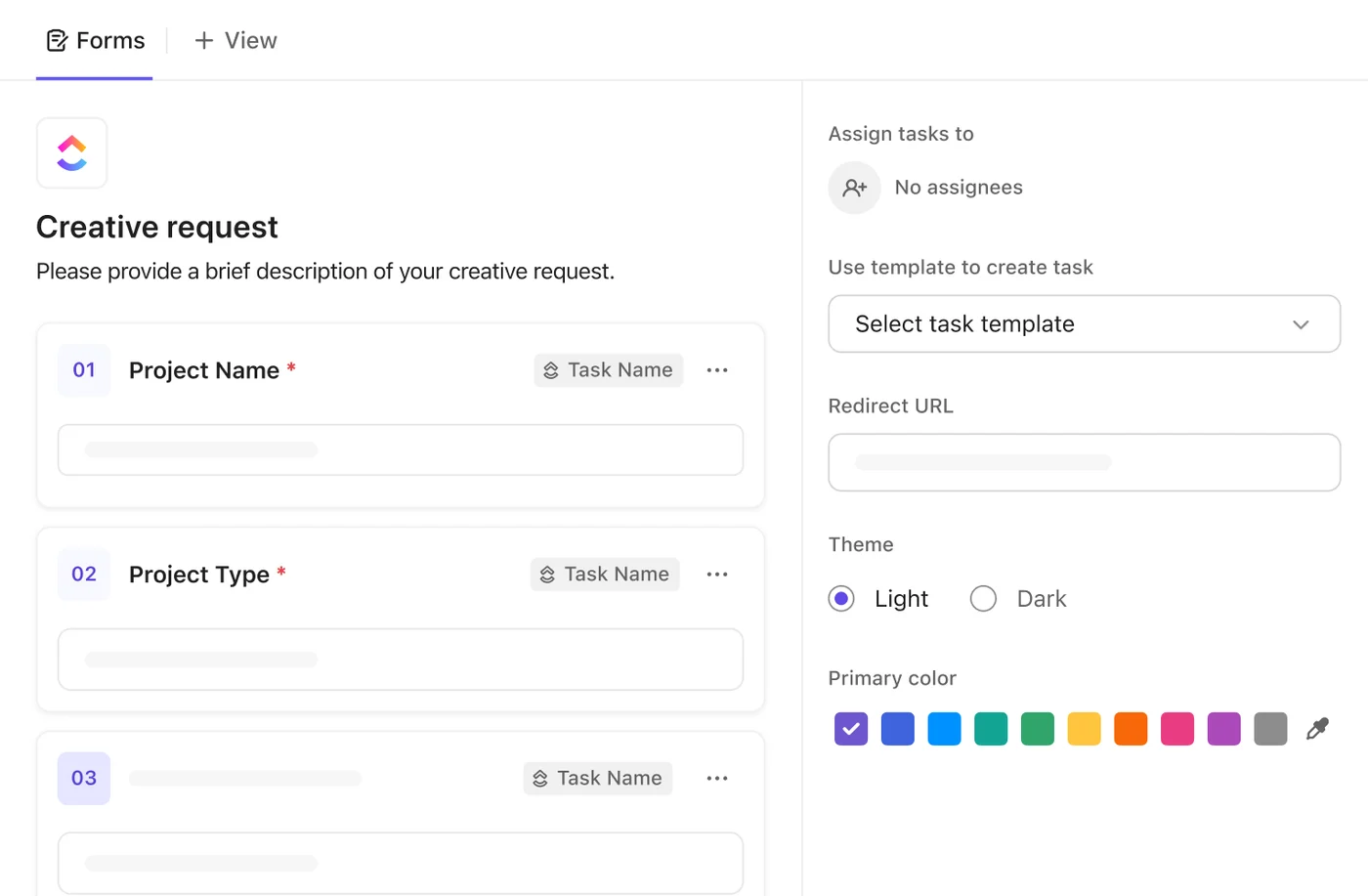
Documentation and knowledge: Docs (collaborative wikis and SOPs directly linked to tasks), Wikis (searchable, centralized company knowledge), Notepad (personal notes convertible to tasks). Forms create tasks from public submissions — the construction page explicitly highlights this for RFIs, sub-bid intake, and homeowner change-order requests.
Dashboards and reporting: Custom dashboards with portable Cards (drag-and-drop dashboard elements), AI-powered progress analysis and data summarization, AI Usage Dashboard tracking credit consumption, rollups powered directly by task data. The Business tier unlocks unlimited dashboards with advanced cards — the Free and Unlimited tiers cap dashboard configurability.
Collaboration: Real-time chat within tasks, docs, and projects; assign comments to convert feedback into action items; Clips for screen and voice recording without meetings (useful for foreman-to-office walk-throughs); Sync Ups for instant meetings within the platform; Reminders for personal alerts; centralized Inbox; collaboration detection showing real-time editing status; email project management integration; profiles showing team member activity.
Forms and data collection: Public survey forms automatically creating tasks; native integrations with Typeform, Jotform, and Google Forms.
Security and access control: Custom roles with specialized permission sets; granular permissions controlling workspace content access; guest accounts for external collaborators (homeowners, subcontractors, inspectors); SSO support; SOC 2, ISO 27001, GDPR, and HIPAA compliance certifications.
Mobile and desktop: iOS and Android apps; Mac and Windows applications; Chrome extension. The mobile app is a generic productivity app, not a field-tech tool — no GPS time clock, no geofencing, no offline-first capture. Works for a project manager checking schedule from the truck; not built for a foreman documenting a punchlist on a roof.
Templates: 1,000+ pre-built templates by use case, including a Construction Management template; one-click importers from Asana, Trello, Jira, Monday.com; AI-powered template generation based on goals.
ClickUp Brain and Super Agents — Real AI or Marketing Layer?
ClickUp’s AI story in 2026 is more substantial than the 3.0-era reputation suggests, especially after the 4.0 launch added autonomous Super Agents on top of the prior assistant model. Whether the $9-$28/user/month add-on cost earns its keep for a contractor depends entirely on use-case fit.
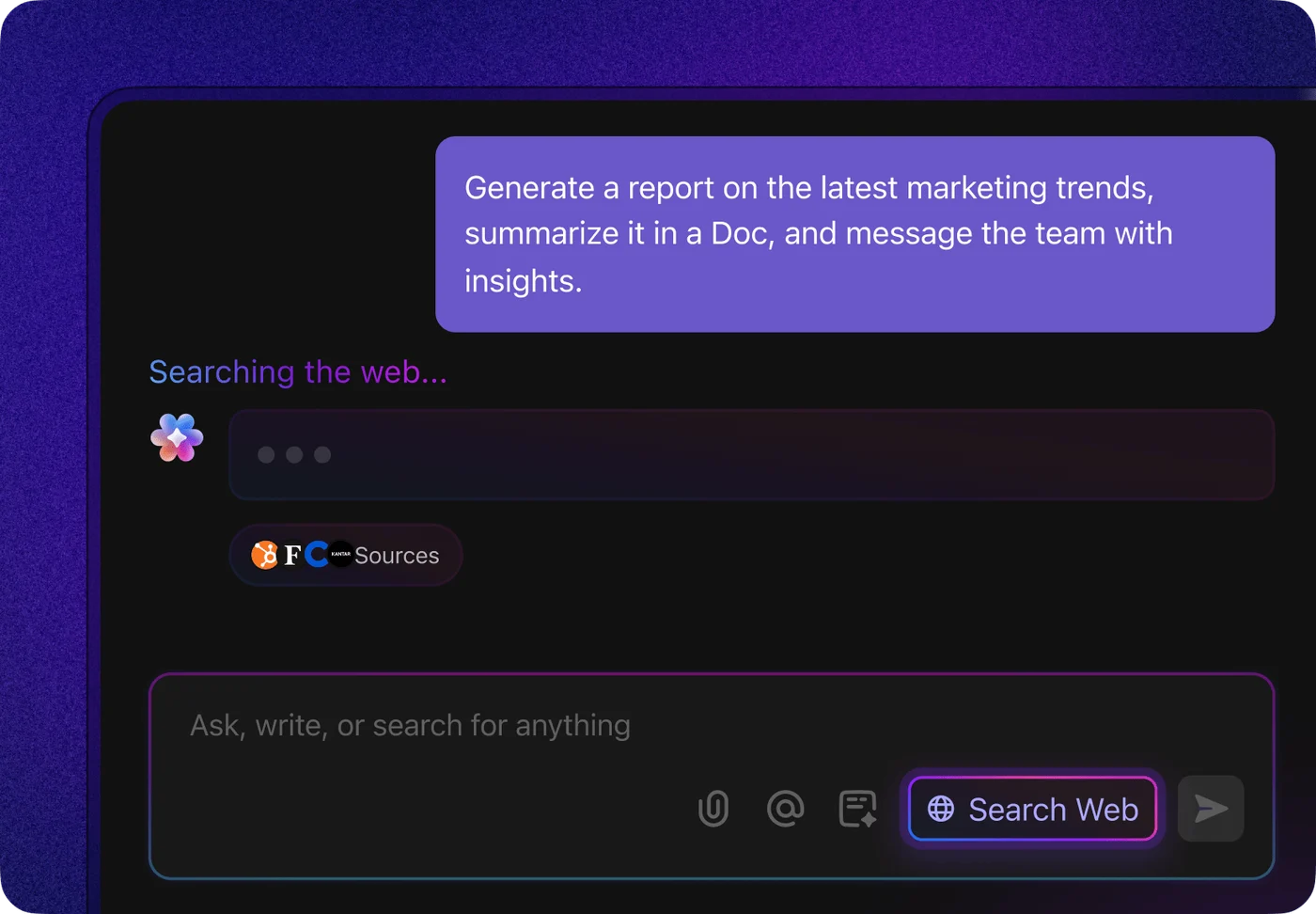
ClickUp Brain at $9/user/month ships:
- Unlimited assistant — natural language interface for task creation, project setup, status updates, and workspace navigation
- @Brain Agent — invoke AI inside any task or doc to summarize, rewrite, generate next steps, or pull related context from connected apps
- AI chat with model choice (ChatGPT, Gemini, Claude) — premium models are included rather than billed separately
- Unlimited AI writing for proposals, homeowner communications, project descriptions, and SOPs
- Enterprise workspace search across connected apps including Slack, Salesforce, Jira, GitHub, Notion, Gmail, Outlook — the AI searches outside ClickUp’s own data, which is unusual in the productivity-AI category
- 1,500 AI Super Credits monthly — the credit pool that powers Super Agents, AI Fields, automations, and image generation; pricing is $0.001-$10 per 10,000 credits depending on workload complexity
Everything AI at $28/user/month adds:
- Unlimited ambient answers — AI-generated context surfaced inside tasks and docs without explicit invocation
- Talk-to-Text — voice-to-task dictation, useful for field-based dictation when typing isn’t practical
- AI notetaker — auto-transcribes meeting recordings, pulls action items into tasks
- Image generation within workspace (fair use limits)
- AI Fields — custom fields auto-populated based on task context
- AI automations and dashboards — automation rules and dashboard cards generated by AI from natural-language descriptions
- AI assign and prioritize — automatic task assignment and priority suggestions based on team capacity and historical data
- Private and workspace enterprise search including private documents
- 5,000 AI Super Credits monthly (3.3x the Brain tier’s pool)
Pre-built Super Agents in 4.0: Project Manager (handles project setup workflows), Campaign Manager (marketing-specific), Content Reviewer (proofs and reviews docs), Brand Copywriter (generates branded content), Standup Writer (auto-generates standup summaries from team activity), Quality Checker (audits task and project completeness), Deadline Guardian (monitors and escalates deadline risks). Custom agents are buildable without code — describe the workflow in natural language and the platform configures the agent.
Practical contractor use cases where Brain earns its $9/user/month:
- Meeting transcription and action-item extraction — for office staff handling 4-6 weekly meetings (homeowner check-ins, sub coordination, foreman standups), Notetaker collapses 1-2 hours of meeting recap work to a few minutes of review
- Template generation from goals — describe “I need a project template for a typical kitchen remodel — 6-week timeline, 4 trade phases, homeowner selections required at week 1,” and Brain generates a working draft in seconds
- RFI and change-order summarization — when a homeowner submits 15 questions in a single email, AI extracts and structures them into individual RFI tasks
- Workspace search across the contractor stack — query “what’s the status of the Johnson project’s permit submission” and Brain pulls context from ClickUp tasks, the email thread in Gmail, and the linked document in Google Drive
- Talk-to-Text dictation in the field — foreman creates punchlist tasks from the job site without typing on a phone
Where Brain’s value diminishes: solo operators where the bottleneck is the operator’s own time — for a one-person shop, Brain at $9/month adds productivity but doesn’t transform what’s possible the way it does for a 10-person operation. And operations where the AI is being asked to substitute for a well-configured workspace — Brain layers value on top of a thoughtfully-modeled ClickUp setup but doesn’t fix one that was thrown together.
Practical recommendation: start on the Free Forever or $7 Unlimited tier for 30-60 days to validate that ClickUp’s underlying workflow actually fits your operation before adding Brain. The AI is most valuable on top of a well-configured workspace.
The Construction Configuration: What You’ll Build Yourself
ClickUp’s approach to construction is to expose primitive building blocks (custom forms, custom fields, automation rules, file annotation, document collaboration, custom task types) and let contractors model their workflow in those primitives. This is the platform’s defining trade-off: maximum flexibility, real configuration cost.
The Construction Management template ships as a starting point — pre-configured with standard task statuses (Lead → Estimate → Approved → In Progress → Completed → Invoiced), custom fields for permit numbers and inspection dates, and a basic dashboard. It’s a working starting point, not a turnkey workflow.
For RFIs: build a custom form titled “RFI Submission” with fields for project name, requesting party (sub or homeowner), question text, attachments, urgency level. Configure the form to auto-create a task in an “RFIs Open” List with the custom fields populating from the form submission. Add an automation rule that notifies the project manager via Slack when a new RFI lands. Add another rule that closes the RFI task when the response is added in the comments. Total configuration time: 30-60 minutes per project type.
For change orders: similar pattern. Custom form for change request intake with fields for cost impact (currency), schedule impact (numeric days), homeowner-approval-required flag (toggle), affected trades (multi-select). Auto-create a task with the custom fields. Integrate with a Docs page that maintains the running CO log per project. Configuration time: 1-2 hours.
For submittals: file proofing and annotation on attached PDFs (drawings, product specs, mock-up photos). Task assignees represent the review chain (architect → GC → homeowner). Custom statuses model the submittal lifecycle (“For Review” → “Approved” → “Approved as Noted” → “Revise and Resubmit” → “Rejected”). The proofing UI lives at the Business tier and above — Free and Unlimited tiers don’t include unlimited proofing.
For daily logs: forms-based pattern. Custom form titled “Daily Job Log” with fields for project, weather, crew on-site, hours worked, materials delivered, photos uploaded, issues encountered. Foreman submits from mobile at end of day; auto-creates a task in the project’s Daily Logs List; populates a calendar view; rolls up into a weekly summary dashboard.
For homeowner Selections (the Buildertrend moat): this is where ClickUp’s primitives don’t quite reach. You can build a Selections workflow using Lists (one per room or trade), tasks per selection item, custom fields for budget allowance and chosen item, file attachments for product specs, guest access for the homeowner — but the result is “tasks that look like selections” not “a homeowner-facing portal where the experience feels like a selections workflow.” For residential remodelers and custom home builders selling on the homeowner experience, this is the gap that drives operations to Buildertrend instead.
The honest framing: contractors who already have someone (owner, office manager, dedicated PM) willing to spend a weekend modeling their business in ClickUp’s primitives find the platform earns its keep. Contractors who don’t budget that configuration time often abandon the setup before the productivity gain lands. Contractor Foreman at $49-$332/month ships these workflows turnkey — the trade-off is less flexibility but zero configuration overhead.
The Integration Reality — Native, Beta, and Zapier-Only
ClickUp markets “1,000+ integrations” — technically accurate via Zapier and Make, but the distinction between native integrations and third-party-bridge integrations matters for evaluating fit with the contractor stack.
Native integrations confirmed on clickup.com/integrations:
- Slack — full two-way sync, Slack messages convert to tasks, ClickUp updates post to Slack channels
- Zoom — meeting recording auto-attaches to tasks, transcripts feed into AI Notetaker
- Dropbox — file sync into tasks and Docs
- HubSpot — deals and contacts sync; useful for marketing-heavy contractors running inbound
- Salesforce — opportunity and lead sync; relevant for $10M+ commercial GCs
- Google Workspace — Drive, Calendar, Sheets, Forms; the Calendar sync is two-way and reliable
- Microsoft Office — Teams, Outlook, OneDrive native
QuickBooks Online Sync — BETA, Business Plus and Enterprise tiers only: this is the most significant integration gap for contractors. QuickBooks is the dominant contractor accounting platform, and native QBO sync is the load-bearing piece for any operation tracking job costs through the books. The current beta status means: (1) it works, but feature gaps exist; (2) it’s gated to the higher tiers, pushing the cost-of-ownership up; (3) reliability isn’t fully established yet. For contractors where QuickBooks is already running, the practical reality is QBO sync via Zapier on lower tiers — extra $30-$60/month, less reliable, but functional.
Zero native integrations with contractor-specific tools as of April 2026:
- Jobber — Zapier only
- JobNimbus — Zapier only
- ServiceTitan — Zapier only
- Housecall Pro — Zapier only
- AccuLynx — Zapier only
- GoHighLevel — Zapier only
- Smith.ai — Zapier only
- Stripe, PayPal, DocuSign, Xero, EagleView, Hover, Xactimate — all Zapier-mediated
API and webhook architecture: ClickUp has a documented REST API with full webhook support for real-time external triggers. ClickUp MCP exposes the platform as an AI-callable tool for custom agent workflows — this is genuinely best-in-class for contractors building custom AI automation stacks. If your operation includes a developer (or you’re working with a Zapier-fluent ops manager), the API depth means almost any integration is buildable, just not native.
The practical workflow: contractors running ClickUp typically pair it with a contractor-specific CRM/FSM as the system of record for field operations and customer data, with ClickUp handling the project management layer on top. The Zapier glue handles the data sync. The setup is functional but adds complexity that native integrations on JobNimbus, ServiceTitan, or Housecall Pro avoid by keeping everything inside one stack.
Pairing ClickUp With Field Service Tools — When the Stack Actually Makes Sense
The pattern I see across contractors who run ClickUp successfully isn’t ClickUp-as-everything. It’s ClickUp paired with a field-service or CRM tool that handles the operations layer ClickUp doesn’t ship.
ClickUp + Jobber ($7/user/mo + $39-$439/mo): for service-trade contractors (HVAC, plumbing, electrical, painting, landscaping) running Jobber as the dispatch and invoicing system of record. Jobber handles scheduling, customer-facing booking, payments, and recurring service plans. ClickUp handles project-style work that Jobber doesn’t model well — multi-week installs, complex remodels, or marketing/operations projects. Bridge via Zapier: when a Jobber job closes, create a follow-up task in ClickUp; when a ClickUp project completes, trigger a Jobber invoice. Total stack cost at 5 users: $35 ClickUp + $119 Jobber Connect (5 users included, one-year commitment billed monthly) = $154/month. Same operation on ServiceTitan is $1,225-$1,500/month — the ClickUp+Jobber pairing earns its keep at sub-$2M revenue operations where ServiceTitan’s depth is overkill.
ClickUp + GoHighLevel ($7/user/mo + $97-$497/mo): for contractors running marketing-heavy operations where GHL is the lead-to-customer engine. GHL handles SMS automation, AI Voice call answering, review request automation, the customer-facing booking widget, and the homeowner-facing review-request loop after job completion. ClickUp handles the operational project management for active jobs. The bridge: when a GHL deal closes, create a project in ClickUp; when ClickUp project completes, trigger the GHL post-job automation sequence. The GoHighLevel review covers this pattern in depth. The pairing makes sense for residential GCs and home-services contractors running 50+ leads per month through paid ads — the GHL marketing engine + ClickUp operations stack is one of the most cost-effective combinations under $400/month.
ClickUp + Smith.ai ($7/user/mo + Smith.ai per-call pricing): for solo to 5-person contractors who want professional call answering without a CSR team. Smith.ai catches the calls, qualifies leads, and pushes new-lead data to ClickUp via Zapier (Smith.ai-Zapier integration is documented). ClickUp creates the lead task, the contractor follows up. This pairing matters specifically for after-hours and overflow calls where a missed call is a lost job — see the Smith.ai review for the full economics. Total cost at 3 users: $21 ClickUp + Smith.ai’s per-call pricing typically running $200-$400/month at 50-100 calls.
ClickUp + JobNimbus ($7/user/mo + ~$200/mo + per-user fees): for roofing contractors where JobNimbus is the CRM-and-production system of record. JobNimbus handles the full roofing-specific workflow (EagleView measurement, SumoQuote proposals, Beacon material ordering, Xactimate-adjacent supplement tracking). ClickUp handles the office-side operational work that doesn’t fit JobNimbus’s job-record model — internal SOPs, marketing campaigns, equipment maintenance, hiring pipelines. The pattern is “JobNimbus runs the roof, ClickUp runs the business.” Less common than the Jobber and GHL pairings; mostly seen in 10-30 person roofing operations with dedicated office staff.
The common thread across all four pairings: ClickUp doesn’t replace the contractor-specific operations tool. It complements it on the project-management and office-operations layer. Contractors who try to make ClickUp do everything (estimating, dispatch, invoicing, customer portal, field-tech mobile) find the configuration overhead exceeds the cost savings. Contractors who pair ClickUp with the right operations tool find the math works at small-to-mid-crew sizes where the bundled construction PM platforms feel too heavy.
What 13,000+ Reviewers Actually Say About ClickUp
The platform’s review volume is genuinely the largest in the PM category, and the user sentiment patterns are consistent across G2 and Capterra.
Aggregated from G2 and Capterra in April 2026. ClickUp leads G2 Winter Reports 2026 across 1,539 category reports — 300+ more than any other product on G2.
The gap between the third-party 4.7 ratings and our 3.7/5 editorial score is a real signal, not a contradiction. ClickUp’s G2 and Capterra reviews are dominated by marketing teams, software developers, IT, consulting, and design teams — the platform’s core market. Our scoring weights ClickUp specifically on the eight dimensions that matter for contractor PM (schedule management, document workflow, financials and job costing, integrations, client portal, pricing value, AI capabilities, mobile field use). The financials gap (1.8/5) and client portal gap (2.5/5) drag the contractor-weighted score below the cross-category average; the AI capabilities score (4.7/5 — best in PM category) lifts it back up. That’s the methodologically honest reflection of fit.
What positive reviewers consistently flag:
- “Rather than having to create tasks by hand, this saves me hours.” — automation-driven productivity gains
- “Setting up automations to move tasks or notify team members has saved me hours of manual updates.” — workflow automation as the unlock
- “Scheduling reports was something I loved and saved me hours of admin work.” — reporting and dashboard customization
- “You can definitely use it for free for personal use or small business. And if needed, you can add features at a reasonable cost once your business grows.” — pricing tier structure works for small-to-mid operations
- “The Unlimited Plan ($7) is usually the ‘sweet spot’ for most small businesses because it unlocks unlimited storage and guests.” — direct community recommendation on tier selection
What negative reviewers consistently flag:
- Setup complexity — “the setup can be quite involved to get running smoothly and can be overwhelming for those without experience”
- Subtask limits on lower tiers — “set amount permanently and not renewable”
- Convoluted billing tiers — “features desired even on small teams or for solo workers only available at much higher tiers”
- Feature paywalls hitting fast — “users encounter paywalls fairly quickly, seeing desired features blocked by upgrade prompts”
- Search performance — some users reported inaccurate search functionality and lag (largely addressed in 4.0’s 40% performance improvement, but the 3.0-era reviews still dominate)
- Client portal limitations — one construction manager: “wished everything wasn’t a ‘task’ and wanted ways to store client information in their own portal”
- Automation quotas — mid-volume operations hit the 5,000/month cap on Business tier and need Enterprise to scale
Construction-specific testimonials (from clickup.com/teams/construction):
“ClickUp has allowed me to streamline my residential and commercial construction businesses in one place. Schedules, team communications, client updates, selection tracking, bid management… it does it all better and faster than overpriced custom construction management software products.”
— Glenn F., Forma Builders owner
On consolidated business management: weekly scheduling, CRM, and multi-aspect project tracking in a single platform.
— Marcus Anderson, Specialty Contractor
On team coordination and project follow-up capabilities.
— Mauro H., Construction Manager
The construction testimonials are thinner than the marketing/software/consulting feedback because the platform’s installed base in construction is smaller. The named testimonials are real (and sourced from ClickUp’s own construction landing page) — but a contractor evaluating ClickUp shouldn’t read the 4.7/5 G2 score as construction-specific validation. It’s cross-category validation that includes some construction operations among many other use cases.
How ClickUp Scored Against Our PM Dimensions
We score project management platforms on eight dimensions weighted by what matters for contractor operations specifically (the full methodology is on /how-we-review/). The AI Capabilities dimension was added in April 2026 to reflect autonomous agents and meeting/document AI now genuinely changing PM workflow speed.
Schedule & Phase Management — 4.2/5 (15% weight): Gantt charts, task dependencies, calendar views, timeline views, workload visualization. Strong for raw scheduling depth — the dependency model handles “move the cabinet install and the trim follows automatically” cleanly. No native trade-conflict warnings (Buildertrend’s edge), no change-order schedule-impact automation. Fundamentally a generic project schedule, not a construction phase schedule, but powerful enough that residential GCs adapt it successfully.
Documents, RFIs & Submittals — 3.0/5 (15% weight): ClickUp Docs and Wikis are genuinely strong for company knowledge management. RFI workflow via custom forms is functional with 30-60 minutes of setup. Submittal review via file proofing and annotation works at Business tier and above. What’s missing: shipped RFI/submittal/change-order modules with built-in approval routing, version control, and homeowner-facing visibility — things Buildertrend and Contractor Foreman include out of the box. ClickUp expects you to build it; the alternatives ship it.
Financials & Job Costing — 1.8/5 (13% weight): ClickUp’s biggest contractor gap. No native job costing with committed costs vs. actuals, no AIA-style progress billing, no retainage tracking, no estimate-to-PO-to-invoice flow. QuickBooks Online Sync is in beta on Business Plus and Enterprise tiers only. For any contractor where margin tracking lives or dies on committed-cost reporting, this dimension alone disqualifies ClickUp as the primary PM platform. Workaround: pair with QuickBooks Online for accounting, build manual job cost custom fields in ClickUp, accept the data gap. Most contractors who try this give up on the workaround within 90 days.
Integrations — 4.5/5 (13% weight): best-in-PM-category integration breadth. 1,000+ via native and Zapier. Native HubSpot, Salesforce, Slack, Zoom, Dropbox, Google Workspace, Microsoft Office. REST API + webhooks + ClickUp MCP make this the most agent-friendly PM platform for contractors building custom automation stacks. The only ding: zero native contractor-specific integrations (Jobber, JobNimbus, ServiceTitan, HCP, AccuLynx, GoHighLevel all Zapier-only). For contractors whose stack already lives in ClickUp-native categories (Slack/HubSpot/Google), the integration depth is genuinely superior. For contractor-stack-heavy operations, the Zapier-mediated reality is the practical constraint.
Client & Homeowner Portal — 2.5/5 (12% weight): Guest user permissions are real and functional. You can grant homeowner access to specific projects, restrict visibility to assigned tasks and Docs, allow comment access without edit rights. What’s missing: Buildertrend’s Selections module depth, change-order approval workflow with timestamps and signature capture, progress-photo gallery on a custom domain, branded homeowner-portal experience. The Capterra reviewer who flagged “wished everything wasn’t a ‘task’ and wanted ways to store client information in their own portal” captured this dimension exactly. For service-trade contractors and project-management-as-internal-ops use cases, the lack of a homeowner portal isn’t a dealbreaker; for residential remodelers and custom home builders selling on the homeowner experience, it’s the gap that drives the migration to Buildertrend.
Pricing & Value — 4.5/5 (12% weight): best in the PM category at small crew sizes. Free Forever tier is genuinely usable for solo and 1-2 person operations. $7/user/month Unlimited unlocks Gantt and integrations — dramatically cheaper than Buildertrend at $339-$829/month or Procore at enterprise pricing. The trade-offs: Brain AI is a $9-$28/user/month add-on (the headline pricing doesn’t include AI), QuickBooks Sync is gated to Business Plus, automation quotas push mid-volume operations toward Enterprise. The sticker is genuinely low; the all-in cost-of-ownership at a 30-person operation lands around $0.5-$1k/month vs. Buildertrend’s $339-$829 flat. ClickUp wins on value at sub-$2M revenue, the gap closes at $5M+.
AI Capabilities — 4.7/5 (10% weight): best in the PM category, period. Brain Super Agents (autonomous AI teammates handling multi-step workflows) are genuinely differentiated — most PM platforms ship AI as suggestion-and-accept; ClickUp 4.0 ships AI as autonomous task execution. Brain MAX adds frontier-model access (deep reasoning across documents and projects). AI Notetaker auto-transcribes meetings and pulls action items into tasks. Talk-to-Text dictates from the field hands-free. AI Fields auto-populate based on context. Enterprise workspace search runs across connected apps (Slack, Salesforce, Jira, GitHub, Notion, Gmail, Outlook), not just ClickUp’s own data. The only ding: AI is a paid add-on ($9-$28/user/month on top of base subscription), not included in any tier — so the headline ClickUp price understates the cost of the AI capability. JobNimbus (3.5/5 on this dimension), Buildertrend (3.0/5), and Contractor Foreman (2.0/5) all ship narrower AI surfaces — ClickUp is the forward-thinking AI bet in the PM category.
Mobile & Field Use — 3.2/5 (10% weight): iOS, Android, Mac, Windows, Chrome extension. Mobile app is functional for project managers checking schedule and updating tasks from the truck. What’s missing: GPS time clock, geofencing, offline-first capture, field-tech-optimized workflows. Talk-to-Text in 4.0 helps for hands-free dictation. But this is not a foreman’s tool — it’s a productivity app that works on a phone. Real field-service operations need Jobber, Housecall Pro, or ServiceTitan for the mobile field layer.
Weighted Total: 4.2(0.15) + 3.0(0.15) + 1.8(0.13) + 4.5(0.13) + 2.5(0.12) + 4.5(0.12) + 4.7(0.10) + 3.2(0.10) = 3.53 weighted, plus the +0.20 site-wide calibration constant = 3.7/5 final rating.
Who ClickUp Fits
Solo to 30-person residential GCs and remodelers who think in projects and tasks rather than dispatch boards, where the project management layer matters more than field-service dispatch. The math works dramatically — $7/user/month vs. $339+/month — and the configuration overhead pays back over 12-24 months at this team size.
Specialty trades doing project-based work (custom carpentry, finish work, restoration with project-style timelines, design-build contractors) where each job is a discrete project with a defined scope, schedule, and budget rather than a recurring service call.
Marketing-heavy contractor operations running inbound campaigns through HubSpot or Salesforce — ClickUp’s native integrations with both make the operations layer continuous with the marketing layer in a way contractor-specific tools don’t match.
Operations already running QuickBooks Online for accounting — the beta QBO Sync is the most valuable native integration for contractor PM, even gated to Business Plus tier. Operations on QuickBooks Desktop are stuck with Zapier glue.
Tech-forward contractor operations building custom AI automation stacks — ClickUp’s REST API, webhooks, MCP integration, and Brain agent ecosystem are the most agent-friendly in the PM category, period. For contractors integrating with Claude, ChatGPT, or custom MCP-based agents, ClickUp is meaningfully more capable than the construction-specific alternatives.
Contractors with dedicated office staff or operations managers willing to spend a weekend modeling the business in ClickUp’s primitives. The platform’s flexibility is its strength when someone owns the configuration; it’s a liability when no one does.
Contractors graduating from spreadsheets and group texts but not ready for the $339+/month tier of construction-specific PM. The Free Forever tier genuinely runs a small operation; the $7/user Unlimited tier is the most cost-effective working PM platform for sub-10-person crews.
Who Should Skip ClickUp
Insurance restoration roofers and Xactimate-writing contractors — no Xactimate integration, no ESX export, no aerial measurement integration with EagleView or Hover. Use JobNimbus for the roofing CRM workflow or AccuLynx for production roofing operations.
Multi-tech HVAC, plumbing, or electrical operations with 5+ field techs — no FSM-style dispatch board, no GPS route optimization, no capacity-based scheduling, no field-tech mobile workflow. Use ServiceTitan for enterprise-scale HVAC/plumbing/electrical, Housecall Pro for mid-market service trades, or Jobber for sub-15-person service operations.
Custom home builders and design-heavy remodelers — no Selections module, no homeowner-facing portal at the polish level Buildertrend’s clients expect, no AIA progress billing, no retainage tracking. Buildertrend is purpose-built for this use case at $339-$829/month flat with unlimited users.
Contractors who need turnkey workflows with zero configuration — ClickUp’s flexibility is its weakness when no one wants to model the business in primitives. Contractor Foreman at $49-$332/month ships 20+ pre-built modules that work out of the box.
$20M+ commercial GCs — ClickUp doesn’t ship the document control depth, RFI workflow, submittal review structure, or compliance audit trails that Procore is purpose-built for. The ClickUp configuration that approximates Procore is a 100-hour build, not a weekend.
Solo or 2-person operations doing under 5 active jobs at once — the setup overhead exceeds the productivity gain at this scale. A paper notebook, Google Calendar, and QuickBooks Online run a 5-job operation effectively. ClickUp’s value emerges around 8-15 active jobs where the spreadsheet-and-texts approach starts breaking down.
Operations needing native homeowner financing at point-of-sale — no Stripe native (Zapier-only), no Wisetack or GoodLeap partnerships, no in-portal financing application flow. Use Jobber for Wisetack integration or Buildertrend for the Parafin and Nelnet financing partnerships.
The Verdict for Contractors
ClickUp at 3.7/5 is the cheapest credible project management platform for contractor adaptation, and the strongest AI bet in the PM category in 2026. Pricing and AI are the theses; financials and contractor-specific integrations are the ceilings. The platform earns its keep for solo to 30-person residential GCs, remodelers, and specialty trades who think in projects, who already run QuickBooks Online, and who have someone willing to spend a weekend modeling the business in ClickUp’s primitives. The Free Forever tier is genuinely usable; the $7/user Unlimited tier unlocks Gantt and integrations at a fraction of construction-specific PM pricing; the December 2025 ClickUp 4.0 release with autonomous Super Agents and Brain MAX is the most aggressive AI layer in the PM category in 2026.
The ceiling is real: no native job costing, no AIA progress billing, no retainage tracking, no homeowner Selections workflow, no contractor-specific CRM/FSM integrations. For insurance restoration, multi-tech FSM dispatch, custom home builders, or operations needing turnkey construction workflows, the alternatives ship what ClickUp expects you to configure — and the math on configuration time vs. price difference often tips back toward Buildertrend or Contractor Foreman at the right team size.
The right buying motion: spend 30-60 days on the Free Forever tier validating that ClickUp’s underlying workflow actually fits how your operation runs. If the configuration sticks and the team uses it daily, upgrade to Unlimited at $7/user/month. Add Brain AI at $9/user/month after another 30-60 days once the workspace is well-configured enough that AI has context to work with. If the configuration falls apart in the first 60 days or the team stops opening the app, it’s not the platform — it’s the fit, and Contractor Foreman at $49-$332/month with shipped construction modules is a better next stop.
