

What My AI Front Desk Actually Is — And Why It’s Different
My AI Front Desk started as an AI phone answering service and has grown into something more ambitious: a full front-office communication platform. When you sign up, you don’t just get an AI receptionist. You get a built-in CRM, a website chatbot, an SMS texting agent, a web voicebot, automated outbound calling, a ticketing system, smart notifications, and an analytics dashboard. All in one product.
That’s the pitch, anyway. And the platform is real — this isn’t vaporware. The company was founded in 2023 in Berkeley, California, reportedly by a former Meta engineer who left to build an AI company. They’ve raised around $3 million from Pear VC, have roughly 29 employees, and claim to have answered over 200,000 calls for their customer base.
The question for contractors is simpler than all of that: does the phone answering actually work for your business, and is the rest of the platform worth paying more for?
Full disclosure: I haven’t tested My AI Front Desk on my own business lines yet. I plan to demo it and update this review with hands-on results. This review is built from thorough research — their full product documentation, pricing pages, industry-specific landing pages, integration listings, third-party review data from Trustpilot, Capterra, and G2, and direct comparison against every other AI call answering service I’ve reviewed. Where I’m drawing conclusions from research rather than personal experience, I’ll say so.
How the AI Phone Receptionist Works
Here’s the actual call flow, step by step.
Setup: You enter your website URL or describe your business. The AI scans your online presence and auto-configures itself — your business name, services, hours, location, and common questions. You pick a voice (100+ options), adjust the personality (there’s a chattiness dial from 1 to 10), and set your greeting. The whole process takes under 5 minutes, which is genuinely the fastest in this category alongside Rosie.
When a customer calls: Your existing business number forwards to My AI Front Desk. The AI picks up immediately — no rings to voicemail, no hold music. It greets the caller by your business name and handles the conversation. It answers questions about your services, collects caller information, qualifies leads, and books appointments if you’ve connected a calendar.
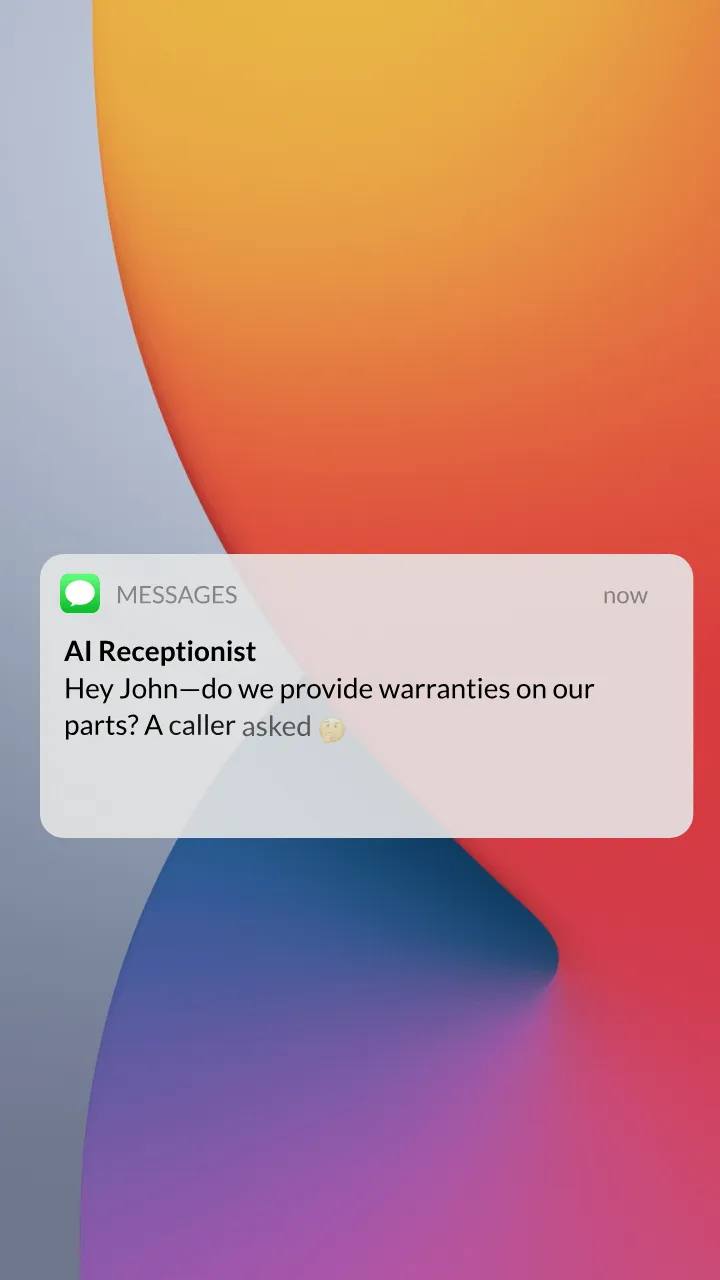
During the call: The AI can send text messages to callers mid-conversation — a booking link, your license number, directions to your shop, or a link to your portfolio. On Business plans and above, it can transfer calls directly to your cell phone or a specific team member based on conversation context. The system handles unlimited simultaneous calls, so if three customers call at the same time during storm season, all three get answered on the first ring.
After the call: You get instant notifications via SMS, email, or Slack with a call summary, transcript, caller details, and what they were asking about. Everything gets logged in the built-in CRM automatically — no manual data entry. Full call recordings are saved and searchable.
Spam filtering: Robocalls and spam get screened automatically. They don’t count against your minutes.
The Full Platform: More Than Just Phone Answering
This is where My AI Front Desk separates from the rest of the AI call answering field. Most competitors — Rosie, Upfirst, Goodcall — are phone answering services. They pick up calls, take messages, maybe book appointments, and that’s it. My AI Front Desk bundles a complete set of communication tools.
AI CRM
Every interaction from every channel — phone, chat, SMS, forms — flows into a built-in CRM automatically. The AI extracts names, contact info, budgets, preferences, and pain points from conversations. Leads get scored automatically based on urgency, budget, and fit. There’s no manual data entry — the CRM populates itself.
For contractors who don’t have a CRM yet, this could genuinely be useful. For contractors already running JobNimbus, Jobber, or ServiceTitan, you’d be running a second CRM alongside your primary one, which creates more problems than it solves.
Website Chatbot
Drop one line of code on your website and the AI handles visitor conversations — answering questions, qualifying leads, and booking appointments. It works on WordPress, Wix, and Squarespace. They claim a 12-15% conversion rate versus 2-3% for traditional contact forms, though I haven’t verified that independently.
SMS Texting Agent
Two-way SMS conversations with leads and customers. The AI can follow up after calls, send appointment reminders, and handle text-based inquiries. The SMS agent also connects to Instagram DM, Facebook Messenger, and Google Business Messages for a unified inbox. SMS carrier fees are $0.01-$0.03 per message with no markup.
Outbound Calling Campaigns
This is unique in the AI call answering category. My AI Front Desk can make outbound calls proactively — re-engaging warm leads, sending service reminders, and running campaigns. You can create a campaign in under 5 minutes. They claim a 68% answer rate for HVAC filter replacement reminders, though that’s from their own marketing materials.
For contractors with a large customer base, automated service reminders (annual HVAC maintenance, gutter cleaning schedules, warranty expiration alerts) could generate real repeat business without a single manual phone call.
Smart Tickets, Calendar, Notifications, and Dashboards
The platform also includes automatic ticket creation and routing, calendar integration (Google Calendar, Outlook, Calendly) with real-time availability checking and double-booking prevention, configurable notifications via SMS, email, Slack, or Microsoft Teams, and dashboards with call analytics and conversion tracking.
My AI Front Desk for Contractors: How Well Does It Actually Fit?
Here’s where I need to be straightforward. My AI Front Desk is a general-purpose AI platform that markets to dozens of industries — real estate, healthcare, legal, automotive, salons, fitness, restaurants, property management, and more. Home services and contractors are on the list, but they’re not the focus.
What They’ve Built for Home Services
They have a dedicated home services landing page that specifically mentions ServiceTitan, Jobber, and Housecall Pro compatibility. They have trade-specific feature pages for plumbing, roofing, and construction (though HVAC, electrical, landscaping, and painting pages return 404 errors). They have a handful of blog posts about AI for contractors.
What’s Missing for Contractors
No contractor case studies. Every customer story on their website is real estate, property management, or healthcare. Not a single roofing company, HVAC outfit, plumber, or electrician is featured.
No trade-specific AI training. When you set up Rosie for a plumbing business, it understands plumbing terminology out of the box. When you set up Upfirst for roofing, it knows how to ask about roof type, insurance status, and storm damage. My AI Front Desk learns from your website — which works, but it doesn’t come pre-loaded with trade-specific knowledge the way purpose-built contractor services do.
No contractor CRM integrations. The native CRM integrations are HubSpot, Salesforce, and Attio. If you’re on JobNimbus, AccuLynx, ServiceTitan, Jobber, or Housecall Pro, you’re going through Zapier. Integration pages exist for Jobber, Housecall Pro, and GorillaDesk, but they appear to be Zapier-based connections, not native integrations. Upfirst has direct native connections to ServiceTitan, Housecall Pro, Jobber, JobNimbus, and AccuLynx — at a quarter of the price.
Their industries directory lists zero trades. The /industries page shows 25+ industries, and every single one is property management, real estate, or hospitality. Not one contractor trade is listed.
Does this mean it won’t work for a contractor? No — the AI learns from whatever you feed it, and the phone answering fundamentally works the same regardless of industry. But it does mean you’re paying for a general-purpose platform when purpose-built options exist.
Pricing: What You’ll Actually Pay
This is where it gets confusing. My AI Front Desk shows different prices depending on which page you land on.
Main Pricing Page (Current Authoritative Source)
| Free | Business-in-a-Box | Enterprise | |
|---|---|---|---|
| Monthly Price | $0 | $99/mo | Custom |
| Annual Price | $0 | $79/mo | Custom |
| Voice Minutes | 20/mo | 200/mo | Custom |
| Outbound Calls | 2/day | 20/day | Custom |
| SMS Messages | 40/mo | 400/mo | Custom |
| Chatbot Conversations | 10/mo | 100/mo | Custom |
| Email Drafts | 50/mo | 500/mo | Custom |
| Form Submissions | 30/mo | 300/mo | Custom |
| Zapier | No | Yes | Yes |
| API Access | No | No | Yes |
| Custom Caller ID | No | Yes | Yes |
Overages: 1 credit = $0.01. Voice costs 25 credits per minute ($0.25/min). SMS costs 4 credits per message ($0.04). The Business plan auto-reloads $10 (1,000 credits) when depleted.
The Home Services Pricing Discrepancy
Their /home-services landing page shows a different price: $65/month with 250 minutes included and $0.15/minute overages. Whether this is a special home-services deal, a legacy price, or an error, I can’t confirm. The main /pricing page is the authoritative source as of April 2026.
How the Math Compares to Competitors
A solo contractor getting 8-10 calls per day would burn through 200 minutes in roughly two to three weeks. That puts you into overage territory at $0.25/minute — which adds up fast.
Side-by-side cost comparison for a typical contractor:
| Service | Monthly Cost | Minutes/Calls Included | Overage Rate |
|---|---|---|---|
| Upfirst | $24.95 | 30 calls | $1.50/call |
| Rosie | $49 | 250 minutes | Per-plan tiers |
| Goodcall | $79 | Unlimited (per-customer) | N/A |
| My AI Front Desk | $99 | 200 minutes | $0.25/min |
| Smith.ai (AI only) | $95 | ~60 calls (Starter) | $2.40/call overage |
Rosie gives you more minutes for half the price. Upfirst gives you call answering with native contractor CRM integrations for a quarter of the price. Where My AI Front Desk justifies the premium is the bundled CRM, chatbot, SMS agent, outbound campaigns, and ticketing — features that nobody else in this comparison includes. If you’d use all of that, the $99 starts to look reasonable. If you just need phone answering, you’re overpaying.
Voice Customization: 100+ AI Voices and Voice Cloning
This is one area where My AI Front Desk clearly leads the field.
You get over 100 premium AI voices — different genders, accents, and personality types. Professional, friendly, warm, authoritative — pick what matches your brand. There’s a chattiness scale from 1 to 10 that controls how conversational the AI gets. You can add pronunciation guides for trade-specific terms, brand names, and industry jargon so the AI doesn’t butcher “Tyvek” or “polyiso.”
The voice cloning feature lets you create a custom AI voice modeled after a real person. Want the AI to sound like your office manager? That’s technically possible here. No other AI answering service in this category offers that.
10 languages are supported: English, Spanish, French, German, Portuguese, Japanese, Mandarin Chinese, Arabic, Russian, and Hindi. That’s decent multilingual coverage, though Upfirst supports 35+ languages and Rosie includes bilingual English/Spanish on every plan starting at $49/month.
Integrations: What Connects and What Doesn’t
Native Direct Integrations
- CRMs: HubSpot, Salesforce, Attio
- Calendars: Google Calendar, Outlook/Microsoft Bookings, Calendly
- Scheduling: Mindbody, Vagaro, WellnessLiving, Zen Planner, Glofox, Booksy
- Property Management: Yardi, RealPage, Entrata, Knock
- Real Estate: Follow Up Boss, kvCORE, BoomTown
Notice a pattern? The native integrations skew heavily toward real estate, property management, fitness, and healthcare. Zero contractor CRMs connect natively.
Contractor CRM Connections (Via Zapier)
Integration pages exist on their app for Jobber, Housecall Pro, and GorillaDesk. Their home services page also claims ServiceTitan compatibility. But these all appear to route through Zapier rather than being direct API connections. That means:
- You need a Zapier account ($20+/month for the plans that handle this)
- Data syncs with a delay (1-15 minutes depending on your Zapier tier)
- The integration is limited to what Zapier triggers and actions support
- Troubleshooting connection issues means debugging across two platforms
Compare that to Upfirst, which has native direct connections to ServiceTitan, Housecall Pro, Jobber, JobNimbus, and AccuLynx — all on a $24.95/month plan.
Zapier Coverage
Through Zapier, My AI Front Desk connects to 6,000-9,000+ apps (the number varies across their pages). Triggers include: new call, qualified lead, voicemail, booking, payment intent, and SMS. This covers virtually any downstream system you might use, but Zapier is always a middleman, not a direct connection.
Can My AI Front Desk Plug Into AI Agent Workflows?
This is where My AI Front Desk has a legitimate advantage over most of the pure answering services.
Post-call webhooks — Available on the Business plan. When a call ends, the system can push data to any external endpoint in real time. This means you can pipe call transcripts and caller data directly into a custom system — an LLM-based workflow, a Claude automation, a custom CRM, whatever you’re building. Rosie and Upfirst don’t offer native webhooks on standard plans.
API access — Available on the Enterprise plan (custom pricing). If you’re building a real agentic harness where the voice agent is one node in a larger automated pipeline, the API gives you programmatic control. The catch: Enterprise pricing isn’t published, and there’s no public API documentation, so you can’t evaluate the API’s capabilities without talking to sales.
Agent instruction endpoint — The platform has an endpoint at llms.myaifrontdesk.com/agent-desk/ask that suggests they’re building toward deeper LLM integration. This is forward-looking infrastructure that most competitors don’t have.
Outbound calling as an agent action — The automated outbound calling system is essentially an AI agent that can make proactive calls based on triggers from your CRM or calendar. Filter replacement reminders, appointment confirmations, re-engagement campaigns — the AI handles the outbound conversation autonomously. This is a capability that no other product in the AI call answering category offers.
The honest assessment: For contractors building basic automation (call comes in → data goes to CRM → follow-up email goes out), Zapier handles that on any platform. For contractors building more sophisticated agent workflows — where the voice system is one component in a multi-step AI pipeline — My AI Front Desk’s webhooks and eventual API access put it ahead of Rosie, Upfirst, and Goodcall. But if deep agentic voice control is your actual priority, developer-focused platforms like Bland.ai and Vapi still give you more direct programmatic control over the entire call flow. Smith.ai also has a more established API.
The White-Label Play: Why Marketing Agencies Should Pay Attention
My AI Front Desk offers a full white-label reseller program that’s worth mentioning for a specific audience: marketing agencies that serve contractors.
Wholesale pricing starts at $54.99 per AI agent. You rebrand the entire platform with your own logos, domain, and login pages. You set your own client pricing — no revenue share. You control which features each client sees. Client billing runs through Stripe.
If you’re a marketing agency with 10-20 contractor clients who all need AI call answering, buying wholesale at $55/agent and reselling at $150-200/month with your branding is a real business model. You manage everything from a reseller portal, and your clients never see the My AI Front Desk name.
For the individual contractor reading this review, the white-label program doesn’t matter. But for marketing agencies looking to add AI answering to their service menu, it’s one of the more complete reseller options on the market.
What Real Users Are Saying
Let me be blunt: the independent review data for My AI Front Desk is concerning.
Their own claims: The website displays “8,548 businesses rate My AI Front Desk 10/10” — but this number is unverifiable. No major review platform shows anything close to that volume.
Trustpilot: 3.6 out of 5 from 11 reviews. 73% are five-star, but 18% are one-star. The positive reviews praise the easy setup and 24/7 availability. The negative reviews mention aggressive sales tactics, inflexible refund policies on annual contracts, and inconsistent AI performance in complex scenarios. The company does not appear to reply to negative reviews.
Capterra: 1.5 out of 5 from 2 reviews. Both are negative. Complaints include misleading integration claims and refund denial. Two reviews is too small a sample to draw firm conclusions, but the themes are worth noting.
G2: A listing exists but detailed review data wasn’t accessible at the time of this review.
Compare that to the competition: Smith.ai has 90+ G2 reviews at 4.6/5 and 334 Trustpilot reviews at 4.4/5. Even Rosie, which is a younger company, has more transparent public data with 2.4 million calls processed and 1,700+ businesses. My AI Front Desk’s claim of 8,548 verified reviews at 10/10 does not match the reality on any independent platform.
This doesn’t mean the product is bad — it may be that most users don’t leave public reviews. But when a company’s self-reported numbers don’t line up with third-party data, it’s a flag you should know about before committing.
Who My AI Front Desk Is Built For (And Who Should Look Elsewhere)
My AI Front Desk makes sense if:
- You want a single platform that handles phone calls, texts, web chat, and outbound campaigns — not just call answering
- You don’t have a CRM yet and the built-in CRM would replace a tool you’d otherwise need to buy separately
- You’re a marketing agency looking to white-label AI answering for your contractor clients
- Voice customization matters to you — 100+ voices, voice cloning, and personality tuning are unmatched in this category
- You’re building more sophisticated AI automation and need webhook support or eventual API access
- Your business operates in multiple languages beyond English and Spanish
My AI Front Desk probably isn’t for you if:
- You’re already on JobNimbus, ServiceTitan, Jobber, or Housecall Pro and want direct CRM integration without Zapier. Upfirst has native connections to all of those at $24.95/month.
- You just need reliable AI phone answering at a fair price. Rosie gives you 250 minutes, a mobile app, and bilingual support for $49/month. Upfirst starts at $24.95.
- You want a mobile app for managing leads on the go. My AI Front Desk doesn’t have one. Rosie does.
- Your call volume regularly exceeds 200 minutes per month and you don’t want to deal with $0.25/minute overages
- You need a proven track record with verified independent reviews before committing
How My AI Front Desk Stacks Up Against Competitors
| Feature | My AI Front Desk | Rosie | Upfirst | Smith.ai |
|---|---|---|---|---|
| Starting price | $99/mo ($79 annual) | $49/mo | $24.95/mo | $97/mo |
| Included minutes/calls | 200 min | 250 min | 30 calls | 30 calls |
| Human backup | No | No | No | Yes (hybrid) |
| Mobile app | No | Yes (iOS + Android) | No | No |
| Built-in CRM | Yes | No | No | No |
| Website chatbot | Yes | No | No | Yes (web chat) |
| Outbound calling | Yes | No | No | Yes (outbound) |
| SMS agent | Yes | Website Texting add-on | No | No |
| Native contractor CRMs | None (Zapier only) | Zapier only | ST, HCP, Jobber, JN, AccuLynx | HCP, ST direct |
| Languages | 10 | English/Spanish | 35+ | English/Spanish |
| Voice options | 100+ with cloning | Limited | Limited | N/A (humans) |
| API access | Enterprise only | $999/mo plan | No | Available |
| Free trial | Free tier (20 min/mo) | 7 days | 14 days, no CC | 30-day money-back |
| Trustpilot rating | 3.6/5 (11 reviews) | Limited data | Limited data | 4.4/5 (334 reviews) |
vs. Rosie ($49/mo): Rosie is the smarter pick for most contractors. It costs half as much, includes more minutes, has a mobile app, and is purpose-built for home services. My AI Front Desk wins on platform breadth — CRM, chatbot, outbound — but Rosie wins on contractor fit, price, and the one thing contractors need most: reliable, affordable call answering.
vs. Upfirst ($24.95/mo): Upfirst is a quarter of the price with native integrations to the CRMs contractors actually use. If you’re on JobNimbus, ServiceTitan, Jobber, Housecall Pro, or AccuLynx, Upfirst plugs in directly while My AI Front Desk routes everything through Zapier. The only reason to pick My AI Front Desk over Upfirst is if you need the extra platform features (CRM, chatbot, outbound).
vs. Smith.ai ($95/mo Starter): Nearly the same price point, completely different product philosophy. Smith.ai gives you human receptionists backed by AI — real people handle complex calls. My AI Front Desk gives you a broader technology platform with no human involvement. For high-value calls where AI fumbles could cost you a $15,000 job, Smith.ai’s human backup is worth every penny. For routine calls plus digital communication tools, My AI Front Desk offers more features per dollar.
For the full breakdown of every AI call answering option, check our AI Call Answering category page.
The Bottom Line
My AI Front Desk is the Swiss Army knife of this category. Nothing else bundles phone answering, CRM, chatbot, SMS, outbound calling, ticketing, and analytics into one platform at this price point. For the right buyer — someone who needs a complete front-office communication system and doesn’t already have a CRM — there’s genuine value in that consolidation.
The problem is that most contractors already have a CRM. They already have a way to manage leads. What they need is a reliable AI answering service that plugs into what they’ve already got, picks up the phone when they can’t, and doesn’t lose them jobs. For that specific need, Rosie at $49/month and Upfirst at $24.95/month do the job better, cheaper, and with tighter contractor integrations.
The thin review data, confusing pricing, and lack of contractor-specific focus are real concerns. The “8,548 verified reviews at 10/10” claim that doesn’t match any independent platform is the kind of thing that makes you double-check everything else they tell you.
I plan to demo My AI Front Desk on my own lines soon. When I do, I’ll update this page with hands-on results — how the AI handles trade-specific questions, how the built-in CRM compares to running JobNimbus separately, and whether the outbound calling feature actually generates repeat business. Check back for that update.