

What Is Dialzara and How Does It Work?
Dialzara is an AI-powered phone answering service that picks up your business calls around the clock, takes messages, qualifies leads, books appointments, and dispatches emergency calls to your on-call tech — all without a human receptionist on the other end. It’s built for small businesses across dozens of industries, with specific intake logic for contractor trades including roofing, HVAC, plumbing, electrical, painting, and general contracting.
The company launched in 2023 out of Eagle, Idaho. The founding story is practical: the founders ran a previous startup that generated thousands of leads per month but kept losing them to missed calls. Traditional answering services were too expensive, and voicemail was a dead end — 80% of callers hang up without leaving a message. Dialzara was their answer to that problem: AI that’s cheap enough for a solo operator but smart enough to handle real business conversations.
Their toll-free number spells out 866-545-ZARA, which tells you something about the branding. The company is self-funded with no outside investment, and they’ve built out landing pages for 88 specific industries — everything from HVAC to dog grooming to funeral homes. For contractors, the relevant pages cover roofing, HVAC, plumbing, electricians, painters, general contractors, landscaping, and several more niche trades.
Full disclosure: I haven’t run my own business lines through Dialzara yet. This review is built from a thorough crawl of their product, pricing, feature documentation, industry pages, Trustpilot reviews, and competitive analysis. Where I’m drawing conclusions from research rather than hands-on use, I’ll say so.
How Dialzara Handles Your Calls Step by Step
Here’s the actual flow from setup to a completed call.
Setup (before calls start): You create an account and feed Dialzara your website URL. The AI scans your site and auto-generates a custom prompt — your business name, services offered, hours, service area, and common questions. You review it, tweak anything that’s off, and pick from 50+ AI voices. That voice selection is a genuine differentiator — most competitors give you one or two voice options. Dialzara lets you pick a voice that actually matches your brand tone, whether that’s warm and friendly or buttoned-up professional.
You also get a dedicated local or toll-free phone number included with every plan. Then you set up call forwarding from your existing business number — either full-time, after-hours only, or overflow — and you’re live. Most businesses get operational in under 15 minutes according to Dialzara; some of the higher-tier plans with custom prompt engineering may take a day or two for the team to configure.
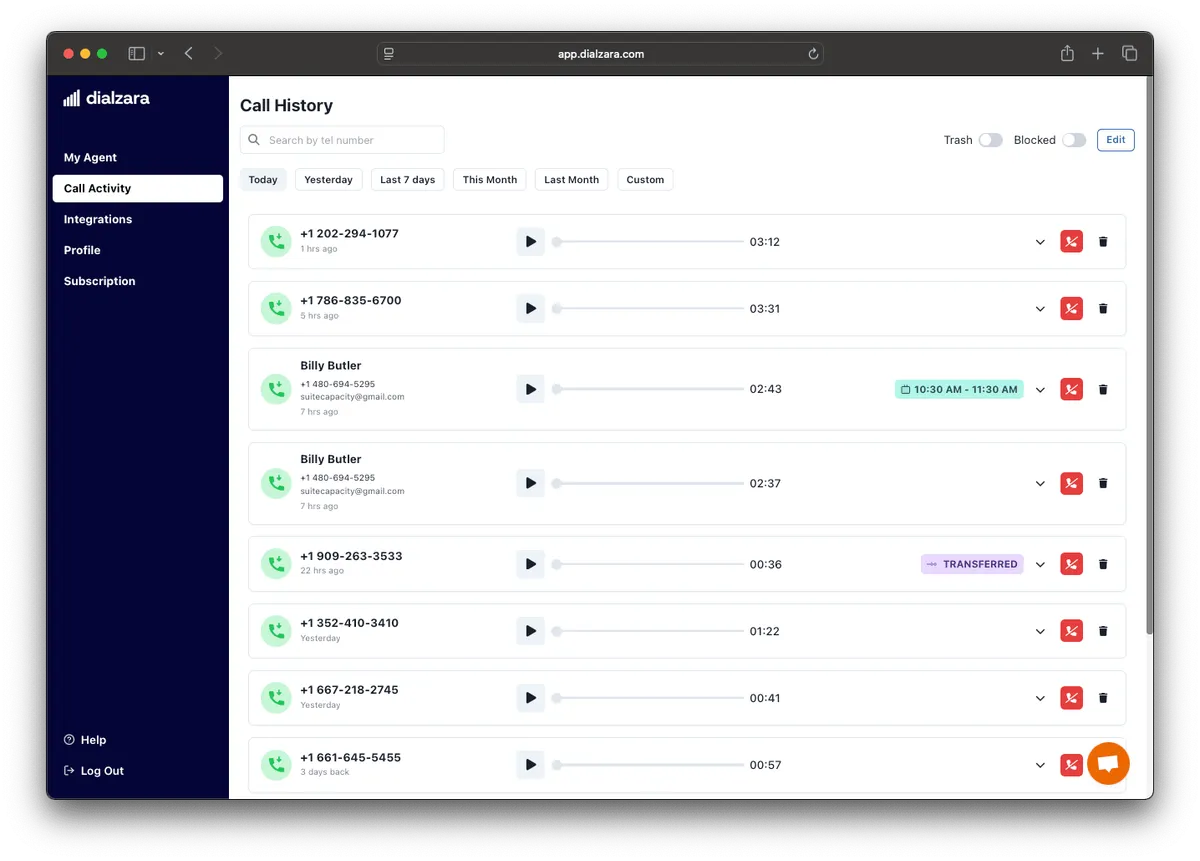
When a customer calls: Your business number forwards to Dialzara. The AI answers with your custom greeting — “Thanks for calling Johnson Roofing, how can I help?” — and handles the conversation from there. It answers questions about your services, collects the information you’ve defined (project type, address, timeline, budget range), and uses your knowledge base to respond to industry-specific questions.
Appointment booking (Pro plan and above): If you’ve connected Google Calendar or Outlook, Dialzara checks your real-time availability and books the appointment during the call. The caller hangs up with a confirmed time. No phone tag required.
Call transfers: Depending on your plan, Dialzara can do blind transfers (connects the caller directly to your number) or warm transfers (briefs you on the caller’s situation before connecting). Blind transfers are available on all plans. Warm transfers require the $99/mo Business Pro plan.
After the call: You get an email and/or SMS notification with a full summary — what the caller wanted, their contact info, answers to your intake questions, and a link to the recording and transcript. Dialzara claims 99.8% transcription accuracy, which is high for AI transcription. Everything gets logged in the web dashboard for review.
Spam filtering: Dialzara includes basic spam detection with AI-based screening, manual block/allow lists, and silence timeout handling. One thing to know: some competitors have flagged that spam calls still consume your allocated minutes, which can eat into tight plans. Dialzara doesn’t explicitly address whether blocked spam calls count toward your minute total — worth confirming before you sign up if you get heavy robocall traffic.
What Makes Dialzara Different for Contractors
Dialzara isn’t the most contractor-focused AI answering service in this category — that distinction goes to Rosie and ServiceAgent, which were purpose-built for home services. But Dialzara has built trade-specific logic that goes beyond what generic AI receptionists offer.
88 Industry-Specific Landing Pages (and the Intake Logic Behind Them)
This is Dialzara’s most interesting structural play. They’ve built dedicated industry pages for 88 verticals, and each one isn’t just marketing copy — the AI intake logic behind them is customized per trade. Here’s what that looks like for the contractor trades that matter:
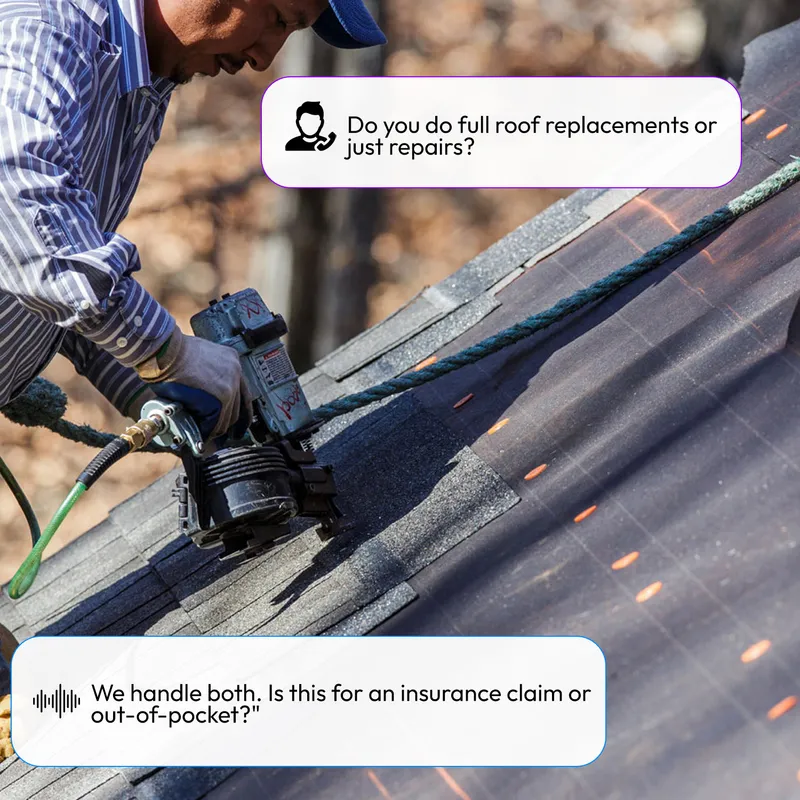
Roofing: Captures roof type, storm damage details, property age, and — critically — full insurance information including claim numbers, insurance company, adjuster name, and policy details. For a roofer who does insurance restoration work, having that data collected before you even call back is a serious time saver. Dialzara claims one roofing company captured 35 leads in 2 days after a hailstorm, resulting in $200K in signed contracts. The storm surge capacity (unlimited simultaneous calls) means you don’t get busy signals when every homeowner in a zip code calls after a weather event.
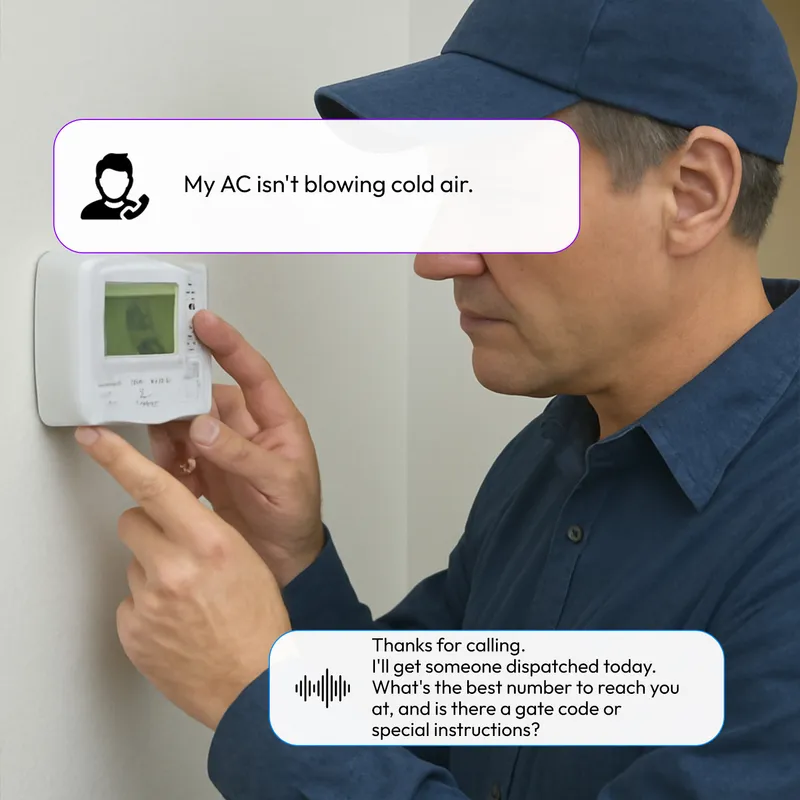
HVAC: The AI identifies no-heat and no-AC emergencies through targeted questions about system status, safety concerns, and indoor temperature. Emergency calls get flagged for immediate dispatch. Routine calls — maintenance requests, filter changes, system questions — get logged for callback. Dialzara claims 67% of HVAC calls are emergencies and that their users book 40% more jobs on average.
Plumbing: Emergency triage for burst pipes, flooding, sewage backups, and gas leaks. The AI captures water emergency classification, shutoff status, property details, and severity. It even provides callers with water shutoff guidance while your tech is en route — a genuinely useful touch that most competitors don’t offer. Dialzara claims emergency plumbing calls represent $500-$2,000 per incident.
Electrical: Triage questions about burning smells, visible sparking, complete power outages, and water near electrical equipment. True emergencies trigger immediate escalation. The system also differentiates between residential service calls, commercial projects, and new construction inquiries for proper routing.
General contractors: Captures project type, scope, address, timeline, and budget range. Routes subcontractor, vendor, and inspector calls separately from customer calls. The AI presents the polish of dedicated office staff — even for solo operators who are answering from the cab of their truck between jobs.
Painters: Collects room count, interior/exterior specs, surface types, timeline, and color preferences. Flags commercial painting inquiries (multi-unit, property management) for priority response.
Emergency Call Handling Across Trades
This is where Dialzara earns its best dimensional score. The emergency detection isn’t generic — it’s tuned per trade. A “burst pipe” triggers different escalation logic than “no heat” or “roof leaking.” The system asks trade-specific triage questions, assesses severity, and immediately dispatches to your on-call tech with full details.
For contractors in trades where after-hours emergency calls are the highest-margin work (plumbing, HVAC, electrical), this feature alone can justify the monthly cost. One missed emergency call that goes to a competitor is worth far more than a year of Dialzara’s subscription.
That said, the emergency detection is configurable rather than keyword-deterministic. You set your escalation preferences and the AI decides what qualifies as urgent. If you want hard keyword rules — “burst pipe” always triggers an immediate transfer, no AI judgment involved — Upfirst and Smith.ai offer that kind of deterministic routing.
50+ Voice Options
Most AI answering services give you one or two voice choices. Dialzara gives you over fifty. That might sound like a gimmick, but it’s actually practical — a roofing company in rural Texas wants a different voice than an interior design firm in Manhattan. You can match the voice to your brand, your region, and your customer expectations.
Multiple Trustpilot reviewers specifically called out how realistic the voices sound. Victor David wrote in December 2025: “How realistic it sounds compared to other AI call systems I’ve tested — including some that cost significantly more.” For a $29/mo product, that’s a notable data point.
Knowledge Base Training
On all plans, you can feed Dialzara your own training material — upload documents, scripts, website URLs, or FAQ sheets. The AI uses this knowledge base to answer caller questions accurately based on your specific business details, not generic industry responses.
The Lite plan limits you to 5 knowledge base uploads. Pro bumps it to 10. Plus gives you unlimited uploads plus custom prompt engineering from Dialzara’s team. For a contractor with detailed service offerings, warranty terms, or licensing information that callers frequently ask about, this training depth matters.
Dialzara Pricing: What You’ll Actually Pay
Dialzara’s pricing is straightforward but minute-based — and that’s both a strength and a limitation.
Plan Comparison
| Plan | Monthly Price | Minutes Included | Key Features |
|---|---|---|---|
| Business Lite | $29/mo | 60 min | Self-editable prompt, blind transfer, 5 KB uploads, Zapier/Make |
| Business Pro (Most Popular) | $99/mo | 220 min | Everything in Lite + warm transfer, bilingual EN/ES, Google/Outlook calendar sync, after-hours rules, 10 KB uploads |
| Business Plus | $199/mo | 500 min | Everything in Pro + custom prompt engineering, unlimited KB uploads, priority SLA |
All plans include: US-based phone number (local or toll-free), 50+ voices, call recordings, email/SMS notifications, call summaries, 24/7 availability, spam detection.
Overages: $0.48 per extra minute on all plans. Purchased overage minutes carry forward until used — they don’t expire. Dialzara emails you when you have 15 minutes remaining so you’re not blindsided.
Trial: 7-day free trial. No contracts. Cancel anytime.
The Minute Math for Contractors
Here’s where you need to pay attention. Sixty minutes sounds like a lot until you realize what that actually covers.
The average business phone call lasts 3-4 minutes. At 3 minutes per call, the $29/mo Lite plan covers roughly 20 calls per month — about one call per business day. That’s fine for a solo handyman or a new business just getting started. It’s not enough for a roofing company in storm season or an HVAC shop in July.
Realistic cost scenarios:
- Solo operator, 5-10 calls/week: ~60-120 minutes/month → Lite plan ($29) covers the low end, but you’ll hit overages on busy weeks. Pro ($99) at 220 minutes is the safer bet.
- Small crew, 3-5 calls/day: ~180-400 minutes/month → Pro plan ($99) covers most months, but peak season will push you into Plus ($199) territory.
- Growing business, 10+ calls/day: 600+ minutes/month → Even the Plus plan (500 min) won’t cover it without significant overage charges at $0.48/min.
Compare that to the competition:
- Upfirst: $24.95/mo for 30 calls (per-call billing, not per-minute)
- Rosie: $49/mo for 250 minutes
- Goodcall: $79/mo with unlimited calls (per-customer pricing)
- Smith.ai: $95/mo Starter (~60 calls included), Basic $270 (~150), Pro $800 (~450)
Dialzara’s $29 entry is the second cheapest after Upfirst. But Rosie’s $49 plan gives you 250 minutes versus Dialzara’s 60 — over four times the airtime for $20 more. If your call volume is anything above minimal, Rosie’s math is better minute-for-minute.
Where Dialzara’s pricing wins: the overage model. At $0.48/min with no expiration on purchased minutes, you have a predictable overflow cost. You’re not locked into a higher tier just because one busy week pushed you over. And unlike per-call pricing, you’re not penalized for longer conversations that actually qualify leads better.
Integrations: Where Dialzara Connects (and Where It Doesn’t)
This is the section where Dialzara’s story gets thinner. The integration picture is functional but not deep.
What Works Today
Zapier and Make.com (Pro plan and above): This is the primary integration path. Through Zapier’s 6,000+ app connections and Make.com’s workflow automation, you can push Dialzara call data into virtually any business tool. The integrations that matter most for contractors:
- Jobber — Create new client records from Dialzara calls
- Housecall Pro — Push lead data into HCP
- ServiceTitan — Log call details and create job records
- JobNimbus — Auto-create contacts from qualified leads
- Google Sheets — Log all calls for simple tracking
- Slack — Get call notifications in a team channel
- HubSpot — Create CRM contacts from incoming leads
Calendar sync (Pro plan and above): Google Calendar and Outlook connect directly for appointment booking. Dialzara checks real-time availability and books the slot during the call. Scheduling buffers between appointments prevent double-booking.
Email/SMS notifications (all plans): Every handled call triggers a notification with the AI-generated summary, caller details, and links to the recording and transcript.
What’s Missing
No native CRM integrations. Everything runs through Zapier or Make.com. That means you’re paying an additional $20+/month for Zapier, dealing with a middleware layer that adds latency, and getting less granular data than a native connection provides. Compare that to Upfirst, which lists native integrations with ServiceTitan, Housecall Pro, Jobber, JobNimbus, and AccuLynx. Or Smith.ai, which has direct Housecall Pro and ServiceTitan connections.
No mobile app. Rosie has a dedicated iOS and Android app with push notifications and tap-to-callback. Dialzara gives you a web dashboard and email/SMS alerts. For a contractor checking leads between jobs in their truck, the lack of an app is a real gap. You’re digging through emails or opening a browser — not tapping a notification and calling back in two seconds.
No QuickBooks integration. Not direct, and not even a clean Zapier path. If you want call data to inform your invoicing or job costing, you’ll need a manual or multi-step workaround.
No outbound calling. Dialzara is inbound-only. It can’t make outbound follow-up calls, confirm appointments, or chase leads who didn’t schedule on the first call. My AI Front Desk offers outbound calling. If automated follow-up is important to your workflow, this is a meaningful gap.
Lite plan has no integrations. The $29/mo entry tier doesn’t include Zapier/Make connections. If you need your call data to flow into any external tool, you’re at the $99/mo Pro plan minimum. That’s worth knowing before you sign up for the cheapest tier expecting full automation.
Can Dialzara Plug Into AI Agent Workflows?
For contractors who are building AI automation across their operations — piping call data into Claude, running automated follow-up sequences, or connecting to MCP servers — here’s the honest assessment.
The short version: Dialzara works as a trigger source for basic automation through Zapier and Make.com. It doesn’t work as a node in a sophisticated agentic system.
What you can do today: Set up a Zapier trigger so that every new Dialzara call pushes the transcript and caller details into Google Sheets, Slack, or a CRM. From there, a downstream automation — a Claude or ChatGPT-powered workflow — could read the call summary and draft a follow-up email, generate an estimate request, or route the lead to the right team member.
What you can’t do: Dialzara has no public REST API, no native webhook system, and no documented way to feed real-time call data directly into an LLM-based agent on any plan. You can’t connect it to a Claude MCP server, stream live transcripts to an AI for real-time analysis, or build a custom agent harness that treats Dialzara as a data source without the Zapier/Make bridge.
The Zapier layer adds latency (typically 1-15 minutes depending on your Zapier plan) and limits what data you can pass downstream. For call-to-action automation where speed matters — like instantly texting a homeowner a booking link the moment they call about storm damage — that delay undercuts the value.
If agentic integration is a priority: Smith.ai offers a more open API architecture that lets you build deeper custom connections. For the most API-flexible options in the AI voice space, developer-focused platforms like Bland.ai and Vapi give you direct programmatic control over the entire call flow — but they’re developer tools, not turnkey products a contractor can set up in 15 minutes. Rosie faces similar limitations (Zapier-only, API locked behind $999/mo), so this isn’t unique to Dialzara — it’s a gap across most contractor-focused AI answering services.
My take: For the vast majority of contractors, the Zapier/Make bridge is enough. Set up the triggers, push call data into your CRM, and let the AI handle the phones. The agentic gap is real, but it only matters if you’re building custom AI pipelines — and if that’s you, a $29/mo answering service was never going to be the centerpiece of your automation stack anyway.
What Real Users Are Saying About Dialzara
Dialzara has 16 reviews on Trustpilot with a 4.5/5 overall rating — and every single review is 5 stars. That’s a tiny sample, and uniform 5-star ratings always warrant a raised eyebrow, but the review content itself is specific enough to be useful rather than generic praise.
On voice quality and realism:
Victor David (December 2025): “How realistic it sounds compared to other AI call systems I’ve tested — including some that cost significantly more.” That’s a meaningful comparison — he’s saying a $29-199/mo product sounds better than pricier alternatives he tried.
Bernie Lynch (April 2025): “Dial Zara was so easy to set up and it is amazing the interaction created between attendant and caller.” The setup speed claim checks out — 15-minute onboarding is fast for this category.
On business impact:
Kelby Steele (August 2024): “Dialzara is a gamechanger for our office. We grew our sales by $16,000 in the first months.” That’s a specific dollar figure from a named reviewer — the kind of claim that either builds credibility or destroys it if it turns out to be fabricated.
Larry Goins (March 2025): “DialZara is the best A.I. receptionist I have found! The technology is superior and I’m saving over $1,000 monthly.” If he was paying $1,000+/mo for a traditional answering service, that math tracks.
On support:
Multiple reviewers mention the founder, Adam, providing personal onboarding support. Crystal Clear Arizona (September 2024): “The creator, Adam, personally stepped in to help resolve complications.” Crncr Auto (April 2025): “The DialZara Support is amazing, they’ve kept in contact throughout.” The hands-on founder involvement is a plus for a small company — though it also means support quality may not scale as they grow.
The construction-specific review:
Texcore Construction (October 2025): “Dialzara is an impressive system that has the functionality to meet and exceed our business needs and expectations.” That’s a construction company confirming the product works for their trade, which is directly relevant.
What’s missing from the picture:
No G2 reviews. No Capterra reviews. No Trustpilot reviews below 5 stars. Compare that to Smith.ai, which has 90+ G2 reviews at 4.6/5 and 334 Trustpilot reviews at 4.4/5 — including negative reviews that let you see real failure modes. Rosie has thin public review data too, but Dialzara’s sample is especially small for a company that’s been operating since 2023.
The 16 Trustpilot reviews are genuine enough to be encouraging, but not enough to base a buying decision on. Run the 7-day free trial with your actual call volume before committing.
Who Should Use Dialzara (And Who Shouldn’t)
Dialzara makes sense if:
- You’re a solo operator or very small crew doing fewer than 15-20 calls per day
- Budget is your primary concern — $29/mo is the second-cheapest real option in this category
- You want 50+ voice options to match your brand tone and regional style
- Your trade involves emergency calls (plumbing, HVAC, electrical) and you need after-hours dispatch
- You’re comfortable managing things through a web dashboard and email/SMS notifications (no app needed)
- You want to test AI answering with a short trial and no contract commitment
- Your call volume is low enough that minute-based billing actually saves you money versus per-call pricing
Dialzara probably isn’t the right fit if:
- Your call volume regularly exceeds 20 calls per day — the minute caps will eat you alive on overages. Look at Goodcall for unlimited calls or Rosie for 250 minutes at just $49/mo.
- You need native CRM integrations without a Zapier middleman. Upfirst has direct connections to ServiceTitan, Housecall Pro, Jobber, JobNimbus, and AccuLynx.
- You want a mobile app for managing leads on the go. Rosie has a dedicated iOS/Android app with push notifications and tap-to-callback.
- You need bilingual support on a budget — Dialzara locks Spanish behind the $99 tier. Rosie includes bilingual English/Spanish on every plan starting at $49. Upfirst supports 35+ languages from $24.95.
- Your callers have complex needs — insurance claim coordination, multi-phase project discussions, emotionally charged warranty disputes. No AI handles these well. Smith.ai’s hybrid model (AI + live humans) is built for that.
- You’re building custom AI automation and need API access or direct webhooks. Neither Dialzara nor most of its competitors offer this on standard plans.
How Dialzara Compares to the Competition
| Feature | Dialzara | Rosie | Upfirst | Smith.ai |
|---|---|---|---|---|
| Starting price | $29/mo | $49/mo | $24.95/mo | $97/mo |
| Included time/calls | 60 min | 250 min | 30 calls | 30 calls |
| Billing model | Per-minute | Per-minute | Per-call | Per-call |
| Human backup | No | No | No | Yes (hybrid plan) |
| Mobile app | No | Yes (iOS + Android) | No | No |
| Voice options | 50+ | Standard | Standard | Standard |
| Bilingual EN/ES | Pro plan ($99) | All plans | All plans (35+ languages) | All plans |
| Calendar sync | Pro plan ($99) | Scale plan ($149) | All plans | All plans |
| Emergency dispatch | All plans | Scale plan ($149) | All plans | All plans |
| Native CRM integrations | Zapier/Make only | Zapier only | ServiceTitan, HCP, Jobber, JN, AccuLynx | Housecall Pro, ServiceTitan |
| Call transfers | All plans (blind), Pro+ (warm) | Scale plan ($149) | All plans | All plans |
| Knowledge base training | Yes (5-unlimited uploads) | Website scan | Basic | Full training |
| API access | No | Custom plan ($999) | No | Available |
| Free trial | 7 days | 7 days | 14 days, no CC | No (30-day money-back) |
vs. Rosie: Rosie is more contractor-focused, has a mobile app, includes bilingual support on every plan, and gives you 4x the minutes for just $20 more. Dialzara wins on voice variety (50+ options), a lower entry price, and knowledge base training depth. For most contractors, Rosie is the better overall package unless budget is the deciding factor.
vs. Upfirst: Upfirst is $5/mo cheaper with much deeper native CRM integrations and 35+ language support. Dialzara wins on voice customization and knowledge base training. Upfirst’s per-call billing is simpler to predict than Dialzara’s per-minute model. For budget-conscious contractors who want the most connections for the least money, Upfirst has the edge.
vs. Smith.ai: Different categories entirely. Smith.ai’s hybrid model (AI + live humans) starts at $292.50/mo for the full experience. If your callers need human empathy — insurance disputes, warranty complaints, complex project coordination — Smith.ai justifies the premium. For straightforward calls at a fraction of the cost, Dialzara handles the job.
For the full breakdown of all AI call answering options, check our AI Call Answering category page.
The Bottom Line
Dialzara occupies a clear niche in the AI call answering market: it’s the budget option with real trade-specific intelligence. The 50+ voice options, knowledge base training, and emergency dispatch across multiple contractor trades show genuine product thought — this isn’t a generic AI receptionist with a contractor label slapped on.
The weaknesses are just as clear. Tight minute caps punish growing businesses. No mobile app is a gap for contractors who live on their phones. Zapier-only integrations add cost and complexity. And the review base is still too small to validate long-term reliability with confidence.
At $29/mo, the downside risk is basically zero. One captured lead that turns into a job pays for months of Dialzara’s service. The 7-day free trial costs nothing. If you’re a low-to-moderate volume contractor who’s been sending calls to voicemail because you’re on a roof or under a sink, Dialzara is a reasonable place to start — especially if you value having your AI receptionist actually sound like your business rather than a generic robot.
Just do the minute math before you commit to a plan. Sixty minutes goes faster than you think.