Disclosure: This is a research-based review. It’s built from Xero’s product documentation, the March 27, 2026 Xero–Anthropic partnership announcement, Xero’s JAX (Just Ask Xero) media release, Capterra’s 850+ verified reviews, G2 review data, published leadership statements from CEO Sukhinder Singh Cassidy, Jobber’s and JobNimbus’s own integration documentation, and contractor-forum discussion around QuickBooks migration. Where a conclusion comes from research rather than personal use, I’ll say so directly.
Why Contractors Are Leaving QuickBooks for Xero in 2026
Intuit raised QuickBooks Online prices in July and August 2025 — a 15-20% bump on top of the $5/month hike that already landed in August 2023. The stacked effect is real: contractors who were on Plus at $85/month in 2022 are now paying $115/month, and the grandfathered rates don’t hold. Search volume for “QuickBooks alternative” and “switch from QuickBooks” is visibly elevated going into 2026, and the accounting platform catching the most of that traffic is Xero.
Xero serves 4.59 million subscribers across 180+ countries as of the first half of fiscal 2026. It holds a 4.5/5 average across 850+ verified Capterra reviews with 93% of users recommending the platform, and an 87% user satisfaction rating across 4,621 reviews on major software review sites. It’s cheaper than QuickBooks at every tier, every plan includes unlimited users (QuickBooks Plus caps at 5), and in September 2025 Xero launched JAX (Just Ask Xero), the first AI financial superagent in the category. On March 27, 2026, Xero deepened that with a multi-year Anthropic partnership that brings Claude’s reasoning directly into JAX and makes Xero’s financial data accessible from inside Claude.ai — a level of AI integration QuickBooks hasn’t matched.
CEO Sukhinder Singh Cassidy framed the 2026 AI positioning directly in a TIME interview: “A small business’s brand cannot be faked with AI. When a brand is authentic, you won’t ever lose the promise of a brand, the promise of community, the promise of connection.” It’s a measured stance — AI as force multiplier, not replacement — and it’s consistent with Xero’s actual product direction.
The catch for contractors specifically: Xero’s ecosystem breadth is narrower than QuickBooks’. JobNimbus and Jobber sync natively. Housecall Pro, ServiceTitan, and AccuLynx do not. That single fact determines whether Xero is the right escape hatch for you or whether QuickBooks is still the best option despite the price hikes. This review tells you exactly which camp you’re in.
How Much Does Xero Cost for a Contractor in 2026?
Xero’s US pricing in April 2026 sits at $25 / $55 / $90 per month across Early, Growing, and Established plans — meaningfully cheaper than QuickBooks at every tier. Here’s the full breakdown.
| Plan | Monthly Price | Invoice/Bill Limit | Users | Key Features |
|---|---|---|---|---|
| Early | $25/mo | 20 invoices, 5 bills | Unlimited | Core accounting, bank reconciliation, Hubdoc receipt capture, W-9/1099, sales tax |
| Growing ⭐ | $55/mo | Unlimited | Unlimited | Everything in Early + unlimited billing, advanced bank rules |
| Established | $90/mo | Unlimited | Unlimited | Everything in Growing + multi-currency, Projects, expense claims, advanced analytics |
Contractor-realistic starting plan is Growing at $55/month. Early’s 20-invoice-per-month limit is too tight for any contractor running real jobs — most small contractors hit that cap in week one or two. Growing removes the caps and gives you everything most operations need.
Unlimited users is the big differentiator. QuickBooks Online Plus costs $140/month and caps at 5 users. Advanced at $340/month caps at 25 users. Xero gives unlimited users on every plan, including the $25/month Early tier. For a contractor with an office manager, a bookkeeper, a sales estimator, and a project manager all needing access, the Xero math alone saves meaningful money.
Current Xero Promotions (April 2026)
- 85% off for the first 6 months for new US customers — drops Early to roughly $3.75/month, Growing to ~$8.25/month during the promo period
- First month free on any plan, activated when you finalize business setup
- Valid through March 31, 2026 (check Xero’s pricing page for current promo status)
Real Cost Comparison: Xero Growing vs QuickBooks Online Plus
| Xero Growing | QuickBooks Online Plus | |
|---|---|---|
| Monthly subscription | $55/mo | $140/mo |
| Annual cost (retail) | $660/yr | $1,380/yr |
| Users included | Unlimited | 5 |
| Invoice limit | Unlimited | Unlimited |
| Job costing | Xero Projects (Established tier) | Projects + Class Tracking (included on Plus) |
| Payroll | Via Gusto (separate sub ~$49+) | QB Payroll Core ($50+ base) |
| Payment processing | Via Stripe, GoCardless, PayPal, etc. | QB Payments native |
| Native CRM sync | Jobber, JobNimbus | Jobber, JobNimbus, HCP, ServiceTitan, AccuLynx |
A contractor running Xero Growing + Gusto payroll for 3 employees lands around $122/month all-in ($55 + $49 base + $6/employee × 3 = $122). The equivalent QuickBooks setup with Plus + Payroll Core for 3 employees runs about $185/month ($140 + $50 base + $6.50 × 3 = $184.50). That’s a $63/month saving — $756/year — in Xero’s favor, before you factor in Xero’s unlimited users advantage.
Xero Payment Processing Fees
Xero doesn’t have native payment processing like QuickBooks Payments or FreshBooks Payments — you connect a third-party processor. Typical setups:
- Stripe — 2.9% + $0.30 per card transaction, 0.8% ACH (capped at $5)
- GoCardless — 1% + $0.25 for ACH (UK/EU stronger)
- PayPal — 2.9% + $0.49 for cards via invoice
- Square — 2.9% + $0.30 online
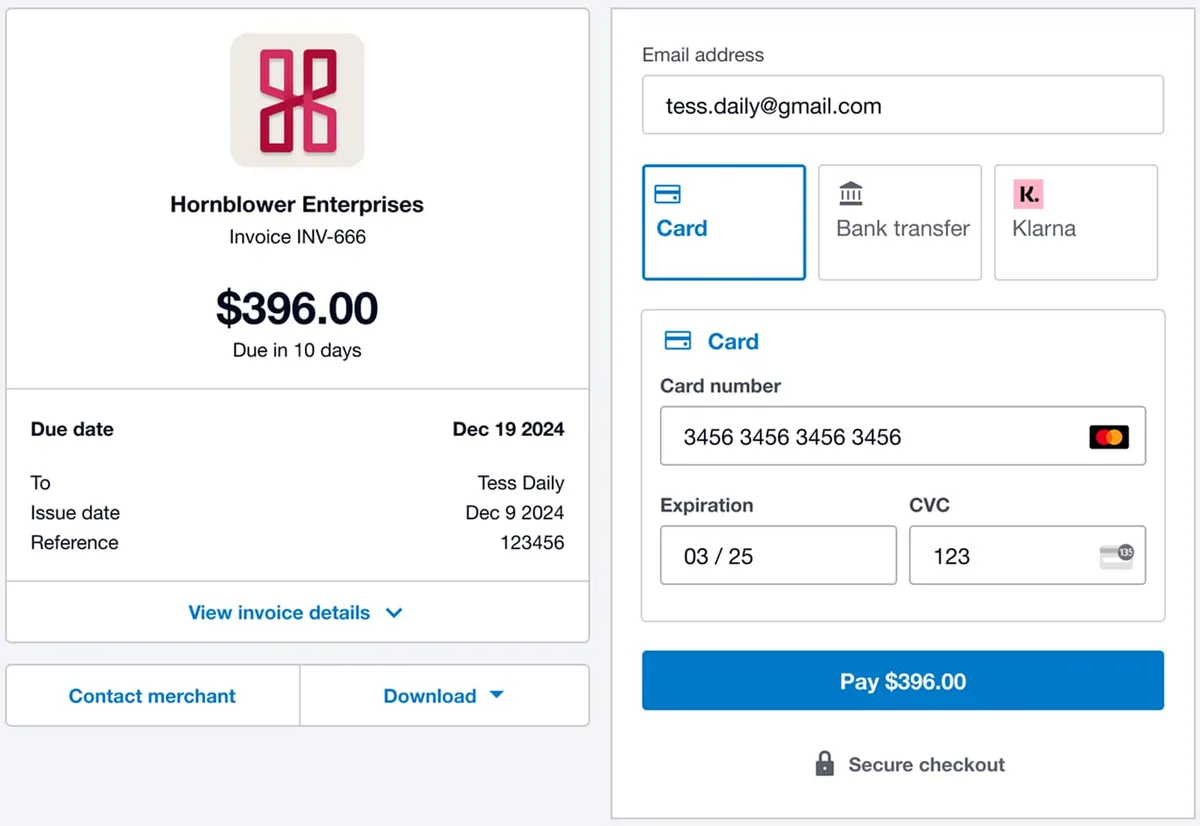
Effective card processing rates come out roughly the same as QB Payments. The fragmentation is the issue — you’re managing two vendors (Xero + Stripe/Square) instead of one. Some reviewers have flagged additional fees at the Xero payment portal layer that competitors don’t charge, so verify the total effective rate before migrating.
Xero vs QuickBooks for Contractors: The Real Comparison
This is the question most contractors searching “QuickBooks alternative” are actually asking, and the honest answer depends on which CRM you run and how many employees you have.
Pick Xero if you:
- Run Jobber or JobNimbus. Native two-way JobNimbus sync and native Jobber sync (Connect/Grow plans). See our Jobber review and JobNimbus review for which CRM fits your trade.
- Employ a crew of 5+ people. Xero’s unlimited users on every plan dominates QuickBooks’ capped seat model. Adding users to QBO costs real money; Xero treats it as free.
- Prioritize AI depth. The Anthropic partnership and Claude-powered JAX is ahead of anything Intuit has shipped at this depth. Intuit Assist is good; Xero + Claude is newer and further along in 2026.
- Want to save $500-$1,000/year on subscription fees with roughly comparable feature depth.
- Don’t need US-specific deep job costing. Xero Projects handles project profitability; QB Class Tracking handles multi-dimensional service-line analysis. If you’re not using Class Tracking in QB today, you don’t need it.
- Care about international or multi-currency work. Xero’s non-US roots make cross-border work cleaner.
Pick QuickBooks if you:
- Run Housecall Pro, ServiceTitan, or AccuLynx. None of them sync natively to Xero. This is the single biggest determinant for most contractors.
- Need deep Class Tracking for multi-trade or multi-division profitability analysis. Xero Projects doesn’t replicate this.
- Have an accountant or bookkeeper who specifically works in QuickBooks. Most do. The switching cost on the accountant side is real.
- Want access to Intuit Enterprise Suite Construction Edition (launched February 2026) — only available via Intuit’s stack.
- Prefer Intuit’s more established contractor ecosystem — Bill.com, Gusto, LivePlan, every major CRM, and every major bank already talks to QBO first and Xero second.
The Migration Math
For a contractor running Jobber and 4 employees migrating from QBO Plus to Xero Growing:
| QuickBooks Online Plus | Xero Growing | |
|---|---|---|
| Subscription | $140/mo ($1,380/yr) | $55/mo ($660/yr) |
| Users (5 incl.) | Covered at 5 | Unlimited |
| Payroll (4 employees, Gusto Core) | $50 + $26 = $76/mo | $49 + $24 = $73/mo |
| CRM sync (Jobber native on both) | Included | Included |
| Monthly total | $191 | $128 |
| Annual cost | $2,292 | $1,536 |
| Annual savings switching to Xero | $756 |
That’s a meaningful savings at the bottom of a small contractor’s P&L. The switching cost: one weekend of chart-of-accounts migration, bank feed reconnections, and reconciling historical data. For most contractors on Jobber, the math favors moving.
JAX and the Xero + Anthropic Partnership: The AI Story
Xero’s AI story is the single most interesting thing in accounting software in 2026, and it’s the part most independent reviews are still catching up on. Here’s the current picture.
JAX (Just Ask Xero) launched in September 2025 as Xero’s AI financial superagent. It’s available at no additional charge to Xero subscribers in beta. What JAX does for a contractor in 2026:
- Creates and sends quotes and invoices through Xero, WhatsApp, SMS, and email — type or dictate a summary, JAX drafts the invoice with line items and pricing
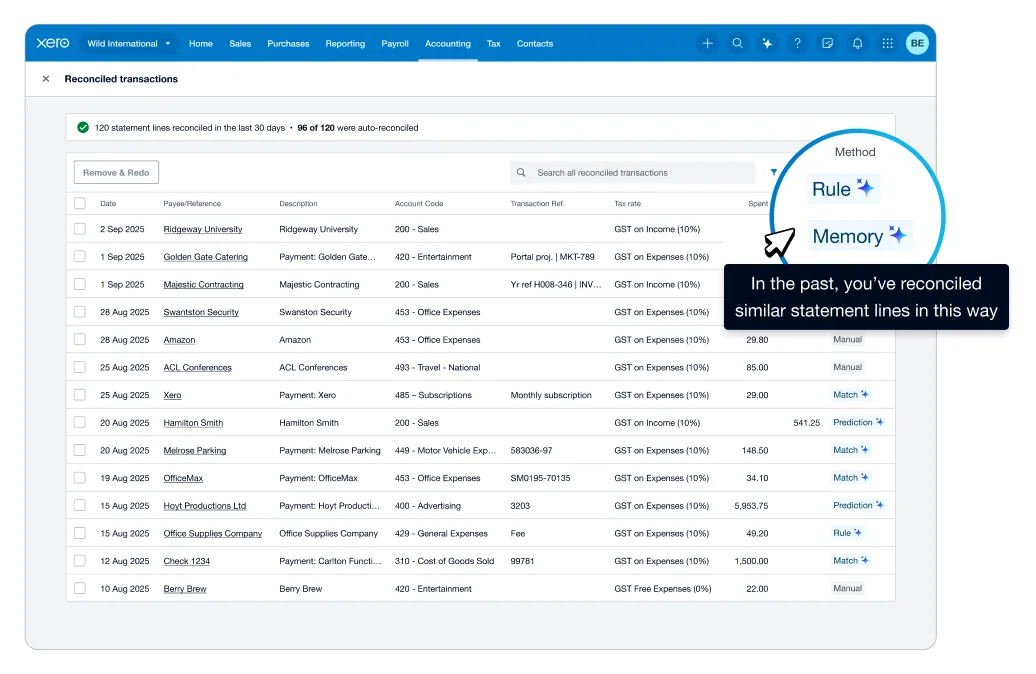
- Automates bank reconciliation — matches transactions to invoices and bills with ML-powered predictions that improve over time
- Predicts invoice payment dates — gives contractors cash-flow visibility based on each client’s historical payment behavior
- Automates expense processing — extracts details from receipts and bills, categorizes them, and posts them against the right accounts
- Answers natural-language financial questions — “how is profit trending this quarter?” or “which jobs are most profitable?” returned as pulled reports and summaries
The March 27, 2026 Anthropic partnership is the more significant development. The multi-year deal brings Claude’s reasoning into JAX and makes Xero’s financial data accessible inside Claude.ai via the Model Context Protocol (MCP). For contractors, this unlocks two workflows that no other accounting platform offers at this integration depth:
- JAX becomes smarter. Claude’s reasoning handles more complex contractor questions — “should I take this job at these margins given my current pipeline?” or “what’s my projected cash flow if I add two employees and a truck?”
- Xero inside Claude. Contractors can connect Xero to Claude.ai and run scenario modeling, year-end planning, or job-profitability analysis without switching tools. Claude has live read access to your books.
Per the partnership announcement, financial data shared between Xero and Claude is session-only and is not used to train Anthropic’s models. Claude-powered insights inside Xero are rolling out in the coming months through mid-2026.
How This Compares to QuickBooks Intuit Assist
Intuit Assist inside QuickBooks is solid — it drafts invoices from job notes, auto-categorizes expenses, writes reminder emails, and surfaces cash flow warnings. But it’s Intuit’s own AI, not a frontier-model integration. Xero’s bet is different: partner with Anthropic (one of the two leading AI labs) instead of building in-house. For contractors who believe frontier AI will outpace captive LLMs, Xero’s architecture is a bigger long-term bet.
The Broader AI Stack for Contractors
Back-office AI in accounting (JAX + Claude, or Intuit Assist) is one layer. For contractors running a full AI stack in 2026, the other layers matter too:
- Front-office AI: Rosie at $49/mo or Smith.ai at $95/mo catches inbound calls 24/7, qualifies leads, books appointments
- Marketing AI: GoHighLevel handles email/SMS automation, review requests, and AI Voice for outbound — and it natively integrates with Jobber as of September 2025
- Operational CRM: Jobber or JobNimbus runs the jobs — both sync natively to Xero
- Back-office AI: JAX + Claude inside Xero handles the books
Pairing all four layers — front-office AI + marketing AI + operational CRM + Claude-powered accounting — is the closest thing to a fully-automated contractor operation available in 2026.
Which Contractor CRMs Sync Natively to Xero?
This is where being honest about Xero’s weaker position matters. Xero has solid integrations with two major contractor CRMs and gaps with three others. Here’s the complete picture.
Native Xero Integrations
- Jobber — Native one-way sync from Jobber to Xero on the Connect and Grow plans. Syncs clients, items, invoices, payments, and payouts. Available in US, Canada, UK, Australia, and New Zealand. Jobber is the source of truth. This is a solid integration and makes Xero a legitimate choice for any Jobber-running contractor.
- JobNimbus — Native two-way sync covering invoices, payments, contacts, and estimate-to-invoice conversion. JobNimbus’s own integration docs describe the Xero connection as comparable depth to the QuickBooks connection, which is rare — most CRMs deprioritize Xero.
Non-Native (Workaround Required)
- Housecall Pro — No native Xero integration. HCP syncs to QuickBooks natively. For Xero, you’d bridge via Zapier (~$20/month extra) with sync delays and occasional maintenance. HCP’s February 2026 product update focused on QBO sync controls, not Xero — the ecosystem gap is growing, not shrinking.
- ServiceTitan — No native Xero integration. Requires third-party middleware like Wink Toolbox to bridge invoices and payments between ServiceTitan and Xero. Adds cost and configuration complexity.
- AccuLynx — No Xero integration path. AccuLynx user reviews consistently flag accounting integration as a weak point generally; for Xero specifically, there’s no clean way to connect.
The Bottom Line on Integrations
For contractors on Jobber or JobNimbus, Xero is legitimately comparable to QuickBooks. For contractors on Housecall Pro, ServiceTitan, or AccuLynx, QuickBooks wins because the native sync is a daily-workflow feature, not a one-time setup. If you’re not currently on a CRM, the integration question is moot — pick based on pricing and features.
Which Trades Actually Work Well on Xero?
Xero isn’t purpose-built for any trade — it’s general-purpose cloud accounting. But the fit varies by trade because of the CRM ecosystem overlap. The Trade Fit chart at the top of this page shows the breakdown. Here’s what it’s showing:
Stronger fit:
- Solo to small-crew painters, landscapers, cleaners — simple billing, no CRM dependency, Xero’s clean UX works well
- General contractors — multi-trade segmentation works through Xero Projects (though Class Tracking in QuickBooks is still deeper)
- Roofing contractors on JobNimbus — native two-way sync makes Xero viable where it wouldn’t be for AccuLynx users
Mixed fit:
- HVAC, plumbing, electrical — works fine if the contractor runs Jobber; problematic if running Housecall Pro or ServiceTitan (no native sync)
- Solar contractors — depends heavily on the CRM and whether projects are simple or multi-phase
- Restoration contractors — usually too complex for Xero’s reporting depth; insurance AR handling and multi-phase job costing favor QuickBooks with deep class tracking
Weaker fit:
- Restoration operations with heavy insurance work — look elsewhere
- Multi-location franchises — Xero’s single-org-at-a-time login constraint is a real problem
- Enterprise construction — Xero doesn’t reach the depth of Sage, Foundation, or Intuit Enterprise Suite Construction Edition
Who Xero Is Built For
Xero is the right accounting platform in 2026 for contractors who match this profile:
- The QuickBooks price-hike escapee. You’ve been on QBO for years, you’ve absorbed two or three price increases, and you’re done. Xero’s Growing plan at $55/month versus QB Plus at $140/month saves you $1,020 annually, and the feature set — for most contractors — is comparable.
- The Jobber- or JobNimbus-running contractor. Native integrations on both platforms work. You lose nothing operationally by moving the books to Xero.
- The growing crew. You’re at 6-25 employees and tired of paying QuickBooks per-user overages or upgrading to Advanced at $340/month. Xero Growing at $55/month with unlimited users becomes the rational choice.
- The AI-forward contractor. You want the newest AI integration (Claude-powered JAX) rather than captive LLMs. Xero’s Anthropic partnership is unique in the category.
- The international contractor. You work cross-border or invoice in multiple currencies. Xero’s non-US roots make this cleaner than QuickBooks.
- The accountant-friendly contractor. Your bookkeeper or CPA is Xero-certified (common in Australia and the UK, growing in the US). Match their tooling.
Who Should Skip Xero (and What to Use Instead)
Being honest about mismatches matters more than forcing a fit that doesn’t exist.
Contractors running Housecall Pro. Housecall Pro syncs natively to QuickBooks, not Xero. The Zapier bridge exists but adds cost and drag. Stay on QuickBooks.
Contractors running ServiceTitan. Middleware like Wink Toolbox can bridge ServiceTitan to Xero, but it introduces a third vendor, third monthly bill, and third failure point. Stay on QuickBooks.
Roofing contractors on AccuLynx. AccuLynx has no Xero integration path. Either switch your CRM to JobNimbus (which does sync to Xero natively), or stay on QuickBooks with AccuLynx.
Commercial contractors above $5M revenue with WIP reporting needs. Xero Projects won’t scale. Use Intuit Enterprise Suite Construction Edition (launched February 2026; see our QuickBooks review for the IES breakdown) or Sage 100 Contractor — our Sage Construction review is shipping as part of this accounting sprint.
Solo contractors with simple invoicing needs. The invoicing polish of FreshBooks beats Xero’s, and at $43/month Plus is cheaper than Xero Growing. Read our FreshBooks review if you’re in this tier — you’ll probably prefer it.
Contractors who need phone or live-chat support. Xero’s customer support is email-only. If that’s a deal-breaker, QuickBooks has phone support (variable quality), and FreshBooks has live chat.
Contractors whose bookkeeper manages multiple clients. Xero’s single-org-login constraint (you can’t be signed into two organizations at once) is a genuine workflow problem for outside bookkeepers. Most recommend QuickBooks Online Accountant for this use case.
Contractors whose primary bottleneck is lead flow or missed calls, not accounting. Don’t start with Xero at all. Start with AI call answering — Rosie at $49/month or Smith.ai at $95/month — and marketing automation like GoHighLevel. See the GoHighLevel + Jobber stack breakdown for how the operational layer pairs with either QuickBooks or Xero on the books side.
The Bottom Line for Contractors in 2026
Xero earns its 3.9/5 rating because it’s a genuinely strong QuickBooks alternative with real wins — cheaper pricing, unlimited users, the industry-first Anthropic/Claude partnership, and legitimate native integrations with Jobber and JobNimbus — paired with a real weakness: the ecosystem gap for contractors running Housecall Pro, ServiceTitan, or AccuLynx.
The scoring breakdown reflects that asymmetry: 3.7/5 in Accounting (solid but below QuickBooks’ 4.0 because of Class Tracking depth and payroll integration) and 4.0/5 in Invoicing & Payments (strong but below FreshBooks’ 4.3 because payment processing is third-party and some reviewers have flagged portal fees). The top-line 3.9 matches FreshBooks’ rating but for different reasons — FreshBooks wins on invoicing polish, Xero wins on accounting depth and AI leadership.
For the right contractor, Xero is a legitimately smart move in 2026:
- You’re on Jobber or JobNimbus, tired of QuickBooks price hikes, and care about AI. Migrate to Xero Growing ($55/mo on the 85%-off promo drops it to ~$8/mo for 6 months). Keep your CRM. Save $1,020/year. Pick up the Claude integration as a bonus.
- You’re running a crew of 6+ and paying QuickBooks per-seat overages. Xero’s unlimited users pays for itself inside of a quarter.
- You want the newest AI integration in accounting software. The Anthropic partnership is real and the JAX + Claude combination is ahead of Intuit Assist on paper. Verify it lands for your use case via the free first month.
For the wrong contractor — Housecall Pro users, ServiceTitan users, AccuLynx users, multi-location operators, or anyone whose bookkeeper insists on QuickBooks — stay on QuickBooks, eat the price hike, and consider Xero only if your CRM situation changes. The integration gap for non-Jobber/non-JobNimbus contractors is real and shows up in daily workflow.
Browse the full breakdown of contractor accounting options in our Accounting hub, or jump to the QuickBooks review for the comparison from the other side or the FreshBooks review if you’re a solo operator weighing a simpler option.