

Your best technician just left. So did the institutional knowledge of how he handled the Henderson account, the way he sequenced the breaker panel install on storm-damage rebuilds, the specific phrasing he used with insurance adjusters that got supplements approved on the first pass, and the particular order he ran maintenance checks on commercial HVAC systems that kept callbacks under 3% for the past four years. None of that lives anywhere your remaining team can access — except in his head, and now in his new employer’s. Notion is the place you put that institutional knowledge before the next person leaves. The honest editorial story behind that one paragraph is whether Notion is actually the right tool for the job, what it costs to use Notion AI properly in 2026, and where it falls short for the typical contractor operation.
Notion is the AI knowledge workspace built around docs, databases, and wikis — pivoted in 2026 to lead with agents (homepage tagline now: “The AI workspace that works for you. Meet the night shift. Notion agents keep work moving 24/7.”). Founded 2013 in San Francisco by Ivan Zhao with co-founders Chris Prucha, Jessica Lam, Simon Last, and Toby Schachman. Private company at ~$343M raised, $11B valuation via January 2026 tender offer, possible IPO end of 2026 per Bloomberg reporting. 100M users globally, 62% of Fortune 100, over 50% of Y Combinator companies, ~$600M ARR. G2 4.7/5 across 4,000+ verified reviews — the largest review base on our AI Tools hub.
This review covers what Notion actually is in May 2026 — including the AI tier-gating trap (Plus tier has only “trial” AI; full Notion AI starts at $20/user/month Business), the brand-new Custom Agent credit billing model that shipped May 4, 2026 (3 days before this review’s publication, $10 per 1,000 Notion credits on top of seat licensing), the genuine native MCP server differentiator (Notion is one of the only knowledge-base platforms with first-party Model Context Protocol support), the honest contractor-CRM integration gap (zero native JobNimbus, AccuLynx, ServiceTitan, Housecall Pro, Jobber, or GoHighLevel — same pattern as Synthflow, n8n, and Tidio), the 1-2 week adoption commitment that operators consistently underestimate, the marketplace evidence that contractors DO use Notion (despite zero contractor case studies on Notion’s marketing), and the honest disclosure that Notion’s affiliate program is currently closed to new applications.
“Notion mirrors our own product philosophy: build powerful systems that reduce complexity so teams can focus on shipping great work.” — Brian Emerick, Technical Program Manager at Vercel — published case study with 35% faster team velocity outcome
The honest editorial through-line: Notion is genuinely useful for the right operator profile. A multi-location contractor operation with 5+ office staff who need SOPs, training docs, and AI Q&A across institutional knowledge gets meaningful value at the $20/user/month Business tier — but only after committing 1-2 weeks to workspace setup. The wrong contractor — solo, field-only, or any operation that can’t invest the adoption time — gets zero value and burns $100-200/month on a workspace that goes unused. The right contractor profile is narrower than Notion’s broad-strokes marketing implies, and the pricing-trap honesty (AI gated to Business, Custom Agents now metered, affiliate program closed) is what most reviews fail to flag.
The 2026 Rebrand: Why Notion Now Calls Itself an “AI Workspace”
The Notion you’ll find at notion.com in May 2026 is meaningfully different from the Notion that existed at the same URL even six months ago. The positioning shift is real and worth understanding before any contractor signs up.
The brand has pivoted from “all-in-one workspace” to “AI workspace.” Homepage tagline May 2026: “The AI workspace that works for you.” Primary headline: “Meet the night shift. Notion agents keep work moving 24/7.” Notion AI page tagline: “Meet your 24/7 AI team. Infinite minds, built for teamwork. Answer questions, prioritize tasks, and write reports — all while you sleep.” The agent layer is now the lead narrative, not the docs/wikis substrate beneath it.
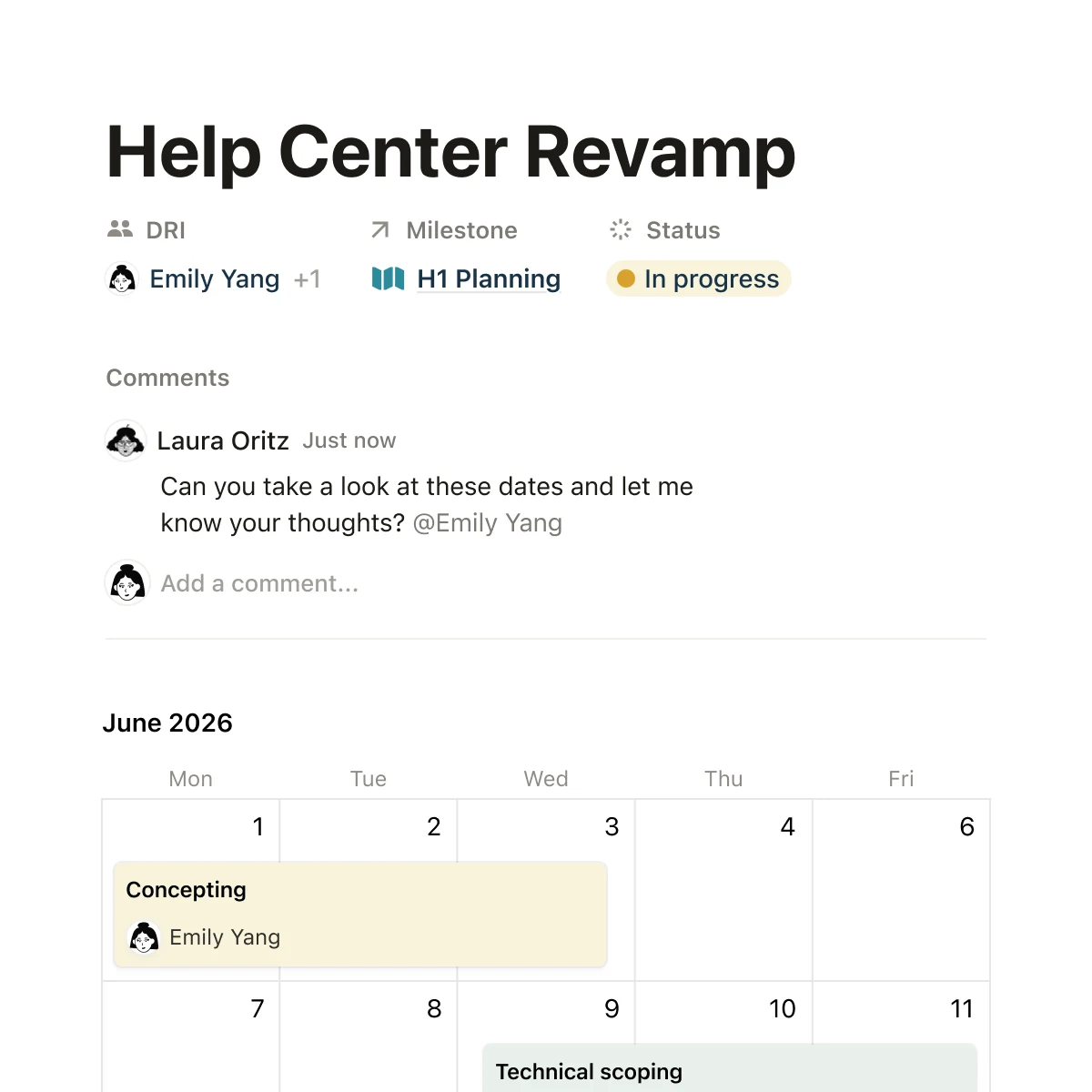
The architectural model is block-based composition. Every Notion page is built from blocks — text, headings, images, tables, embedded databases, code blocks, callouts. Databases can be filtered, sorted, and viewed as tables, boards, calendars, galleries, or timelines from the same underlying data. Wikis, knowledge bases, project trackers, and team handbooks all use the same block grammar. The flexibility that makes Notion powerful is the same flexibility that creates the “blank canvas” overwhelm documented across operator reviews.
Notion’s company state in 2026:
- Founded 2013 by Ivan Zhao, Chris Prucha, Jessica Lam, Simon Last, Toby Schachman
- Private company, headquartered San Francisco
- ~$343M total raised across multiple rounds; last priced round $275M Series C October 2021 at $10B post-money
- $11B valuation via January 2026 tender offer (employee/early-investor liquidity, not new primary capital)
- Possible IPO by end of 2026 per Bloomberg reporting; first outside board member (financial auditor, typical IPO prep) added 2022
- ~$600M ARR per Latka (secondary reporting, not Notion-published)
- 100M users globally, 62% of Fortune 100, over 50% of Y Combinator companies, 1.4M+ community members
- Compliance: SOC 2 Type 2, ISO 27001, GDPR/CCPA, HIPAA-compliant option (Enterprise)
Where Notion fits on our AI Tools hub: Bucket C — Productivity & Content AI, distinct from Synthflow/n8n (builders) and Tidio (customer-facing chat). Notion is the internal-tool review in a sprint of mostly customer-facing tools. The contractor use case isn’t “what your customers see” — it’s “where your office team’s institutional knowledge lives, and how AI can search it.”
The genuinely useful contractor use cases for Notion specifically:
- Standard Operating Procedures (SOPs) — documented playbooks for service calls, install sequences, customer interactions, insurance supplement filings, emergency response. Notion’s marketplace literally sells contractor SOP templates.
- Employee training and onboarding — searchable knowledge base for new techs covering equipment, vendor relationships, customer history, brand voice, safety protocols.
- Project documentation and post-mortems — what happened on the Henderson commercial install, why the storm-damage claim took 11 weeks instead of 4, what the customer said after the warranty service that we should remember next time.
- Vendor and subcontractor knowledge — phone numbers, payment terms, capability notes, who to call for which materials, who’s reliable on weekends.
- Marketing agency client portals — contractor marketing agencies serving multiple clients can use Notion to organize client-specific knowledge, brand guidelines, ad creative archives.
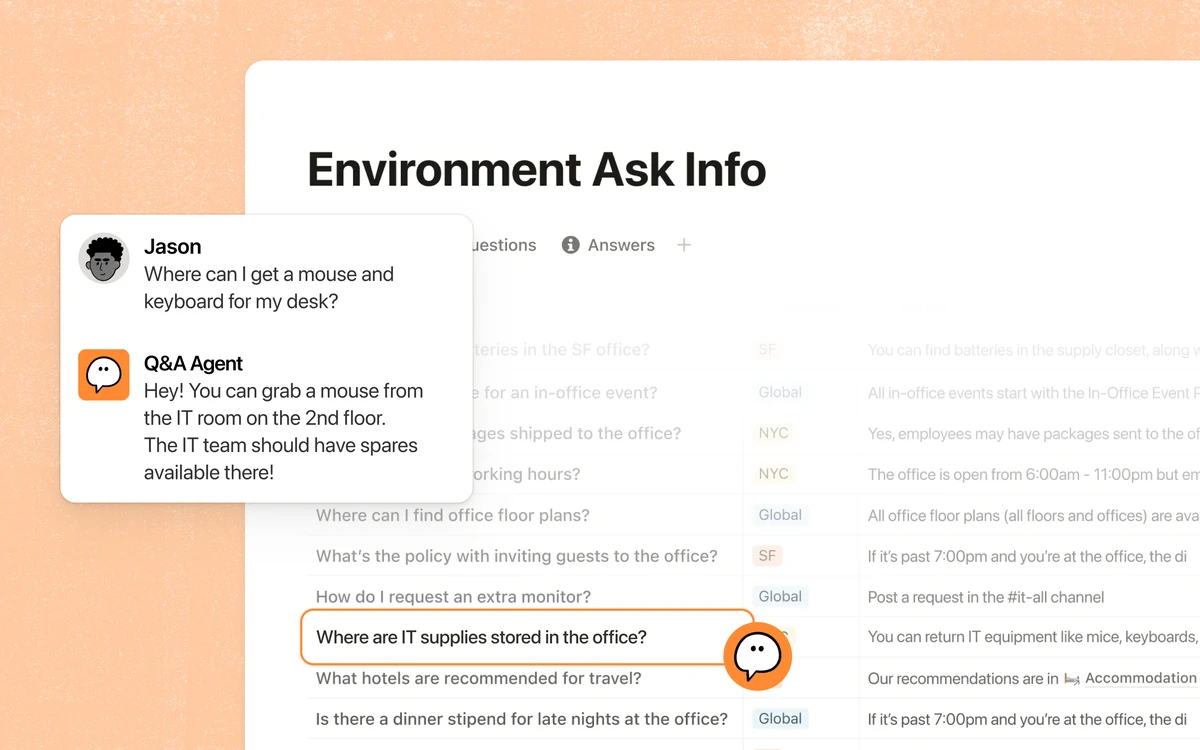
- AI Q&A across all of the above — Notion AI lets office staff ask “what’s our SOP for after-hours emergency calls?” and get a synthesized answer pulled from all relevant knowledge base content.
The wrong contractor use cases for Notion:
- Solo contractors running daily ops from the truck — Notion’s strength is team knowledge management; solo operators get more value from Google Docs at $0 or Apple Notes / Obsidian for personal note-taking.
- Field-only crews — techs in trucks need fast voice-driven workflow tools, not structured knowledge bases. CompanyCam for photo documentation, JobNimbus for job tracking.
- Operators looking for CRM functionality — Notion is NOT a CRM. It’s a knowledge layer. For contractor CRMs, see JobNimbus, GoHighLevel, ServiceTitan, Housecall Pro, Jobber.
- Contractors whose office team can’t invest 2 weeks in workspace setup — Notion’s “blank canvas” overwhelm is a real adoption gate. If your team won’t commit the time, you’ll burn $100-200/month on an unused workspace.
What You Actually Pay for Notion AI in 2026
This is where the editorial moat lives — the section that separates this review from the dozen content-farm Notion reviews ranking on Google. Notion AI is gated to Business tier ($20/user/month annual), and the Custom Agent credit billing model just shipped May 4, 2026 — 3 days before this review’s publication. Most reviews still cite the old $8/user/month standalone add-on pricing. That structure is permanently gone.
Here’s the honest pricing math, verified from notion.com/pricing as of May 7, 2026:
Free tier real for individual use. Plus tier has NO real AI. AI = Business+. Custom Agents now bill credits on top.
- →Unlimited pages, 10 guest limit, 5MB file upload limit. Perfect for solo operators or personal SOPs.
- →"Trial of Notion AI" only — limited query allowance, NOT the full feature set. Most reviewers miss this.
- →Unlimited blocks, unlimited file uploads (~5GB max/file). Knowledge base for small teams.
- →No real AI. "Trial" mode only — same gate as Free. AI = Business tier upgrade.
- →Notion AI Core, Notion Agent, Custom Agents, AI Meeting Notes, Enterprise Search Beta all bundled.
- →5-person team = $100/mo annual / $120 monthly. 10-person team = $200/mo annual / $240 monthly.
- →Custom Agents free through May 3, 2026; credit billing started May 4. Most reviewers haven't caught this yet.
- →Credit consumption rates per agent action NOT published on the AI marketing page. Monitor closely during first 30-60 days.
- →Zero data retention with LLM providers, SCIM, audit logs, advanced security, HIPAA compliance option.
Real-world contractor math: solo operator on Free tier = $0. Small office team (5 people) on Business = $100/mo annual. Mid-market (10 people) = $200/mo. Add $30-100/mo Custom Agent credits at moderate consumption.
The standalone $8/user/mo Notion AI add-on is permanently gone. Pre-May-2025 add-on subscribers were grandfathered, but if they cancel, they cannot resubscribe — the standalone path is closed for new and lapsed users. Any contractor signing up for “Notion + AI” in 2026 is on Business tier minimum.
Custom Agent credit math gets honest fast. Verbatim from notion.com/product/ai (May 7, 2026): “Custom Agents are free through May 3, 2026, then move to $10 per 1,000 Notion credits.” The credit consumption rates per agent action aren’t published — operators running heavy automation (multiple daily-trigger agents, multi-step workflows, large knowledge base queries) need to project costs from actual first-month usage rather than the marketing page.
Realistic credit cost projection for typical contractor automations:
- 1 daily SOP review reminder = ~30 credits/day = ~900 credits/month = ~$9/month
- 5 weekly project digests = ~50 credits each = ~1,000 credits/month = ~$10/month
- 1 onboarding sequence per new tech = ~200 credits per onboarding = $2 per new hire
- 10 active Custom Agents at moderate consumption = $30-100/month estimated
Verify against actual usage. The May 2025 AI repricing earned mostly negative Reddit sentiment from Plus tier users who lost their grandfathered $8/mo add-on path; the May 2026 Custom Agent credit launch could produce similar friction once operators see their first month’s bill.
Notion AI’s Capability Map: Q&A, Agents, MCP Server
The AI capability story matters because Notion’s positioning increasingly depends on AI quality, and the editorial honesty test is whether Notion AI actually delivers what the marketing promises.
Notion AI Core capabilities (verified from notion.com/product/ai, May 2026):
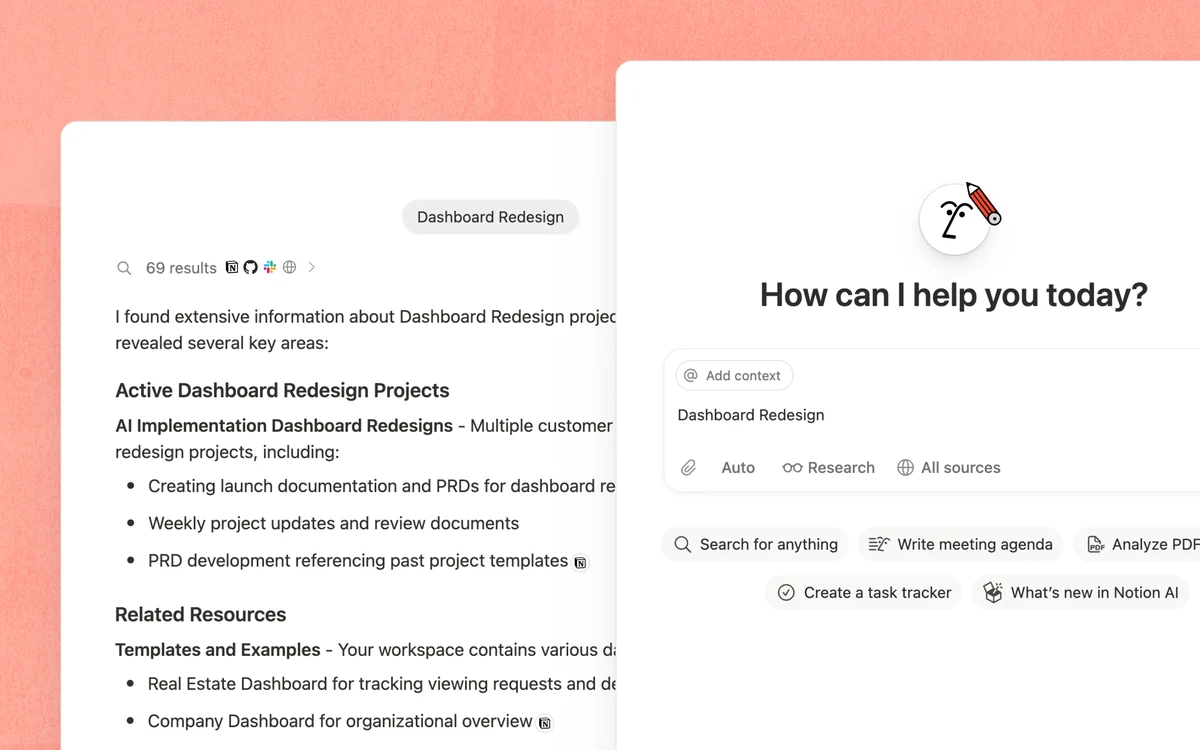
- Workspace Q&A — searches operator-provided content (SOPs, training docs, project notes, customer records) and generates conversational answers grounded in source material. Citations link back to the original Notion pages.
- Document drafting — generates first drafts from prompts: “Draft an SOP for after-hours emergency call handling” or “Write a training guide for new HVAC techs covering pricebook and dispatch protocols.”
- Summarization — condenses long meeting notes, project post-mortems, or accumulated knowledge base content into action items.
- Translation — Notion AI translates content between languages.
- Database autofill — populates structured data fields based on context.
- Formula writing — helps operators build database formulas without learning Notion’s formula syntax.
- Research Mode — multi-step report generation that pulls from multiple sources.
Notion Agent and Custom Agents:
- Notion Agent is the bundled “completes complex, multi-step tasks” capability — verbatim from Notion’s marketing. Available across Business tier.
- Custom Agents are operator-configured workflow agents with triggers (schedule-based, event-based) and multi-step task execution. Examples: monthly SOP review reminder agents, weekly project digest agents, automatic onboarding sequence agents for new techs.
- One builder = whole-team benefit. A contractor’s office manager can configure Custom Agents that benefit the entire company without requiring each user to set them up individually.
- Credit billing started May 4, 2026 — $10 per 1,000 Notion credits on top of seat licensing.
AI Connectors / Enterprise Search Beta (Business tier feature):
Notion AI now indexes content from external sources beyond just the Notion workspace:
- Slack — channels, DMs, threads
- Google Drive — Docs, Sheets, Slides, PDFs
- GitHub — issues, PRs, wikis
- Jira — tickets, project documentation
- Confluence — pages, spaces
For a contractor marketing agency running ops in Slack + Google Drive + Notion + Jira, Enterprise Search lets staff ask “what was our recommendation for the Henderson account’s Q3 ad budget?” and get a synthesized answer pulled from across all those sources. This is genuinely class-leading for cross-tool knowledge synthesis.
Native Model Context Protocol (MCP) server (verified — github.com/makenotion/notion-mcp-server, developers.notion.com/guides/mcp/overview):
- Open-source MCP server letting Claude, ChatGPT, Cursor, VS Code, GitHub Copilot, and Zed read and write Notion content directly.
- Genuine 2026 differentiator — ClickUp, Confluence, and Coda don’t ship first-party MCP support yet.
- Available across Plus, Business, and Enterprise tiers (not Free).
- Practical use cases: pulling SOPs into a Claude conversation while drafting emails, generating Notion database entries from a chat session, having Cursor read project specs from Notion while writing code.
The honest scoping signal on AI capabilities:
- Notion calls itself “model agnostic” — the underlying LLM (OpenAI? Anthropic? Google? multi-provider routing?) is NOT publicly disclosed on product pages. Operators evaluating on LLM transparency should treat this as
[unverified]. - Per-tier AI usage limits aren’t published — Notion uses “credits” for Custom Agents but doesn’t surface monthly query caps for Notion AI Core. Plan for unpredictable consumption on heavy usage.
- No voice support, no email AI agent. Notion AI is text-and-search-based. For voice, see Synthflow or Avoca AI.
- No autonomous outbound campaigns. Notion AI is reactive (responds to operator prompts), not proactive customer engagement. For outbound voice or SMS, see Hatch.
Connecting Notion to the Contractor Stack (And Why It’s Hard)
This is the dimension where Notion’s editorial honesty story has to address both the strength and the contractor-vertical gap.
Strong native integrations on the general-SaaS stack (verified from notion.com/integrations):
- Communication: Slack (deep — verified bidirectional), Webex
- Productivity / docs: Google Drive (Docs, Sheets, Slides), Figma, Miro, Typeform
- Project management / dev: Jira, Asana, GitHub, GitLab, Trello, Linear (some via marketplace, some native)
- Automation: Zapier (deep), Make, Tray.io, IFTTT, Unito
- API: Public REST API. Rate limit 3 requests/second average with bursts. HTTP 429 on overage with Retry-After header.
- Webhooks: Live as of API version 2025-09-03 alongside multi-source database model. POST-only. Sparse payloads (require follow-up call). Max 5 webhook actions per automation.
Notable absences in the integrations gallery:
- Microsoft 365 stack — Outlook, Teams, OneDrive are NOT listed on the public integrations gallery. Operators on Microsoft 365 stack will need Zapier or Make middleware for syncing.
- n8n — community node exists, but no first-party Notion integration on n8n’s side.
- Most of the contractor CRM stack (see below).
The contractor-CRM reality check is the editorial honesty point that most Notion reviews skip:
- JobNimbus: ❌ NOT native
- AccuLynx: ❌ NOT native
- ServiceTitan: ❌ NOT native
- Housecall Pro: ❌ NOT native
- Jobber: ❌ NOT native
- GoHighLevel: ❌ NOT native
- FieldEdge: ❌ NOT native
- Buildertrend: ❌ NOT native
- CompanyCam: ❌ NOT native
- EagleView: ❌ NOT native
Same Synthflow/n8n/Tidio contractor-CRM gap applies. None of the AI Tools on our hub have native contractor-CRM coverage. The Zapier or Make bridge works (Notion has native Zapier integration), but operators need to build and maintain bridge flows for every contractor-CRM workflow.
For operators where contractor-CRM integration is the top buying criterion, Notion is the wrong shape. The right alternatives:
- Alivo at $1,299/mo Agent Team — native JobNimbus + AccuLynx + ServiceTitan + Housecall Pro + Jobber for vertical roofing.
- Avoca AI at sales-quoted ~$1K-$3K/mo — managed deployment with ServiceTitan and Housecall Pro depth.
- Hatch at $700-$1,500/mo — ServiceTitan Gold Partner with the only AI calendar booking integration on the market.
- GoHighLevel AI Employee at $97/mo Unlimited — chat plus voice plus everything else inside the GHL ecosystem.
For contractors whose primary criterion is “best AI knowledge workspace for back-office SOPs” rather than “deepest contractor-CRM integration,” Notion remains a real option. The two criteria can’t be optimized in the same product as of May 2026 — that’s a structural reality of the AI Tools category.
The Adoption Curve: Why Most Notion Rollouts Fail in Week 2
Most Notion reviews skip this section entirely, which is why operator-reported “blank canvas overwhelm” is the #1 recurring complaint pattern across G2, Capterra, and Reddit.
The honest onboarding reality (verified from operator review aggregation):
- Day 1-3: Office staff create their first pages, experiment with templates, build the workspace structure. Productive but uncertain.
- Week 1: Workspace structure starts to feel arbitrary. Pages get scattered. The “blank canvas” overwhelm hits — operators ask “where should this SOP go?” and don’t have a clear answer. Some teams stall here permanently.
- Week 2: Either the team commits to a structured workspace with clear hierarchy (knowledge base / SOPs / training / projects / vendors), or they keep adding pages randomly and lose the thread. This is the make-or-break point.
- Week 3-4: Teams that committed to structure start using Notion AI productively — Q&A across SOPs starts producing real answers. Teams that didn’t commit to structure abandon Notion entirely.
- Month 2-3: Advanced features — databases with formulas, custom agents, integrations — become accessible to power users. Most non-technical office staff still don’t use these.
Verbatim operator review pattern from G2 and Capterra aggregation: “Steep learning curve — 1-2 weeks for basic team proficiency, 1-2 months for advanced workspace mastery.”
Why the friction is real:
- Notion’s flexibility is double-edged. Every page can be anything — that flexibility is the strength for power users and the gate for non-technical operators.
- The template ecosystem helps but doesn’t solve it. Notion Marketplace has thousands of templates including contractor-specific SOPs, but operators still need to organize their own workspace structure on top.
- Database performance degrades on large datasets. Multiple operator reports — beyond ~10,000 rows or complex linked databases, Notion gets noticeably slow. For accumulating years of contractor knowledge, this can become a real friction point.
- The May 2025 AI repricing earned mostly-negative Reddit sentiment — Plus tier users who lost their grandfathered $8/mo AI add-on path felt betrayed. The May 2026 Custom Agent credit launch could produce similar friction once operators see their first metered bill.
Practical adoption recommendations for contractor operations:
- Designate a single workspace owner. One office manager or admin assistant should own Notion structure. Multiple owners = chaos.
- Start with templates, not blank canvas. Notion Marketplace’s contractor SOP templates (“General Contractor SOPs,” “Roofing Contractor SOPs,” “Construction Project Manager SOPs”) give a structural starting point.
- Commit 2 weeks before measuring success. If team adoption hasn’t stuck by day 14, it won’t stick at day 30. Either commit fully or cancel before annual billing kicks in.
- Onboard new staff into the existing workspace rather than letting them build their own. Centralized knowledge wins; distributed knowledge fragments.
- Set Custom Agent credits to alert at 80% of monthly budget once the May 4, 2026 credit billing kicks in.
For solo or small contractors who can’t commit the 2-week onboarding window, Google Docs at $0/month is the honest fallback. No AI, no databases, no MCP server — but no workspace structure to maintain either.
What Real Operators Say (And What They Don’t)
Notion’s review platform pattern is editorially significant — strong third-party validation with a contractor-specific evidence gap.
Tier-2 verified review platform stats:
| Platform | Rating | Notes |
|---|---|---|
| G2 | 4.7 / 5 across 4,000+ reviews | Largest review base on AI Tools hub — roughly 2x Tidio (1,880), 7x Synthflow (~270), 14x n8n (~270) |
| Capterra | 4.7 / 5 | Exact review count not extractable in research session |
| Trustpilot | Not researched | Variable for SaaS; check before any annual commitment |
Verified named operator from Notion’s published case studies (Tier 4 marketing-tier evidence with full company attribution):
“Notion mirrors our own product philosophy: build powerful systems that reduce complexity so teams can focus on shipping great work.” — Brian Emerick, Technical Program Manager at Vercel — case study reports 35% faster team velocity
Other named-company verified outcomes from Notion’s customer page:
- Ramp (financial operations): 70% productivity-tool cost reduction by consolidating multiple tools into Notion
- Equals Money (fintech): 24 hours weekly busywork eliminated through Notion AI workflow automation
- Heidi (healthcare AI): 260+ hours saved monthly through knowledge base + AI Q&A
- Braintrust (talent platform): 20+ minutes saved per Slack update via Notion AI summarization
- OpenAI (AI lab): Listed customer
- Vercel (developer tools): Listed customer
- Faire (wholesale marketplace): Listed customer
The honest editorial honesty point: ZERO contractor or construction case studies on Notion’s customer page. Notion’s marketing concentrates on tech/SaaS/finance — Vercel, Ramp, OpenAI, Equals Money, Heidi, Braintrust, Qonto, Faire, Descript. No HVAC, plumbing, electrical, roofing, restoration, or general contractor operators are featured. For a contractor evaluating “will this work for my HVAC shop” on a peer-evidence basis, the absence of contractor case studies is a real signal.
The contradicting evidence — Notion Marketplace sells contractor-specific templates:
The Notion Marketplace explicitly sells contractor and construction templates:
- General Contractor SOPs
- Construction Worker SOPs
- Roofing Contractor SOPs
- Construction Project Manager SOPs
- Construction Business SOPs
Many free, by 3rd-party creator profiles like “SOPs,” examplesops.com, and Rich Peterson. The platform IS being used by trades operators — Notion’s marketing just doesn’t surface contractor adoption. This is editorially significant: contractor operators are buying templates, building workspaces, and running their operations on Notion, but Notion’s case study program either doesn’t capture trades stories or doesn’t prioritize them.
Reddit r/Notion sentiment pattern:
- May 2025 AI repricing earned “mostly negative” reaction. Threads called Notion AI “overpriced” and “not worth it” for casual users. Power users defended it.
- Recurring complaint themes: steep learning curve (#1), database performance on large datasets, occasional UI changes that disrupt workflows.
- Recurring praise themes: flexibility, knowledge organization once structured, real-time collaboration, template ecosystem.
No verified contractor-specific operator quotes exist publicly — Reddit r/HomeServices and r/Contractors don’t show Notion adoption discussion at scale. The contractor adoption is happening (template purchases prove it) but isn’t generating public discussion the way ServiceTitan or JobNimbus does.
Editorial framing for contractor operators evaluating Notion: the platform genuinely works for the operators who fit (back-office staff with 5+ team members, willingness to invest 2 weeks in workspace setup, comfort with the “blank canvas” problem), and the public proof from non-contractor industries translates conceptually — Notion’s 35% velocity improvement at Vercel maps to similar productivity gains at a contractor marketing agency or multi-location ops team. But contractor-specific peer evidence is structurally absent.
Knowledge-Layer Showdown: Notion, ClickUp, Confluence, Coda
The four-way comparison is where most contractor evaluations actually land. Honest editorial framing on each:
Notion is docs-first with project management bolted on. Block-based composition, every page is anything, native MCP server, Notion AI gated to Business tier ($20/user/mo). Strong for: SOPs, training docs, knowledge base, AI Q&A across institutional knowledge. Weak for: project management depth, time tracking, dependencies. Best-fit buyer: contractor operations whose top problem is institutional knowledge loss when techs leave.
ClickUp is project-management-first with built-in time tracking, task dependencies, and workflow automation. ClickUp Brain (their AI layer) is competitive with Notion AI but less mature. Strong for: agencies juggling multiple client projects with deadlines, time tracking for billable hours, complex workflow dependencies. Weak for: free-form knowledge base structure, AI Q&A across docs. Best-fit buyer: contractor agencies and consultancies running client work at scale.
Confluence (Atlassian) is enterprise wiki tightly tied to Jira. The “rigid structure that can feel dated” is real — Confluence forces hierarchy, where Notion lets it emerge. Confluence Atlas (the Atlassian AI layer) is shipping but feels years behind Notion AI. Strong for: engineering-heavy organizations already on Atlassian stack with Jira tickets driving documentation. Weak for: non-technical operators, free-form knowledge bases, modern UX. Best-fit buyer: contractor consultancies serving enterprise clients already on the Atlassian stack.
Coda unifies pages and databases more tightly than Notion — every doc has tables-with-buttons-with-formulas in one container. Coda AI shipped before Notion AI but has fewer agent capabilities in 2026. Coda is “more lightweight internal apps” while Notion is “more general knowledge management.” Best-fit buyer: operators wanting to build lightweight internal tools (calculators, dashboards, custom mini-apps) rather than maintain a knowledge base.
Microsoft Loop (newcomer) is deeply embedded in Microsoft 365 — Loop wins for orgs already on M365 with Teams/Outlook as their daily driver. Notion wins for cross-stack teams. Limited adoption data on contractor-vertical use cases as of May 2026.
Google Docs/Drive is the “free” alternative — real-time editing, simple UI, no AI Q&A across content, no databases or wikis. Google wins on simplicity and price. Notion wins on structure and AI. For solo and small contractors who can’t commit the 2-week Notion adoption window, Google Docs at $0 is the honest fallback.
Migration patterns observed:
- Confluence → Notion: Most common migration. Operators leave Atlassian stack when Jira-tied workflows aren’t needed. Faster for non-technical teams.
- ClickUp → Notion: Less common; usually when operators want better knowledge base focus over project management depth.
- Notion → ClickUp: When operators need stronger project management and time tracking. Common at marketing agencies serving billable clients.
- Notion → Google Docs: Solo and small contractors who couldn’t make Notion stick. The “we tried Notion for 2 months and went back to Google Docs” pattern.
Practical decision rule for contractors:
- Top problem is institutional knowledge loss when techs leave → Notion.
- Top problem is keeping multiple jobs on schedule with clear owners → ClickUp.
- You’re already on Atlassian/Jira ecosystem → stay with Confluence.
- You want to build lightweight internal tools / calculators → Coda.
- You’re already on Microsoft 365 with Teams/Outlook as daily driver → Microsoft Loop.
- You’re solo or small without 2 weeks for adoption → Google Docs.
Scoring Notion on Our 6 AI Tools Dimensions
Our framework scores AI tools across six dimensions weighted by editorial relevance to contractor operators. Notion’s per-dimension breakdown:
-
Contractor Relevance (22% weight): 4/5 — SOPs, training docs, employee onboarding, project documentation are universal contractor needs (especially for multi-location operations and contractor agencies). Notion Marketplace literally sells contractor SOP templates. Offset: zero contractor case studies on Notion’s marketing, audience is back-office only (not field crews), 1-2 week adoption commitment gates non-technical operators.
-
Integration Depth (18% weight): 4/5 — Strong general-SaaS integration ecosystem (Slack deep, Google Drive, GitHub, Jira, Linear, Figma, Webex, Miro, Typeform, Asana, GitLab, Trello, Calendly) plus AI Connectors indexing Slack/Google Drive/GitHub/Jira/Confluence at Business+. Native MCP server is a verified 2026 differentiator vs ClickUp/Confluence/Coda. Native Zapier (deep), Make, Tray.io, IFTTT, Unito. Public REST API + webhooks. Notable absences kept it from 5/5: Microsoft 365 stack (Outlook, Teams, OneDrive) not in public integrations gallery; n8n no first-party support (community node only); same contractor-CRM gap as everyone in the AI Tools competitive set (NO native JobNimbus, AccuLynx, ServiceTitan, Housecall Pro, Jobber, GoHighLevel — Zapier is the bridge).
-
Ease of Use (17% weight): 3/5 — “Blank canvas” overwhelm is the #1 recurring complaint pattern across G2, Capterra, and Reddit. Operators report 1-2 weeks for basic team proficiency, 1-2 months for advanced workspace mastery. Database performance degrades on large datasets. Materially harder than Tidio (5/5 setup) and meaningfully harder than Synthflow (4/5 visual builder). Templates ease the entry but don’t eliminate the workspace structure problem.
-
Value Per Dollar (15% weight): 4/5 — Free tier is genuinely useful for solo operators (unlimited pages, 10-guest collaboration, 5MB file uploads). Plus at $10/user/mo unlocks unlimited blocks + 5GB file uploads — reasonable for non-AI knowledge base use. The honest friction: AI is gated to $20/user/mo Business tier — for a 5-person contractor office that’s $100/mo minimum just for working Notion AI ($200/mo for 10 users), and Custom Agent credit billing shipped May 4, 2026 ($10/1K credits) adds usage-based costs on top of seat licensing. May 2025 AI repricing earned mostly-negative Reddit sentiment from Plus users who lost grandfathered $8/mo add-on path. The base value is real; the AI tier-gating is the genuine fairness flag for budget-constrained operators.
-
Unique Capability (14% weight): 4/5 — Native MCP server is genuine 2026 differentiator vs ClickUp, Confluence, and Coda (none ship first-party MCP support yet). Workspace Q&A across docs+databases+wikis is unique. Custom Agents (workflow trigger + schedule, just shipped to credit billing) is class-leading. Block-based composition with everything-as-a-block grammar is genuinely flexible. Not 5/5 because Confluence Atlas, ClickUp Brain, and Coda AI are all building competing AI layers — Notion’s lead is real but not category-defining permanent.
-
Learning Curve (14% weight): 3/5 — same dimension as ease-of-use but for ramp time. 1-2 weeks basic / 1-2 months advanced is the consistent operator-reported reality. The “blank canvas” problem is structural to Notion’s flexibility-first design. Power users get to mastery; non-technical operators struggle. Roughly equivalent to Synthflow (3/5) and n8n (3/5); meaningfully harder than Tidio (5/5).
Weighted overall: 4×.22 + 4×.18 + 3×.17 + 4×.15 + 4×.14 + 3×.14 = 3.69 + 0.20 calibration constant = 3.89 → displays 3.9/5.0 ★★★½☆. Notion lands as the lowest-rated product on the AI Tools hub (ElevenLabs 4.7, Tidio 4.4, n8n 4.3, Synthflow 4.1, Notion 3.9) — editorially defensible because Notion’s contractor-fit is structurally narrower (back-office only, not field) and the AI tier-gating + Custom Agent credit billing represent real value-per-dollar friction relative to peer pricing transparency. Tidio’s universal lead-capture audience and 20-min setup beat Notion on the dimensions weighted highest in the AI Tools framework.
The 2025-2026 Product Trajectory (And Where It’s Going)
For contractor operators evaluating Notion on a 12-month time horizon, these are the verified updates and roadmap signals worth knowing about:
Verified shipped in 2025-2026:
- May 2025: AI repricing. Standalone $8/user/mo Notion AI add-on discontinued. AI bundled into Business tier ($18/user/mo at the time, raised to $20/user/mo by May 2026). Pre-May-2025 add-on subscribers grandfathered but cannot resubscribe after canceling. Earned mostly-negative Reddit sentiment from Plus users.
- Late 2025-Early 2026: Brand pivot to “AI workspace.” Homepage tagline shifted from “all-in-one workspace” to “The AI workspace that works for you” + “Meet the night shift. Notion agents keep work moving 24/7.”
- 2025-2026: Native Model Context Protocol (MCP) server. Open-sourced at github.com/makenotion/notion-mcp-server. Genuine 2026 differentiator vs ClickUp/Confluence/Coda.
- May 4, 2026: Custom Agent credit billing. Custom Agents free during launch through May 3, 2026; credit billing started May 4 at $10 per 1,000 Notion credits. Most reviewers haven’t caught this yet.
- Jan 2026: $11B valuation via tender offer. Employee/early-investor liquidity event, not new primary capital.
- Throughout 2025-2026: Enterprise Search Beta — AI Connectors indexing Slack, Google Drive, GitHub, Jira, Confluence beyond just Notion content.
- API version 2025-09-03: Webhooks shipped with multi-source database model. POST-only, sparse payloads, max 5 webhook actions per automation.
2026 roadmap signals (publicly stated or strongly implied):
- Possible IPO end of 2026 per Bloomberg reporting (December 2025). First outside board member added 2022 — typical IPO prep signal.
- Continued AI Connector expansion beyond current 5 sources (Slack, Drive, GitHub, Jira, Confluence). “Additional premium connections” mentioned but not enumerated.
- No specific dated 2026 milestones beyond Custom Agent credit billing publicly disclosed.
The trajectory worth noticing: Notion’s product attention is concentrated on the agent layer rather than core workspace feature additions. The block-based workspace itself is mature; the active development is in AI agents, MCP server, and Enterprise Search. For operators evaluating Notion on a 24-month horizon, the question is whether the agent layer continues to improve faster than the agent-related pricing increases — early 2025-2026 signals are mixed (capabilities up, but pricing up too).
Where Notion Wins for Contractors
The right operator profile for Notion is specific but genuine for operators who fit:
- Multi-location contractor operations with 5+ office staff running SOPs, training docs, employee onboarding, project documentation, vendor knowledge across multiple locations. Business tier at $100-200/month supports the team size with full Notion AI.
- Contractor marketing agencies serving multiple GC or trades clients who need organized client portals, brand guideline archives, ad creative documentation, and team knowledge sharing across account managers.
- Contractor consultancies and rollup operators managing knowledge across multiple acquired contractor operations — SOPs from one operation can serve as templates for others, AI Q&A surfaces relevant procedures across companies.
- PE-backed contractor operations under procurement standards requiring SOC 2, ISO 27001, GDPR/CCPA compliance documentation. Notion’s compliance posture is enterprise-ready.
- Operators specifically wanting Anthropic/OpenAI/Claude integration via MCP. Notion’s native MCP server lets Claude, ChatGPT, Cursor, VS Code, and other MCP-compatible AI tools read and write Notion content. Tech-comfortable contractor operations integrating AI tools across the stack get genuine value here.
- Tech-comfortable office managers willing to invest 2 weeks in workspace setup. The “blank canvas” problem is real, but operators who commit the time get a working knowledge base with AI search.
Where Notion Wastes Your Money (And What to Use Instead)
The audience-mismatch filter on Notion is just as important as the audience-fit description. If any of the following apply, Notion is the wrong product for your operation:
- Solo contractors running daily ops from the truck. Notion’s strength is team knowledge management — solo operators get more value from Google Docs at $0 or Apple Notes / Obsidian for personal note-taking. The Business tier’s $20/user/month makes no sense for solo use.
- Field-only crews. Techs in trucks need fast voice-driven workflow tools, not structured knowledge bases. CompanyCam for photo documentation, JobNimbus for job tracking, GoHighLevel for customer comms.
- Operators looking for CRM functionality. Notion is NOT a CRM. It’s a knowledge layer downstream of your CRM. For contractor CRMs, see JobNimbus, GoHighLevel, ServiceTitan, Housecall Pro, Jobber.
- Contractors whose office team can’t commit 2 weeks to workspace setup. The “blank canvas” overwhelm is a real adoption gate. If your team won’t invest the time, you’ll burn $100-200/month on an unused workspace. Google Docs at $0 is the honest fallback.
- Operations whose top problem is project management with clear owners and deadlines, not knowledge base. ClickUp is project-management-first with built-in time tracking, dependencies, and workflow automation. ClickUp’s structured templates have a gentler onboarding curve for typical contractor office managers.
- Operators already on Atlassian/Jira stack. Confluence is rigid but tightly integrated with Jira. Stay there if you’re already invested.
- Operators on Microsoft 365 with Teams/Outlook as daily driver. Microsoft 365 stack is NOT in Notion’s native integrations gallery. Microsoft Loop sits inside the M365 stack and integrates natively. Stay with Microsoft tooling if you’re already deeply invested there.
- Operators looking for affiliate revenue comparing AI tools by program LTV. Notion’s affiliate program is CURRENTLY CLOSED to new applications as of May 2026. GoHighLevel at 40% lifetime recurring (open program) and Tidio at 30% lifetime recurring via PartnerStack (open) are the right shapes for affiliate-focused content creators.
- Operators where voice or phone AI is the primary use case. Notion is text-and-search-based. Synthflow for voice-agent building, Avoca AI for managed voice deployment, Hatch for multi-channel SMS+Voice+Email coordination — all on the AI Agents hub.
- Operators needing customer-facing AI rather than internal knowledge layer. Tidio at $0-$59 base + Lyro AI add-on is the right shape for website chat + customer engagement.
The Honest Verdict: When Notion Earns Its $20/User and When It Doesn’t
The honest editorial close on Notion: the platform pays off when your contractor operation has institutional knowledge worth preserving and a team committed to organizing it. That’s the whole story.
Notion pays off when:
- Your office team includes 5+ staff whose collective institutional knowledge is genuinely worth structuring (SOPs, training docs, vendor relationships, project history, customer notes).
- Your operation has a specific person willing to own workspace structure — not “someone will figure it out” but “Sarah, the office manager, owns Notion.”
- You’re committing to at least 2 weeks of dedicated adoption time before measuring success. Day 14 is the make-or-break point — if it hasn’t stuck by then, it won’t.
- Your team is comfortable enough with the $100-200/month Business tier cost ($20/user/month annual × 5-10 users) plus the new $10/1K Custom Agent credits.
- Your top problem is knowledge loss when techs leave — the operational pain that opens this review. If that pain is real, Notion is genuinely the right shape.
Notion burns money when:
- Your operation is solo or 2-3 people who don’t need structured team knowledge sharing. Google Docs is fine.
- Your team can’t or won’t invest the 2-week onboarding window. This is the #1 reason Notion adoptions fail.
- Your top problem is CRM workflow (not knowledge layer). Notion isn’t a CRM and shouldn’t be evaluated against contractor CRMs.
- You’re already on Atlassian, Microsoft 365, or GoHighLevel and the bundled documentation tools cover your needs adequately.
- You commit to annual without verifying cancellation terms and get caught after the 30-day window.
- You’re expecting a 50% recurring affiliate program (it’s closed and was never 50% anyway) — that math doesn’t work in May 2026.
For operators who fit Notion’s profile — multi-location operations, contractor marketing agencies, mid-market contractors with 5+ office staff, tech-comfortable operations integrating AI across the stack via MCP — the platform delivers what most knowledge management tools promise but don’t actually deliver: a working AI-powered knowledge layer that your office team can search conversationally. The G2/Capterra evidence base of 4,000+ verified reviews at 4.7/5 is real third-party validation. The native MCP server is genuine 2026 differentiation. The compliance posture is enterprise-ready.
The operators outside Notion’s profile — solo contractors, field-only crews, anyone whose team can’t invest 2 weeks in setup, anyone evaluating CRMs — get better outcomes from the alternatives named above. The honest editorial position on Notion in 2026 is that it’s the strongest AI knowledge workspace on the AI Tools hub for the operators who fit, and structurally bad for the operators who don’t.
For tech-comfortable contractor operations ready to evaluate Notion on the right reason — multi-location operations with team knowledge worth structuring, willingness to invest 2 weeks in workspace setup, comfort with the $20/user/month Business tier — the Free tier is the cleanest evaluation path. Spend a week with templates and basic team collaboration, then upgrade to Business when you’re ready to add real Notion AI. Total time investment: 2-4 hours of operator setup with no subscription commitment until Day 8 or later.
Ready to Test Notion on Your Office Workflow?
Notion's Free tier is genuinely free for solo and small-team evaluation — no credit card required. Spend a week with contractor SOP templates from the marketplace to validate workspace fit, then upgrade to Business at $20/user/month annual once you're ready for real Notion AI. Total commitment-free evaluation: 2-4 hours of setup time.
