


“For most contractors under $5M, the honest answer is still QuickBooks Online Plus with Projects turned on. If you're leaving anyway, the real like-for-like replacement is Xero: cheaper at every tier, unlimited users, and native Jobber and JobNimbus sync. FreshBooks is the pick for a one-truck operation that just needs to invoice. Sage 100 Contractor is where you go when AIA billing and certified payroll become contract requirements. Contractor Foreman and Procore aren't ledgers at all — they're the job-costing and project layer you bolt on top of one, which is usually the actual problem people are trying to solve when they say 'QuickBooks can't do this.'”
Price is the complaint, but job costing is usually the real problem. If it's price and you run Jobber or JobNimbus, move to Xero Growing at $55/mo. If it's job costing, AIA billing, or change orders, keep QuickBooks Online as the ledger and put Contractor Foreman on top from $49/mo — that's the cheaper fix, and it doesn't cost you your CPA.
Why Contractors Look Past QuickBooks
Fair part first: for most contractors under $5M in revenue, QuickBooks Online is still the right answer. Every CRM in the trades syncs to it natively, every bank feeds it, and nearly every CPA and bookkeeper you’d hire already works in it. Our review rates it 4.3/5 for exactly that reason. If you’re on QuickBooks and vaguely annoyed, the fix is usually turning on Projects and Class Tracking on the Plus plan, not switching platforms.
But there are four real reasons contractors go looking, and they show up in our review and guides over and over.
The price keeps climbing. Intuit raised QuickBooks Online prices 15–20% in July 2025, on top of a $5/month bump in 2023. Plus, the cheapest plan that can job-cost, now lists at $140/month. Stack QuickBooks Payments fees, the $15/month Contractor Payments add-on, and Payroll Core at about $50 plus $6.50 per employee, and our pricing breakdown puts a working contractor at $150–$250/month all-in. Price is the most common QuickBooks complaint on G2 and Reddit.
Job costing in Online has real gaps. Projects on Plus does per-job P&L and it’s fine for a lot of residential work. But as our job costing guide lays out, open purchase orders (committed costs) never hit the job report, labor burden is manual, and plain QBO has no retainage and no AIA billing. Add the journal-entry trap, where cleaned-up credit card buys never get tagged to a Project, and contractors routinely leave 25–35% of real job costs unassigned.
Desktop is going away. Intuit stopped selling Desktop Pro Plus and Premier Plus, including the Contractor Edition, in September 2024. Support for Desktop 2023 ended May 31, 2026, which means unpatched software and dying bank feeds if you’re still on it. Enterprise is the only Desktop product still sold, at $1,340–$7,200+ per year. A lot of “QuickBooks alternative” searches are really “QuickBooks Desktop replacement” searches.
The Construction Edition isn’t for small shops. The February 2026 Construction Edition adds Cost Groups, AIA-style invoicing, and project phases, the first real construction features Intuit has shipped. But it’s an add-on for Intuit Enterprise Suite and QuickBooks Online Advanced ($340/month) only; you can’t bolt it onto Plus. Our Construction Edition explainer untangles the three products sharing that name.
The 5 Alternatives, Ranked
Know this before the cards: only the first three are accounting platforms. Contractor Foreman and Procore sit on top of a ledger. They’re here because they fix the job-costing complaint, which is often the real reason someone types “QuickBooks alternative,” but they don’t replace the books.
1. Xero
Best Overall QuickBooks AlternativeXero is the only product on this list that is a straight swap for QuickBooks Online: a real double-entry ledger, bank feeds, 1099 tracking, sales tax, and an accountant login, at a lower price. US plans run $25 (Early), $55 (Growing), and $90 (Established) per month. Growing is the realistic contractor plan, since Early caps you at 20 invoices and 5 bills a month. Every plan, including Early, includes unlimited users. QuickBooks Plus caps you at 5.
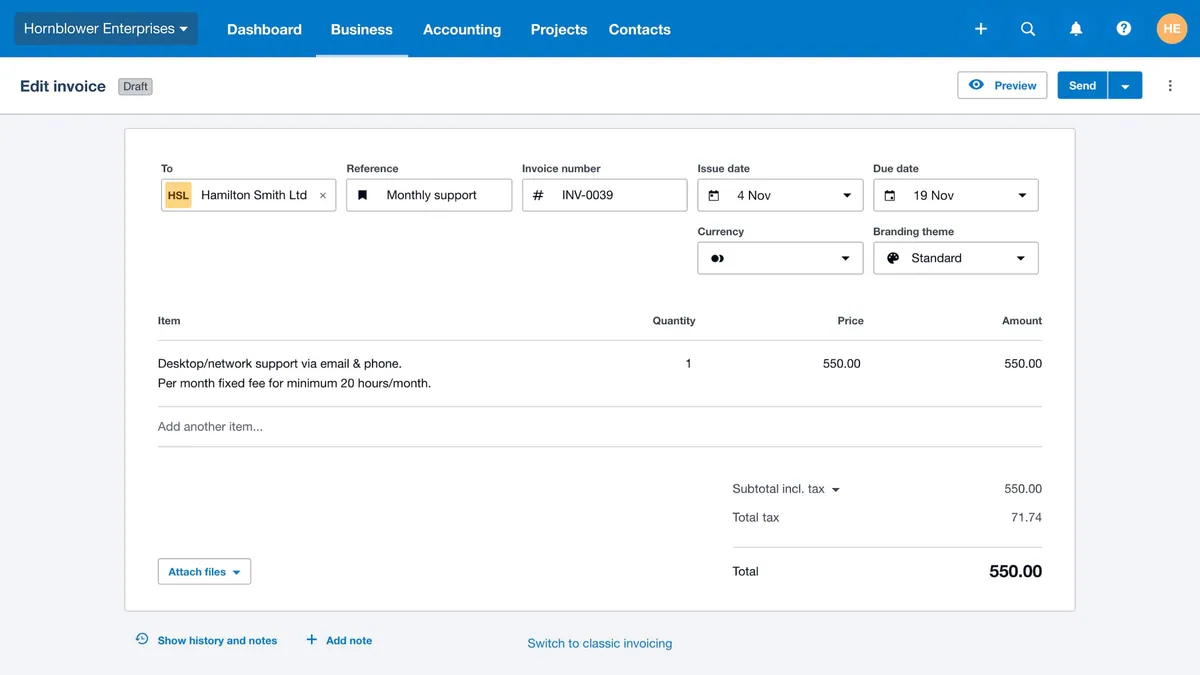
Where it beats QuickBooks for a contractor: the math. Xero Growing at $55/month against QBO Plus at $140/month is about $1,020 a year. A 3-employee shop running Xero plus Gusto lands around $122/month all-in versus roughly $185/month for QuickBooks Plus plus Payroll Core. The gap widens past 5 users, where QuickBooks pushes you to Advanced at $340/month and Xero charges nothing extra. The CRM story is better than people expect: JobNimbus has a native two-way Xero sync comparable to its QuickBooks connection, and Jobber syncs one-way on its Connect and Grow plans. Xero’s JAX assistant is now Claude-powered through the March 2026 Anthropic partnership, further along than Intuit Assist for asking your books questions.
Where it loses: the rest of the ecosystem. Housecall Pro, ServiceTitan, and AccuLynx all sync to QuickBooks natively and none sync to Xero without Zapier or middleware. Job costing is thinner: Xero Projects lives on the $90 Established plan and doesn’t match Class Tracking for slicing profit by trade or crew. Payroll is through Gusto. Support is email-only, and an outside bookkeeper can’t be logged into two client orgs at once.
Switch to Xero if you’re on Jobber or JobNimbus (or no CRM), you’re paying QuickBooks per-seat money for a crew, and your CPA is willing to work in it. Our QuickBooks vs Xero comparison runs the full cost math.

2. FreshBooks
Best for Solo ContractorsFreshBooks was built from the invoice outward instead of from the general ledger inward, and that shows the moment you log in. Most solo operators are sending a real invoice inside 15 minutes; QuickBooks takes a few hours of chart-of-accounts setup to get to the same place. Lite is $23/month but caps you at 5 billable clients, which a working contractor blows through in month one. Plus, at $43/month, is the real starting point: 50 clients, bank reconciliation, double-entry reports, accountant access, and a basic project profitability widget.
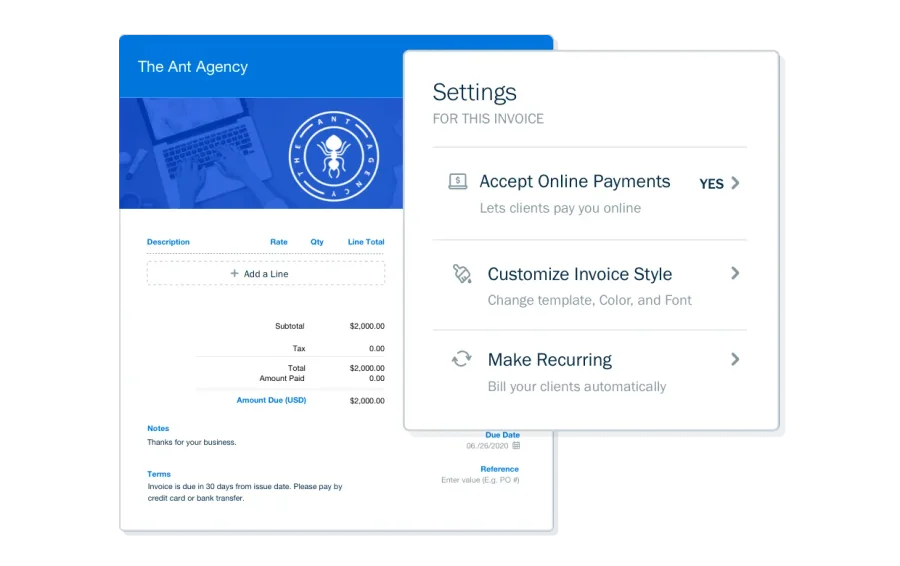
Where it beats QuickBooks for a contractor: getting paid. Client portal, recurring invoices, automated late fees, and AI that picks the send time for reminders based on how each customer has paid before. Our scoring gives FreshBooks a 5.0 invoice builder against QuickBooks’ 4.3. It’s also about $72/month cheaper than QBO Plus for a one-person shop, roughly $860 a year, and the card fees (2.9% + $0.30, 1% ACH) are basically identical to QuickBooks Payments, so there’s no hidden processing penalty.
Where it loses: everything past one truck. There’s no Class Tracking equivalent, no contractor chart-of-accounts template, and our job costing score for it is 2.5/5, the lowest on this page. Each extra user is $10/month, so a 5-person crew erases the price advantage. And no contractor CRM syncs to it natively: Jobber, Housecall Pro, JobNimbus, ServiceTitan, and AccuLynx all go to QuickBooks. Payroll is Gusto, same as Xero.
Switch to FreshBooks if you’re a handyman, solo electrician, solo plumber, painter, or landscaper who bills by the job, doesn’t run a CRM, and wants the accounting to feel like sending an email. If you run a crew or a CRM, don’t. The QuickBooks vs FreshBooks comparison draws that line in detail.
Read the full FreshBooks review →

3. Sage 100 Contractor
Best for Construction-First Job CostingSage 100 Contractor is what “outgrowing QuickBooks” actually looks like. It’s construction accounting, not general accounting with a Projects tab: cost codes ship built in, costs land at the task level inside each phase of a job, and AIA G702/G703 progress billing, certified payroll (WH-347 and state prevailing wage), union fringe reporting, and equipment depreciation are all first-class features. Reporting runs six dimensions against QuickBooks’ two. Our review scores its job costing a perfect 5.0.
Where it beats QuickBooks for a contractor: every place plain QBO has a hole. Committed costs, retainage, AIA pay apps, certified payroll. If you just signed your first AIA-billed commercial contract or started running Davis-Bacon work, QuickBooks makes you do those in spreadsheets or add-ons that break under audit. Sage does them natively. The CPA story is better than you’d think: Timberline/Sage literacy is close to universal among construction CPAs at mid-market firms.
Where it loses: cost, complexity, and everything below $5M. Pricing is quote-only at $115–$200 per user per month. A 10-user shop commonly lands around $1,380/month, or $16,560 a year, before $5,000–$25,000 of implementation; our review puts a realistic Year 1 at $30,000–$80,000+ including $2,000–$10,000 to migrate QuickBooks data. No free trial. Non-accountants struggle with it, integrations number about 25 versus QuickBooks’ 650+, and the AI trails Intuit Assist and Xero’s JAX because Sage Copilot lives in Intacct, not 100 Contractor.
Switch to Sage 100 Contractor if you’re between roughly $5M and $20M in revenue, doing commercial or public work that requires AIA billing or certified payroll, and you have (or will hire) a construction-certified bookkeeper to run it. Under $5M, our review’s advice is blunt: stay on QuickBooks.
Read the full Sage 100 Contractor review →

4. Contractor Foreman
Best Job-Costing Layer on Top of QuickBooksHere’s the one that surprises people. Contractor Foreman is not accounting software. It’s a 20-module construction management platform (estimating, scheduling, time cards, purchase orders, subcontracts, change orders, daily logs, client portal, CRM) with a financials module that does actual-vs-budget job costing and standard, AIA/progress, and T&M invoicing, then syncs two ways with QuickBooks Online, which stays your ledger. Pricing is public and flat: Basic $49/month (1 user), Standard $105 (3), Plus $166 (8), Pro $221 (15), Unlimited $332, all on annual billing, every tier with every module. Capterra’s 820+ reviewers rate it 4.5/5 with a 4.6 on value.
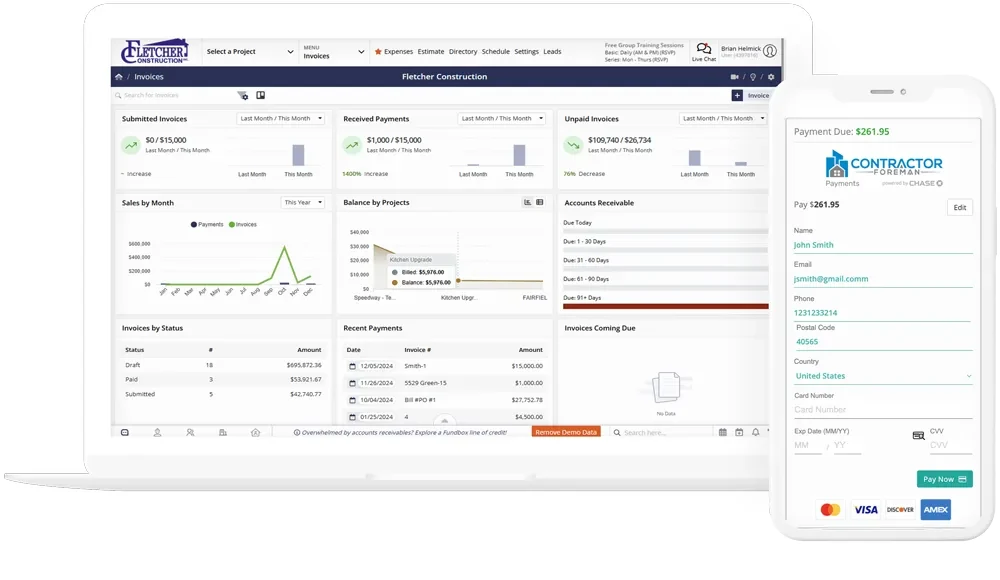
Where it beats QuickBooks for a contractor: it fixes the job-costing complaint without touching your books or your CPA. Committed costs through POs and subcontracts, AIA-style pay apps, change orders that don’t wreck the original estimate, and crew time flowing into labor cost. That’s the exact list of things our job costing guide says plain QBO can’t do, and the guide’s own advice is to layer a tool on top before you abandon the ledger.
Where it loses: it doesn’t replace anything on the accounting side, so your QuickBooks bill doesn’t go away. QuickBooks Desktop sync was discontinued January 1, 2026, so Desktop holdouts have to move to QBO first. There’s no true month-to-month billing (quarterly runs about 25% more than annual), the cost item database is shallow, QBO sync failures needing a manual re-sync are a recurring complaint, the AI is a help chatbot, and the mobile app is functional rather than field-first.
Switch to Contractor Foreman if you’re a 5–30 person residential GC or remodeler on QuickBooks Online whose real problem is job costing, change orders, and progress billing, not the ledger itself. It’s the cheapest credible fix for that problem on this page.
Read the full Contractor Foreman review →

5. Procore
Best for Commercial GCs and $20M+ OperationsProcore is here for the commercial GC who landed on this page. Like Contractor Foreman, it’s a project management and financials layer, not a general ledger. Project Financials tracks committed versus actual costs in real time, runs subcontractor invoicing with approval routing, handles AIA G702/G703 progress billing with retainage, and pushes it all into an ERP: Sage 100 Contractor, Sage 300 CRE, Sage Intacct, Vista, Spectrum, Yardi, MRI, Acumatica, and QuickBooks Desktop. It carries a 4.5/5 across 2,657 Capterra reviews and our highest rating on this list at 4.3, mostly for document workflow (RFIs, submittals, drawings) and the deepest AI surface in construction PM after the January 2026 Datagrid acquisition.
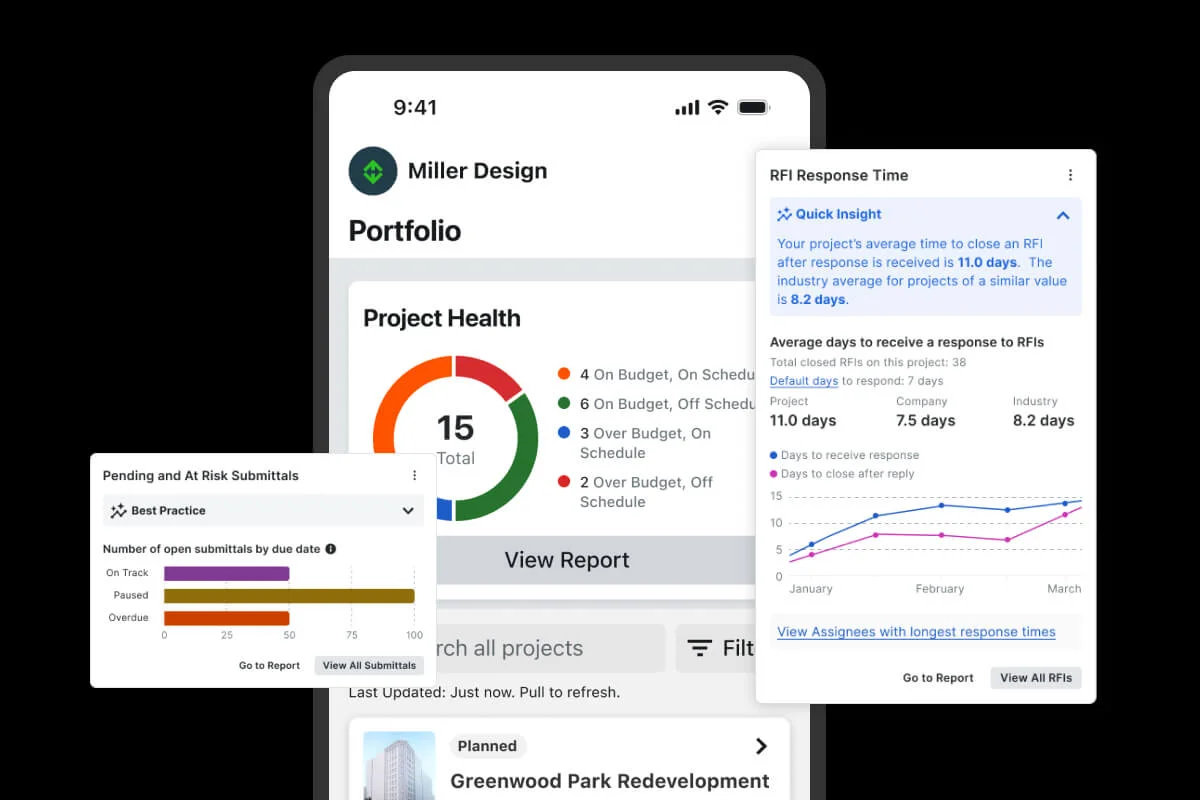
Where it beats QuickBooks for a contractor: at commercial scale it isn’t a comparison. Committed costs, T&M tickets, prequalification, and change-order OCR are a different sport from Projects on QBO Plus. Unlimited users on every contract.
Where it loses: almost everywhere a small contractor lives. Pricing is ACV-based and sales-quoted, roughly $15,000–$30,000 a year for a small GC and up to $80,000+ for mid-market, on annual contracts with no trial and 4–12 weeks of implementation. And the headline problem for anyone reading a QuickBooks page: QuickBooks Online is not a native integration. Only Desktop is, and Intuit is walking people off Desktop. QBO users need a connector like Smoothlink or hh2 at $150–$500/month on top.
Switch to Procore if you’re a commercial GC or a $20M+ residential operation whose accounting is already on (or moving to) Sage or another ERP. If you’re a residential GC on QuickBooks Online, Buildertrend or Contractor Foreman ship the workflows you need with native QBO sync at a fraction of the cost.
Read the full Procore review →
Side-by-Side: QuickBooks vs the Alternatives
| Product | Starting price | Real contractor price | Job costing? | Payroll? | Accountant familiarity | Our rating |
|---|---|---|---|---|---|---|
| QuickBooks Online | $38/mo | Plus, $140/mo | Projects + Class Tracking (Plus+); no committed costs, retainage, or AIA on plain QBO | Native (Payroll Core ~$50 + $6.50/employee) | Universal | 4.3 |
| Xero | $25/mo | Growing, $55/mo | Xero Projects on Established ($90); no Class Tracking equivalent | Via Gusto | Growing in US; common in UK/AU | 4.0 |
| FreshBooks | $23/mo | Plus, $43/mo | Basic project profitability widget only | Via Gusto | Moderate; accountant access on Plus | 3.9 |
| Sage 100 Contractor | $115/user/mo | ~$1,380/mo at 10 users + implementation | Task-level, cost codes, AIA, retainage, committed costs | Native, incl. certified and union | Standard among construction CPAs at mid-market firms | 4.2 |
| Contractor Foreman | $49/mo (annual) | Pro, $221/mo (15 users) | Actual-vs-budget, POs, AIA/progress, change orders; syncs to QBO | Via Gusto sync; ADP export | N/A — QBO stays the ledger | 3.7 |
| Procore | Custom quote | ~$15K–$30K/yr small GC | Committed costs, AIA with retainage, T&M; syncs to ERP | Via ERP | N/A — Sage/ERP stays the ledger | 4.3 |
Only the top three rows replace QuickBooks; the bottom two need a ledger underneath, and for Procore that ledger isn’t QuickBooks Online without a paid connector. And budget from the “real contractor price” column, never the starting price.
Best Pick by Situation
Solo operator or handyman who just needs to invoice
FreshBooks Plus at $43/month. Invoicing in 15 minutes, a client portal and automated reminders that get you paid faster, and roughly $860 a year saved against QuickBooks Plus. The moment you hire a second person or sign up for Jobber, revisit this.
2–10 person trades shop (HVAC, plumbing, electrical, roofing)
Depends entirely on your CRM. On Jobber or JobNimbus: Xero Growing at $55/month with unlimited users, native sync. On Housecall Pro, ServiceTitan, or AccuLynx: stay on QuickBooks Plus, because the native sync is a daily-workflow feature and the Zapier bridge to Xero costs money and breaks. No CRM: Xero on price, QuickBooks on job costing depth. The FreshBooks vs Xero comparison covers the solo-versus-crew crossover.
GC or remodeler who needs job costing, change orders, and AIA billing
Keep QuickBooks Online, add Contractor Foreman. This is where most people think they need a QuickBooks alternative and actually need a layer. Plus at $140/month stays the ledger; Contractor Foreman (realistically Pro at $221 for a 15-person shop) handles committed costs, AIA/progress invoicing, and change orders, then syncs financials back. Your CPA never notices. Already on QBO Advanced? Try the Construction Edition add-on, free for the first 12 months, before you buy anything.
Commercial or large GC with certified payroll and retainage
Sage 100 Contractor for the books, Procore on top if you’re $20M+. Once AIA G702/G703 billing and certified payroll are contract requirements, QuickBooks Online’s workarounds stop being worth the risk. Sage handles both natively and construction CPAs know it. Procore is the project layer for a GC whose accounting is already on Sage; it’s not a QuickBooks replacement and doesn’t pretend to be.
”My CPA insists on QuickBooks”
Stay. This isn’t a cop-out. The accountant ecosystem is the biggest reason QuickBooks is the default in the trades, and switching against your CPA’s advice means retraining them on your dime or finding a new accountant. Neither is cheaper than the $1,020 a year you’d save on Xero. Fix the real complaint instead: turn on Projects and Class Tracking per the setup guide, and if job costing is still short, layer Contractor Foreman on top. Your CPA stays in the loop either way.
Leaving QuickBooks Desktop specifically
QuickBooks Online Plus or Advanced, in most cases. Desktop’s sunset isn’t a reason to leave Intuit; it’s a reason to move to the product Intuit is investing in. You lose some reporting depth and gain mobile access, Intuit Assist, native CRM sync, and the Construction Edition roadmap. Two exceptions. If Desktop’s deep job costing and WIP reporting are what you’ll miss and you’re above $5M, Sage 100 Contractor is the construction-native step up that Enterprise ($1,340–$7,200+/year) only approximates. And if your CRM is Jobber or JobNimbus, a Desktop-to-Xero move costs no more than Desktop-to-Online, since you’re rebuilding either way.
What Switching Actually Involves
Nobody’s migration is identical, so take this as the general shape of the job, not a checklist. Confirm specifics with your CPA before you cancel anything.
Chart of accounts. Don’t import QuickBooks’ default chart. Rebuild it the way the setup guide describes: direct job costs (labor, materials, subs, equipment) split from overhead, with two-sided items so costs and income both land on a job. A migration is the one time you get a clean slate, and a coffee-shop chart of accounts is what made QuickBooks job costing lie to you in the first place.
Historical data. Either bring over opening balances as of the cutover date and keep the old QuickBooks file for history, or import prior transactions. Most small contractors do the first: faster, cleaner, and the old books stay available read-only for tax lookback. Importing history is worth it mainly for open jobs that straddle the cutover. Sage’s migration line in our review, $2,000–$10,000, is what “bring everything” costs at the top end.
Payroll. Moving to Xero, FreshBooks, or Contractor Foreman means payroll moves to Gusto, and that means re-entering year-to-date wages and withholdings for every employee so W-2s and quarterly filings come out right. That’s exactly why you don’t do it mid-quarter. Sage runs payroll natively, including certified and union.
1099s. Your subs’ year-to-date payments have to carry over so the $2,000 reporting threshold counts the whole year. Re-flag every sub as a 1099 vendor, map subcontractor cost accounts to Box 1, and keep the W-9s somewhere you can find in January. The 1099 walkthrough covers the QuickBooks side; the discipline is the same anywhere.
CPA handoff. Have the conversation before you pick a platform. Ask whether they work in the new system, whether they’ll bill more to learn it, and whether they want to run the cutover. Give them accountant access on day one.
Timing. The fiscal year boundary, January 1 for most contractors, is the cleanest cut: the old system holds one complete year for taxes, the new one starts with fresh opening balances, and nothing gets split. Second-best is the first day of a quarter, so payroll filings stay whole. Worst is mid-quarter with W-2 payroll running. Our Xero comparison estimates 16–30 hours for a typical QuickBooks-to-Xero move; budget more if you’re importing history or moving payroll.
Related Reading
- QuickBooks vs Xero · QuickBooks vs FreshBooks · FreshBooks vs Xero
- QuickBooks contractor pricing · Job costing in QuickBooks · Construction Edition explained
- QuickBooks setup for contractors · 1099 reporting walkthrough
- All contractor accounting software we’ve reviewed