


The first thing every contractor underestimates about scheduling software is how much customer behavior changes when you stop asking people to call you back. A homeowner who has to leave a voicemail to book an estimate at 7:30 PM — when they actually have time to think about their roof — usually doesn’t bother by morning. A homeowner who can click a link, see your real availability, and put themselves on the calendar in 90 seconds becomes a closed lead before the night is over.
That’s the job Calendly does. It is not an FSM, it is not a CRM, it is not a dispatch system, it is not even a complete scheduling solution if you’re running multiple trucks. It is a customer-facing booking link, and it does that job better than almost anything else on the market — which is why 20+ million people across 230 countries use it (Calendly fact sheet, March 2025) and why Capterra has 4,090 verified reviews averaging 4.7 stars with 96% positive sentiment.
What this review covers: verified 2026 pricing across all four tiers, the three AI features that shipped between December 2025 and April 2026 (and the one still in beta), the integration map for the contractor stack — every native partner and every Zapier-only bridge — the Smith.ai pairing that’s the highest-leverage use case for service trades, real Capterra quotes from contractor-industry reviewers, and an honest read on which contractor segments should pay for it versus which should run their FSM’s built-in scheduler instead.
“I’ve been using Calendly for over a year, and I have to say it’s an excellent platform for managing scheduling. Easy setup; professional branded pages; automated reminders.”
— Teresa S., Project Manager, Construction industry (4-star Capterra review)
What Calendly Costs in 2026 (Verified Tier-by-Tier)
Pricing transparency is one of Calendly’s quiet strengths. Every tier below Enterprise is published openly on calendly.com/pricing, and the rates haven’t moved in 2025 or 2026 — last verified May 2, 2026.
2026 Published Pricing · Verified May 2, 2026
Four Tiers · Per-Seat Pricing Below Enterprise
Annual billing recommended — saves roughly 16-20% versus monthly. Free is genuinely free with no time limit. Enterprise is sales-quoted; the published rates below cover everything else.
Free · No Time Limit
$0
/forever
1 event type · Unlimited bookings
Google/Outlook sync · Zoom/Meet/Teams native · Email confirmations · MCP Server access
Standard · Solo Workhorse
$10
/seat/mo · annual
Unlimited event types · 6 calendars/user
SMS reminders · Stripe/PayPal at booking · HubSpot · Mailchimp · Zapier · AI Notetaker
Teams · Sales-Heavy Crews
$16
/seat/mo · annual
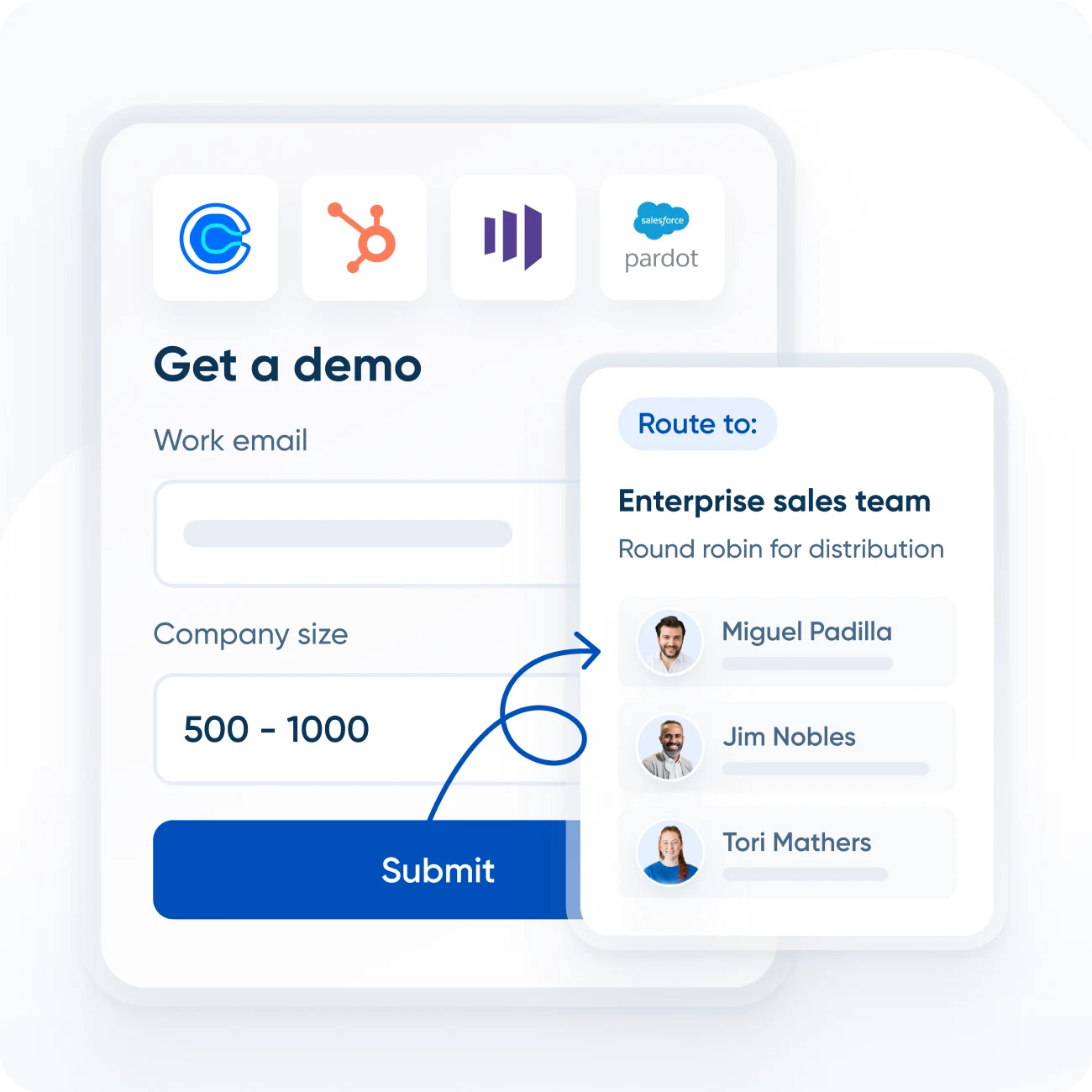
Round-robin · Lead routing · Salesforce
Marketo · Pardot · Routing forms with CRM lookup · SSO add-on · Admin tools
Enterprise · Sales-Quoted
$15K+
/year
Microsoft Dynamics · SAML/SSO native
Audit logging · Domain control · Data deletion API · Dedicated support · Power Automate
Real cost math at contractor scale: solo Standard $120/year · 5-person Teams $960/year · 10-person Teams $1,920/year. Compare against Workiz Pro at $3,900/year (5 users, last published April 2026; sales-quoted since 2026) or Jobber Connect at $1,428/year — Calendly is dramatically cheaper because it does dramatically less.
Two friction points worth knowing before you swipe.
First, the most common contractor workflows live behind the Standard paywall. SMS reminders, Stripe payments at booking, custom branding, and HubSpot integration all require $10/seat/month or higher. The Free tier is a real product, but it’s not a complete one — Olivia G., a cleaning business reviewer on Capterra, specifically called out: “Direct payment integration available” — except payment integration is Standard-tier only. Plan to upgrade within 30-60 days of real use.
Second, the Teams tier is where round-robin and lead routing live. A 5-tech HVAC operation that wants different techs to receive new estimate bookings based on a routing form needs Teams at $16/seat — $960 a year for 5 seats, still cheaper than any FSM dispatch alternative but a tier higher than most contractors expect. The cost stays defensible at this scale; the math gets meaningful past 15-20 seats.
The Booking Page That Changes Customer Behavior
This is the part of Calendly that earns the 4.7-star average and the 20-million-user base. The customer-facing booking experience is the cleanest in the category, and contractors who try to clone it inside their FSM’s built-in widget usually come back to Calendly within a couple of months.
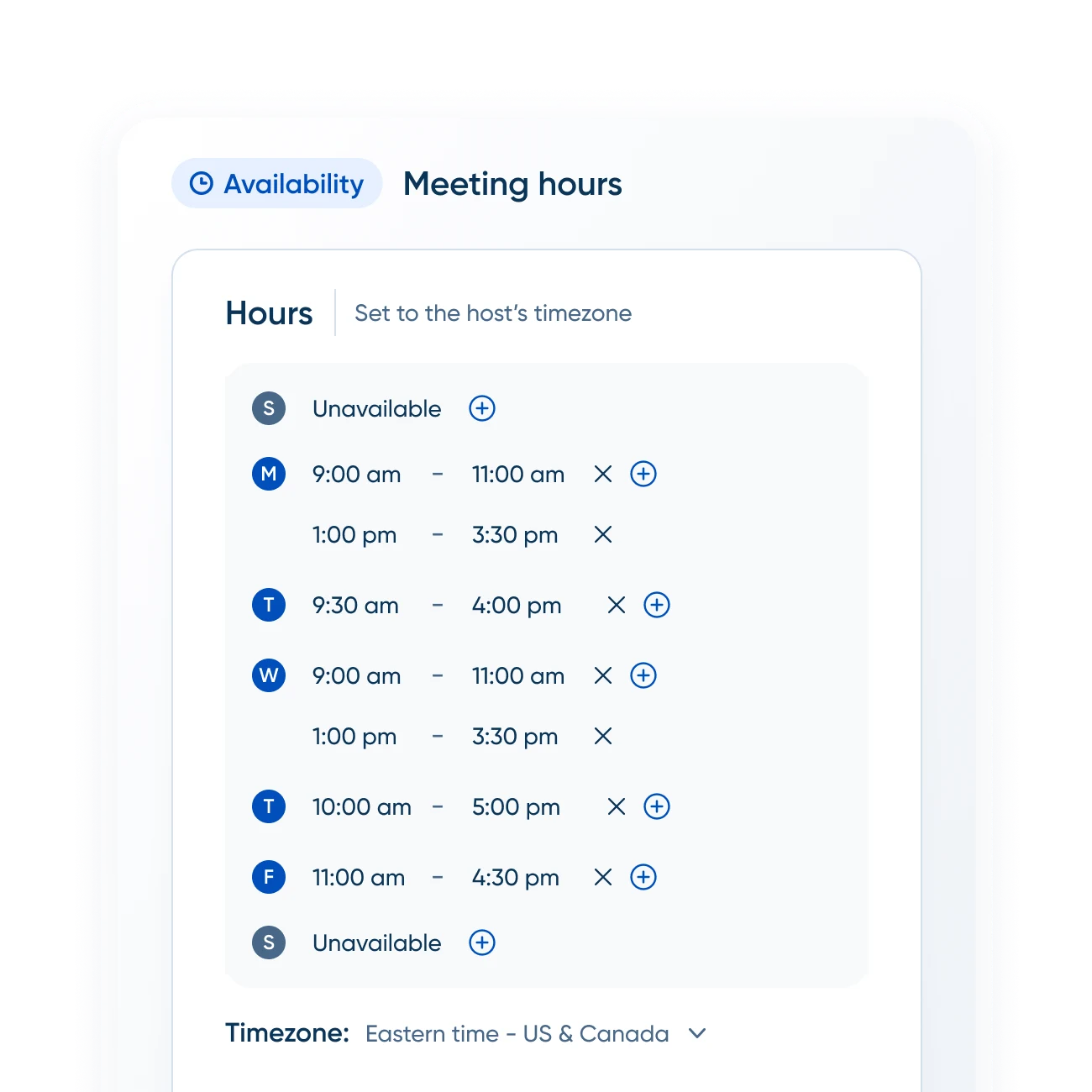
The mechanic is straightforward and the execution is detailed. You define an event type (“30-minute estimate consultation” or “Free roof inspection”). You set your working hours, drop-in buffer time between bookings, daily meeting caps, and minimum lead time before a customer can book. The system pulls your real calendar availability — across up to six connected calendars on Standard tier — and shows the customer only the slots that actually work.
The customer clicks the link, picks a slot, fills in their name and contact info plus any custom intake questions you’ve defined, optionally pays a deposit through Stripe or PayPal, and receives a confirmation email plus calendar invite with the Zoom or Google Meet link auto-generated. Their booking appears on your calendar instantly. No back-and-forth, no missed calls, no manual data entry.
The detail that separates Calendly from a Google Calendar booking link is in the buffer logic. A roofer booking 4-hour estimate windows wants 30 minutes between visits for drive time. An HVAC company booking 90-minute service calls wants 60 minutes for documentation and travel. Calendly’s buffer-time controls handle this per event type, not per calendar — so your “Free Estimate” and your “Service Call” can have different buffers and different daily caps without managing two separate calendars.
The Three AI Features That Shipped Between December 2025 and April 2026
This is where Calendly has surprised the category. After years of being “the scheduling tool that doesn’t really do AI,” Calendly has shipped three meaningful AI features in five months — and one more is in private beta as of late April 2026.
AI Stack · December 2025 → April 2026
Calendly's Five-Month AI Sprint
Notetaker, MCP Server, and AI Assistant launched within five months — built on the agentic AI platform team established August 2025.
GA · Dec 2025
AI Notetaker
5 months in production
Records, transcribes, and summarizes Zoom/Meet/Teams meetings with action items. Works on non-Calendly meetings too. Available on every paid tier (Standard+).
GA · Mar 2026
MCP Server
2 months in production
Connect Calendly to ChatGPT, Claude, and other MCP clients. Ask the AI to find slots, create one-time links, reschedule meetings via natural language. Available on every plan including Free.
Private Beta · Apr 2026
AI Assistant "Callie"
Limited rollout
Conversational search across Calendly: "what did Bob and I discuss last week?", "summarize my call with the kitchen remodel client." Plan availability not yet announced.
The MCP Server is the one that contractors should pay attention to right now. Model Context Protocol is the open standard Anthropic introduced in 2024 that lets AI tools connect to external services in a standardized way. Calendly’s MCP endpoint at https://mcp.calendly.com/ is fully functional in ChatGPT (Plus and Team tiers — the Free tier doesn’t support custom MCP connectors yet) and Claude Desktop on every Calendly plan including Free.
The practical workflow: a contractor running Claude Desktop on their phone can say “Send Bob a one-time 45-minute estimate booking link for next Tuesday or Wednesday afternoon” and Claude executes against Calendly without any manual page navigation. For trades that field a lot of inbound text messages or quick scheduling requests on the road, this is genuinely useful — not because the technology is novel, but because the friction reduction is real.
The AI Notetaker is more of a sales-team feature than a contractor-specific one — it shines on virtual estimates and design consultations, less so on field service work. The Notetaker on every paid tier is a reasonable add at $10/seat/month, but contractors recording confidential customer conversations (insurance claim consultations, restoration scoping with sensitive home details) should disable it per-event by default and turn it on only when the customer explicitly consents.
The AI Assistant “Callie” is interesting but not yet useful — private beta, no plan availability announced, no broad timeline. Don’t buy Calendly for Callie today.
The Integration Map: What’s Native vs What’s Zapier-Glue
This is where contractor evaluation gets specific. Calendly’s integration breadth is genuinely impressive on paper — the marketing site lists 200+ partners — but the contractor-software stack specifically gets sparse fast. Verified May 2, 2026 against each platform’s marketplace and Calendly’s own integration directory.
Contractor Integration Audit · May 2026
Native vs Zapier-Bridged · The Honest Map
"Native" means direct API integration installable from inside Calendly with no third-party glue. "Zapier-only" means you need a paid Zapier subscription ($19.99-$49/month for Standard) and configuration time.
Native · Direct API Integration
- ✓Smith.ai — AI receptionist books directly into Calendly via the Scheduling API. The standout pairing for contractors.
- ✓Stripe + PayPal — payment-on-booking on Standard tier and up. Contractors collecting deposits at consult booking.
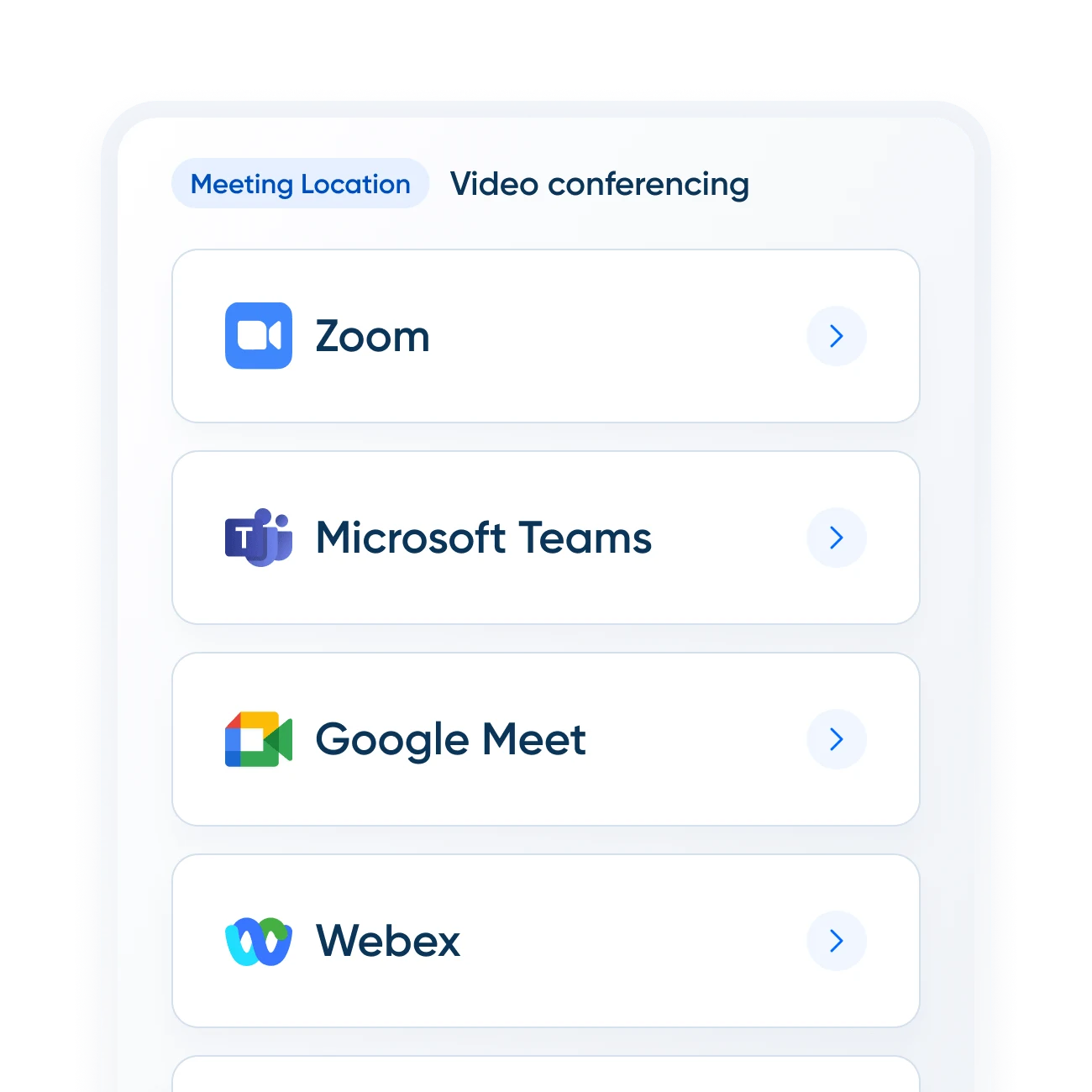
- ✓Zoom · Google Meet · Microsoft Teams — auto-attached video links on every tier including Free.
- ✓Google Calendar · Outlook · Office 365 · Exchange — bidirectional sync. Up to six connected calendars per user on Standard.
- ✓HubSpot (Standard+) · Salesforce (Teams+) · Pardot · Marketo · Microsoft Dynamics 365 (Enterprise)
- ✓Mailchimp · Slack · Greenhouse · Gong · Typeform · ActiveCampaign
- ✓Claude · ChatGPT — via MCP Server (March 2026 launch).
Zapier-Only · Glue Required
- ✗Jobber — Zapier-bridged. Workflow: new Calendly invitee → create Jobber client.
- ✗Housecall Pro — Zapier-bridged. Not in HCP's native integrations list.
- ✗ServiceTitan — Zapier-bridged. Not in the ServiceTitan Marketplace.
- ✗JobNimbus — Zapier-bridged. Requires JobNimbus API key.
- ✗AccuLynx — Zapier-bridged via paid AppConnections add-on.
- ✗QuickBooks Online — Zapier-bridged for invoice creation on booking.
- !GoHighLevel — One-way native sync (Calendly → GHL). HighLevel has its own scheduler that overlaps with Calendly.
Sources: Smith.ai integration page · Zapier Calendly+Jobber · HighLevel Calendly sync docs · all integrations re-verified May 2, 2026.
The honest read: Calendly is genuinely deep where contractors care about meeting-with-strangers (Stripe at booking, Zoom auto-attached, HubSpot/Salesforce for CRM-aware sales motions, and the unique Smith.ai pairing). It is Zapier-glue everywhere FSM-for-trades is concerned — which is fine for solo and small operators willing to spend an afternoon configuring zaps, but a real friction point at scale where the configuration burden compounds across multiple integrations.
The math on Zapier matters at the margins. A contractor running Calendly Standard at $10/seat plus Zapier Starter at $19.99/month plus a Jobber subscription is at roughly $59/month for the customer-booking-into-Jobber-client workflow. That’s still cheaper than buying Jobber Connect tier just for the booking widget — but it stops being free and stops being one tool to learn.
The Smith.ai + Calendly Combo: The Highest-Leverage Contractor Pairing
If there is one specific use case where Calendly earns its place in a contractor stack regardless of what FSM you run, this is it.
Smith.ai is an AI receptionist that answers your inbound calls 24/7, qualifies the caller, books appointments, and routes urgent issues. Smith.ai was the first AI receptionist provider to integrate natively with Calendly via the Scheduling API (source: Smith.ai engineering blog) — meaning the receptionist sees your real-time Calendly availability and books directly into your calendar in the moment, while still on the call with the customer.
This is the workflow that Smith.ai → Jobber, Smith.ai → Housecall Pro, and Smith.ai → ServiceTitan cannot replicate. None of those FSMs have native Smith.ai integration; the AI receptionist has to either send a manual handoff or use a Zapier workaround that introduces a delay. With Calendly as the calendar system, the customer never gets put on hold and the booking is on your calendar before the call ends.
The math for a solo HVAC operator missing 8-15 calls a week (typical for after-hours and lunch-break inbound volume): Smith.ai’s lowest tier at $255/month + Calendly Standard at $10/month = $265/month. Recovering even 2 booked jobs per month at $300 average ticket pays for the stack 2x over. The same math at higher call volume tilts further in favor of the pairing.
The honest caveat: this pairing only makes sense if your downstream customer system is something OTHER than GoHighLevel (which has its own scheduler) or your FSM happens to have a strong enough mobile app that you don’t need a 24/7 receptionist. For most solo and 1-3 person trades, neither of those applies — and Smith.ai → Calendly is the single highest-leverage scheduling investment you can make.
The Sub-Score Breakdown: Where Calendly Wins and Where It Loses
Calendly is scored against the same eight dimensions as every other product on the Scheduling hub, and the asymmetric profile is the point — it’s a deliberately specialized product, not an FSM that does everything badly.
Where Calendly wins on dimension scoring:
- Self-Booking & Customer-Facing Pages — 5.0/5 — the cleanest customer-facing booking experience in the category, no contest. Embeddable widget, branded URLs, payment-on-booking via Stripe and PayPal, intake forms with conditional logic on Teams tier.
- Calendar & Daily Usability — 4.8/5 — drag-and-drop event creation, multi-calendar view, color coding, working-hours overrides per day. The basics done extremely well.
- Integrations — 4.7/5 — broadest native integration list of any pure scheduling product, anchored by HubSpot, Salesforce, Stripe, Zoom, and the unique Smith.ai pairing.
- Pricing & Value — 4.5/5 — published transparently, Free tier genuinely useful, Standard at $10/seat dramatically cheaper than FSM alternatives that overlap on customer-facing booking.
Where Calendly loses on dimension scoring (by design):
- Multi-Tech Dispatch & Routing — 1.5/5 — Calendly is built for individual or round-robin booking, not crew dispatch with skill matching, GPS routing, or capacity-aware scheduling. This is what Workiz (4.6/5), ServiceTitan (4.6/5), and Jobber (4.6/5) win on.
- Recurring Service Plans — 2.5/5 — recurring meetings yes, recurring service plans no. Calendly cannot model the HVAC seasonal tune-up, the quarterly pest contract, or the biannual gutter cleaning workflow. FieldEdge wins this dimension at 4.7/5.
- Conflict Detection & Capacity — 4.0/5 — basic double-book prevention and per-event-type caps work well. No multi-truck capacity gates or crew-conflict detection.
- Mobile Reliability — 4.5/5 — solid native iOS and Android apps; not as field-hardened as Housecall Pro (5.0/5) or ServiceM8 (4.8/5) but more than adequate for sales-side use.
The asymmetric profile is the editorial argument: Calendly does customer-facing scheduling extraordinarily well and explicitly does NOT do crew dispatch or service plans. Buyers looking for a hybrid will be disappointed; buyers who match the use case will find it best-in-class.
What Real Contractor-Industry Reviewers Actually Say
The Capterra review base is overwhelmingly SaaS, professional services, and IT — but a meaningful contractor-industry segment exists, and the verdicts are consistent.
Teresa S. — Project Manager, Construction industry — 4 stars (Capterra)
“Easy setup; professional branded pages; automated reminders. Free plan limited to one event type; paid subscriptions expensive.”
Tommy T. — AV Technician, Construction — 4 stars (Capterra)
“Integration is nice and so far, everything loads quick and efficient. A bit complex and steeper learning curve for some older folks.”
Olivia G. — Cleaning, Real Estate — 5 stars (Capterra)
“Eliminates scheduling back-and-forth; direct payment integration available. Advanced features limited to paid plans; slight setup curve.”
Sammi V. — Senior Client Manager, Marketing & Advertising — 5 stars (Capterra)
“Streamlines scheduling; integrates with Google Calendar, Outlook, Zoom, Teams. Advanced features (group events, round-robin) require paid plans.”
The dominant pattern across the 4,090-review base, per Capterra’s tag analysis: 96% positive sentiment overall, 86% positive on the interface specifically. The most-cited strengths are eliminating back-and-forth scheduling email, calendar integration depth, and ease of setup for non-technical users. The most-cited complaints are the paywall on advanced features (round-robin, group events, recurring meetings on lower-tier plans), limited customization on Free, and no native iCloud calendar integration.
The dollar-per-feature complaint is not unfair, but it has to be measured against alternatives. Calendly Standard at $10/seat is dramatically cheaper than Acuity Standard at $20/seat, Setmore Pro at $12/seat, or any FSM-built scheduler that requires the FSM subscription to access. The Free tier ceiling that drives upgrades is structurally a freemium product working as intended, not a bait-and-switch.
Calendly vs The Built-In Schedulers in Jobber, Housecall Pro, and GoHighLevel
The most common contractor evaluation question for Calendly is whether to add it on top of an existing FSM or to use the FSM’s built-in booking widget. The honest answer depends on which FSM tier you’re on and what specific workflow you’re trying to solve.
Jobber’s online booking widget is on the Connect tier ($119/month) and Grow tier ($199/month). The Core tier at $39/month does NOT include online booking. A Jobber Core subscriber adding Calendly Standard pays $39 + $10 = $49/month, which is dramatically less than upgrading to Jobber Connect at $119/month — and for a 1-2 person trade that doesn’t need the other Connect features (automated follow-ups, GPS, and quote follow-ups), the Calendly add is the better economic move. Jobber Connect+ subscribers, by contrast, already have a perfectly capable booking widget — the Calendly add is mostly redundant unless you specifically need the Smith.ai pairing.
Housecall Pro’s online booking widget is part of every paid tier including the $59/month Basic. HCP’s customer-facing booking page is genuinely strong (5.0/5 on field & mobile use, the Best Residential Service Scheduling winner in our methodology), and adding Calendly to HCP usually doesn’t pencil unless you’re running Smith.ai or specifically need the embeddable widget on a separate marketing site that doesn’t easily connect to HCP.
GoHighLevel ships its own Calendly-class scheduler at $97/month flat — and the GHL native scheduler integrates with the rest of the GHL stack (CRM, marketing automation, payment workflow, AI Employee) far more deeply than Calendly’s one-way sync into GHL. GHL users should not add Calendly. Period. The GHL native scheduler is what the platform is designed for.
The contrarian case where Calendly wins anyway: a contractor on Jobber Core, Housecall Pro Basic, or no FSM at all who needs a customer-facing booking link they can drop anywhere — yard sign QR code, Google Business Profile, email signature, Instagram bio link. That portability is what Calendly does best.
What’s New in 2026 That Matters Most for Contractors
Three events from the last twelve months are worth flagging for contractors evaluating Calendly today.
The August 2025 Agentic AI platform team (source) — Calendly built a horizontal AI infrastructure layer (context, tool registry, model provisioning, telemetry) that supports all subsequent AI products. This is the engineering foundation for Notetaker, MCP Server, and Callie — and the company has signaled more AI products in the pipeline through 2026. For contractors who care about AI maturity, this is the structural commitment that suggests Calendly’s AI features will keep shipping rather than stagnate after the initial launches.
The December 2025 AI Notetaker GA — recording, transcription, summarization, and action-item extraction now ships as part of every paid tier. The pricing is the news here: this is a feature category that competitors like Otter and Fireflies sell as standalone products at $10-$20/month per user, and Calendly is bundling it into the existing $10/seat Standard tier. For contractors running virtual estimates and design consultations, the cost-per-feature math just shifted in Calendly’s favor.
The March 2026 MCP Server launch — this is the structural change worth understanding. The MCP Server makes Calendly accessible from any AI tool that supports the Model Context Protocol — which today means Claude Desktop on every plan, ChatGPT Plus and Team, and a growing list of agentic AI tools. The contractor implication: if you’re using Claude or ChatGPT for daily ops (writing estimates, drafting customer emails, triaging inbound text messages), your AI assistant can now check your Calendly availability and book on your behalf without you opening Calendly. The friction reduction is real, particularly on mobile where switching between apps is annoying.
Pricing has not changed in 2025 or 2026, no leadership changes, and no acquisitions have shifted the strategy. CEO Tope Awotona remains in the role he’s held since founding the company in 2013.
The Verdict
Calendly is not the right tool for every contractor — and that’s exactly why it’s the right tool for the contractors who match its use case. It does customer-facing booking better than almost anything else on the market, the Free tier is a real product solo trades can run on indefinitely, the AI features are real enough to matter despite being young, and the Smith.ai pairing is unique and high-leverage for any contractor fielding inbound calls.
It is also a deliberately narrow product. Multi-tech dispatch is not on the roadmap. Recurring service plans are not on the roadmap. Native FSM integrations are not on the roadmap — Calendly’s strategy is to be the canonical scheduling layer that other tools integrate with, which works fine for HubSpot and Salesforce but leaves the entire trades-FSM stack on Zapier glue.
The right call for solo contractors and 1-3 person operations who need a customer-facing booking link or who specifically benefit from the Smith.ai pairing. The wrong call for anyone running an FSM with adequate built-in booking, anyone on GoHighLevel, anyone needing crew dispatch or recurring service plans, and anyone who needs native QuickBooks-tied invoicing on bookings.
Pricing is honest and transparent. Customer base is enormous and validated. Sub-score profile is asymmetric and editorially defensible. For the specific use case Calendly is designed to solve, it is best-in-class — and the AI investment over the last six months suggests it will stay there.
